trending
โ€ข

7mo ago

HtmlDrag v2.0: AI creation now has File Mode, Thinking, and a redesigned Template Mode

Hey everyone I just shipped HtmlDrag v2.0, and this is the biggest product update I ve made so far.

This release is all about making AI HTML creation more practical.

Instead of treating AI like a one-shot generator, I rebuilt the experience around two clearer workflows:

File Mode

โ€ข

4mo ago

Customize existing HTML without rewriting code.

AI can make the first website draft much faster. But when the page is already useful, the next step is often not another generation prompt.

It is a visual decision: make the hero headline clearer, replace an outdated image, review a section s position, or give the closing CTA the right emphasis.

โ€ข

4mo ago

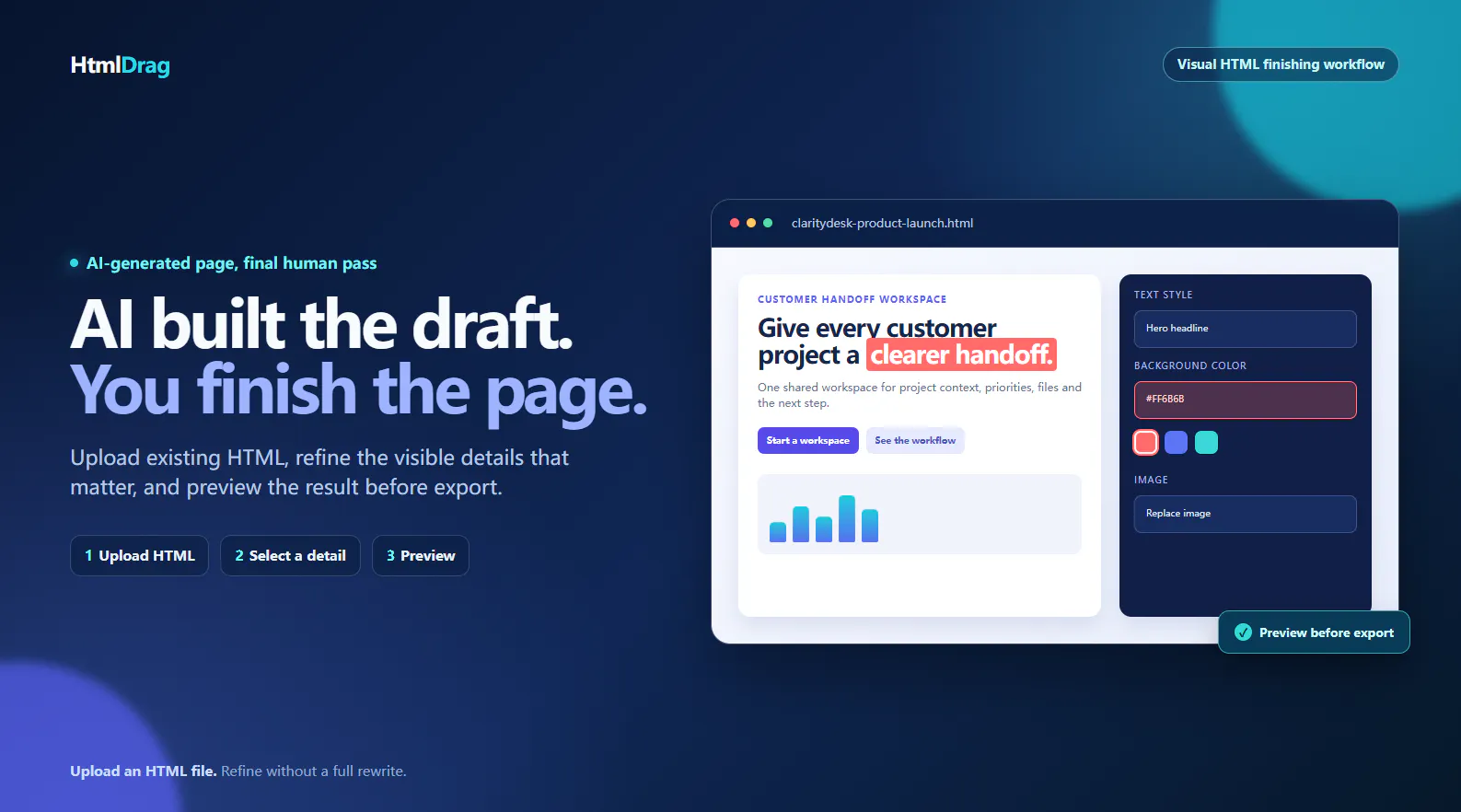
Finish AI-generated HTML pages with visual human review

AI tools can generate a convincing web-page draft in seconds. The difficult part is usually the handoff: the headline may be too generic, the CTA may not match the real conversion goal, and the middle of the page may not explain the product clearly enough to deliver.

HtmlDrag gives teams a visual finishing workflow for HTML generated by external AI tools. Paste the raw HTML into the Paste Code entry, turn it into an editable page, then select and refine the copy, CTA, colors, visual hierarchy, and section story without asking a non-developer to work directly in source code.

โ€ข

4mo ago

Finish AI-generated HTML without another full rewrite

AI can get a website to a convincing first draft quickly. The final pass is usually different: a headline needs more contrast, a section needs clearer hierarchy, an image needs replacing, or the closing CTA needs a more deliberate treatment.

โ€ข

5mo ago

<pre><code> ๐Ÿฆบ ConstructAI Guardian </code></pre>

That's actually a good decision.

If the very first screen shows a construction site image, your login page can feel cluttered and generic. Many enterprise AI products (like Microsoft, Notion, GitHub, Databricks, etc.) use minimal, premium login pages and reveal the product after login.

I would make it like this

 ConstructAI Guardian AI Construction Safety Intelligence Platform Protect workers. Predict risks. Prevent accidents. Email / Employee ID manager@company.com Password Role Site Manager Remember me Forgot Password? Secure Sign In View Demo Dashboard Protected by enterprise-grade security 
โ€ข

5mo ago

Export the current HTML page state to AI

HtmlDrag now has a cleaner workflow for asking AI to review a page without pasting the entire HTML source into the chat.

The flow:

- import an existing page by URL

โ€ข

7mo ago

HtmlDrag v2.1: AI Creator now supports PDFs, slides, and spreadsheets

HtmlDrag v2.1 is now available.

This update focuses on making AI Creator much more useful for real-world content workflows. You can now start from common business files PDFs, slides, spreadsheets, documents, images, or text prompts and turn them into editable HTML pages that can still be refined visually in HtmlDrag.

Here is what changed in v2.1:

โ€ข

6mo ago

HtmlDrag v2.1.4 Product Update: Secure HTML Export to AI & Unified Output

HtmlDrag v2.1.4 is now live, introducing a dedicated pipeline to share visual canvas structures with AI assistants, alongside codebase cleanup and bug fixes.

1. Export to AI (Snapshot Bridge)

โ€ข

9mo ago

HtmlDrag update: better share controls, cleaner share pages, and editing fixes

We just shipped a new HtmlDrag update focused on sharing and editing reliability.

Here s what s new:

1. Better sharing controls

- You can now choose share duration more flexibly: 7 days, 30 days, 90 days, or until membership expiry.

โ€ข

9mo ago

Editing Experience Improvements & Stability Fixes

[Experience Improvements]

  • Popup cleanup refined: Clearer descriptions and more intuitive feedback for popup/overlay cleanup.

  • Simplified paste mode: Merged into a single toggle plain text by default, one click to keep styles.

  • Smart download adaptation: HTML downloads now auto-detect email vs. web content for optimal cleanup.

  • Toolbar streamlined: Removed redundant buttons for a cleaner editing interface.

  • Editor performance boost: Core components restructured for faster overall response.

[Bug Fixes]

  • Preview button fix: Fixed preview button not responding on code paste and email signature pages.

  • Faster template loading: Fixed slow loading after selecting a template.

  • Image editing fix: Fixed inability to select or edit images with special structures (e.g. site logos).

  • Heavy page loading fix: Fixed browser freezing when loading pages with complex stylesheets.

  • Legacy browser support: Fixed features being unavailable on older browsers.

  • Post-update loading fix: Fixed resource loading failures in stale browser tabs after updates.

  • Context menu fix: Fixed occasional errors during right-click menu operations.

  • Dialog stability fix: Fixed occasional crashes when rapidly interacting with dialogs.