

How to Convert a PowerPoint Presentation into an Interactive Digital Flipbook
A PowerPoint file is designed for a room. Once the meeting ends, sharing it creates a familiar set of problems: file size limits on email, no way to embed it on a website, no visibility into whether anyone actually read it, and accessibility that depends entirely on the viewer's local software.
Converting a presentation into a digital flipbook solves all of that in a single step. The output is a publication that opens on any device without software, is shareable as a URL, embeddable on any website via iframe, and trackable with page-level analytics (depending on your plan).
Here is exactly how the process works.
How It Works
The process requires two things: your existing PowerPoint file and a free account on a flipbook platform. No conversion software, no plugins, no manual page setup.
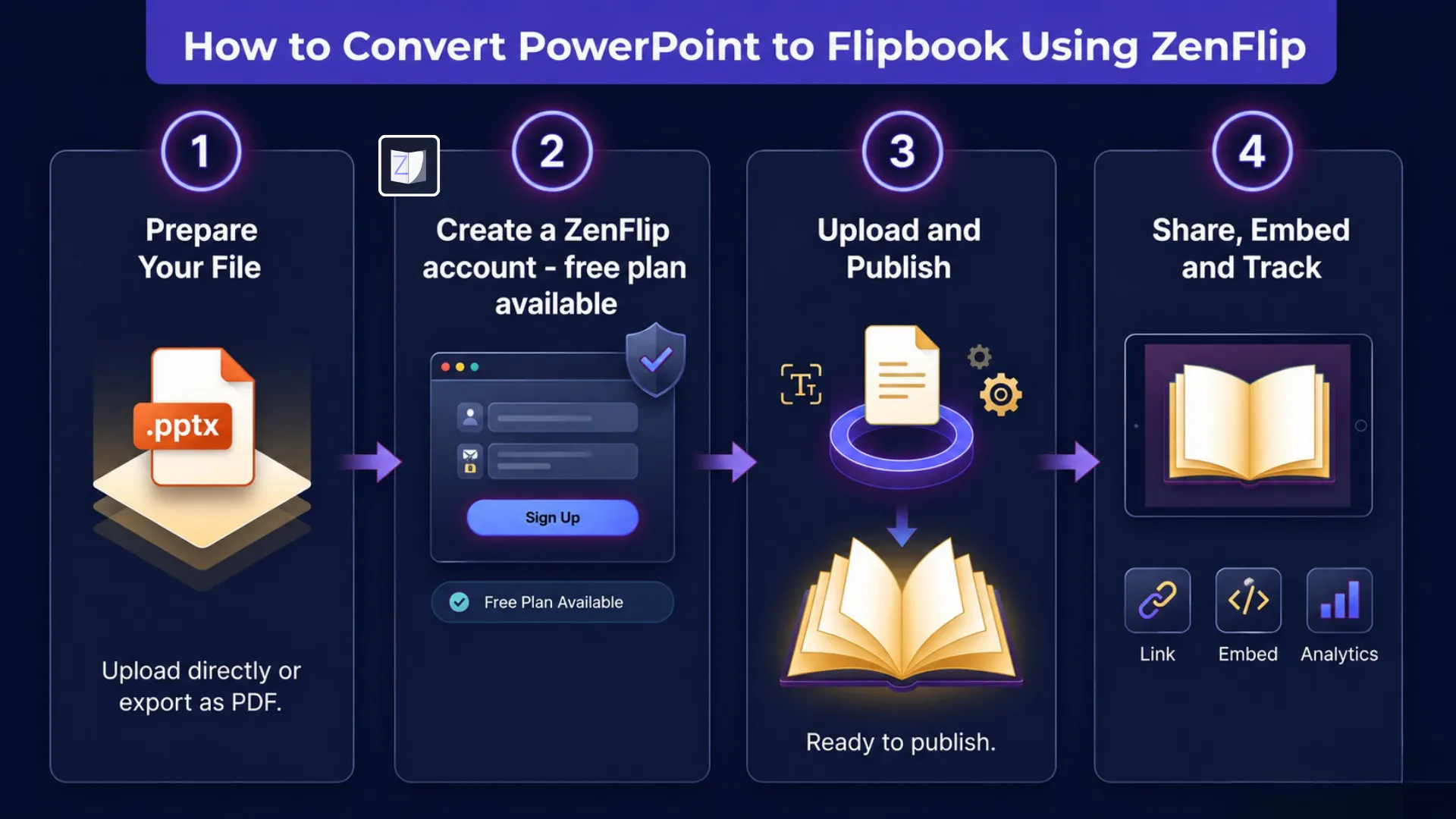
Step 1: Prepare your file. You have two options. Upload your .pptx directly, as most modern flipbook platforms accept PowerPoint natively. Alternatively, export your presentation as a PDF using File > Export > Create PDF/XPS in Microsoft PowerPoint, then upload that. If you take the PDF route, ensure images are embedded rather than linked and custom fonts are preserved before exporting, as both affect output quality. Either way, the result is identical.
Step 2: Create a free account. Free plans typically support a set number of publications and pages, enough to test the workflow before committing. Importantly, look for platforms where accessibility features are included at the free tier: WCAG 2.2 AA compliance, text-to-speech, screen reader support, and mobile-responsive output should not be paywalled.
Step 3: Upload and publish. Once your file is uploaded, the platform extracts the text layer, performs paragraph detection across your slides, and generates a fully interactive flipbook automatically. No manual configuration. Your publication is ready to share as soon as processing is complete.
Step 4: Share, embed, or track. Every published flipbook generates a direct shareable link and iframe embed code. You can send the link by email, post it on social media, embed it on a website or intranet without plugins, or track how your audience engages with it page by page on paid plans.
Where This Applies
The workflow is useful across more scenarios than it first appears.
Sales and client-facing teams use it to share presentations as tracked links rather than attached files, with analytics showing which slides received the most engagement. Training teams use it to publish onboarding materials that are accessible to a wider range of learners through text-to-speech and screen reader support. Publishers use it to build interactive magazines, reports, and catalogues from presentation-style source files. Investor relations teams use it to embed presentations directly on their websites rather than hosting a downloadable PDF.
The accessibility layer is the part most teams overlook until they need it. A properly converted flipbook includes WCAG 2.2 AA compliance, ARIA live regions for screen readers, keyboard navigation shortcuts, and dyslexia-friendly reading modes, all active by default with no configuration required.
What format do you currently use to share presentations externally, and have you run into accessibility or engagement tracking limitations with that approach?
For More Info - Visit - zenflip.io
Replies