Comments now pin to characters in the CRDT, so editing inside a quoted phrase stops orphaning the thread.
Here are three of my favorite improvements:
Dark theme
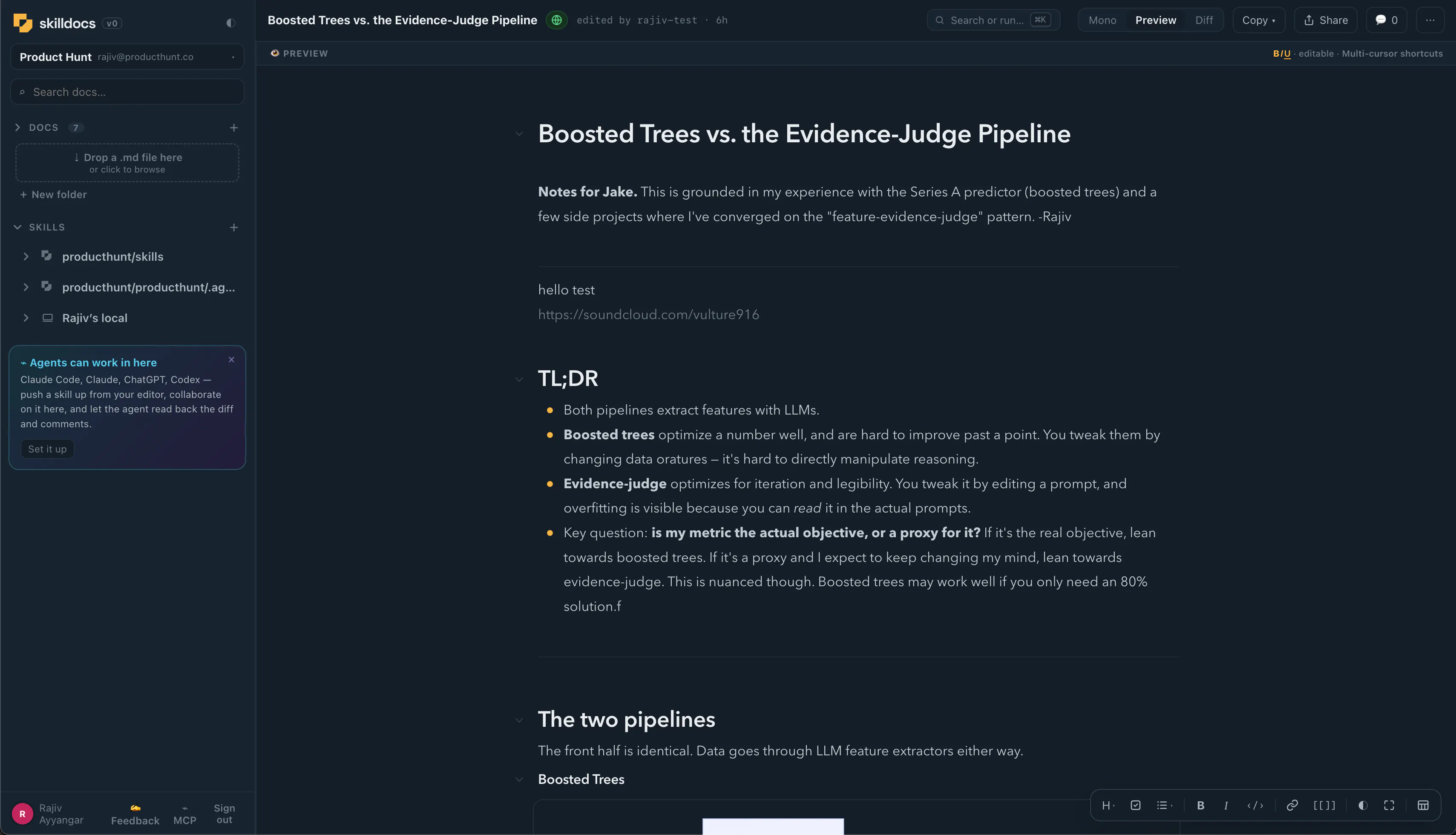
It toggles from three places: the next to the wordmark, the on the style bar, and Appearance in the settings menu. One state, three doors. Each cycles Light Dark Match system, and Match system follows the OS live. Plus - I love how the logo looks in dark mode.
The skill listener
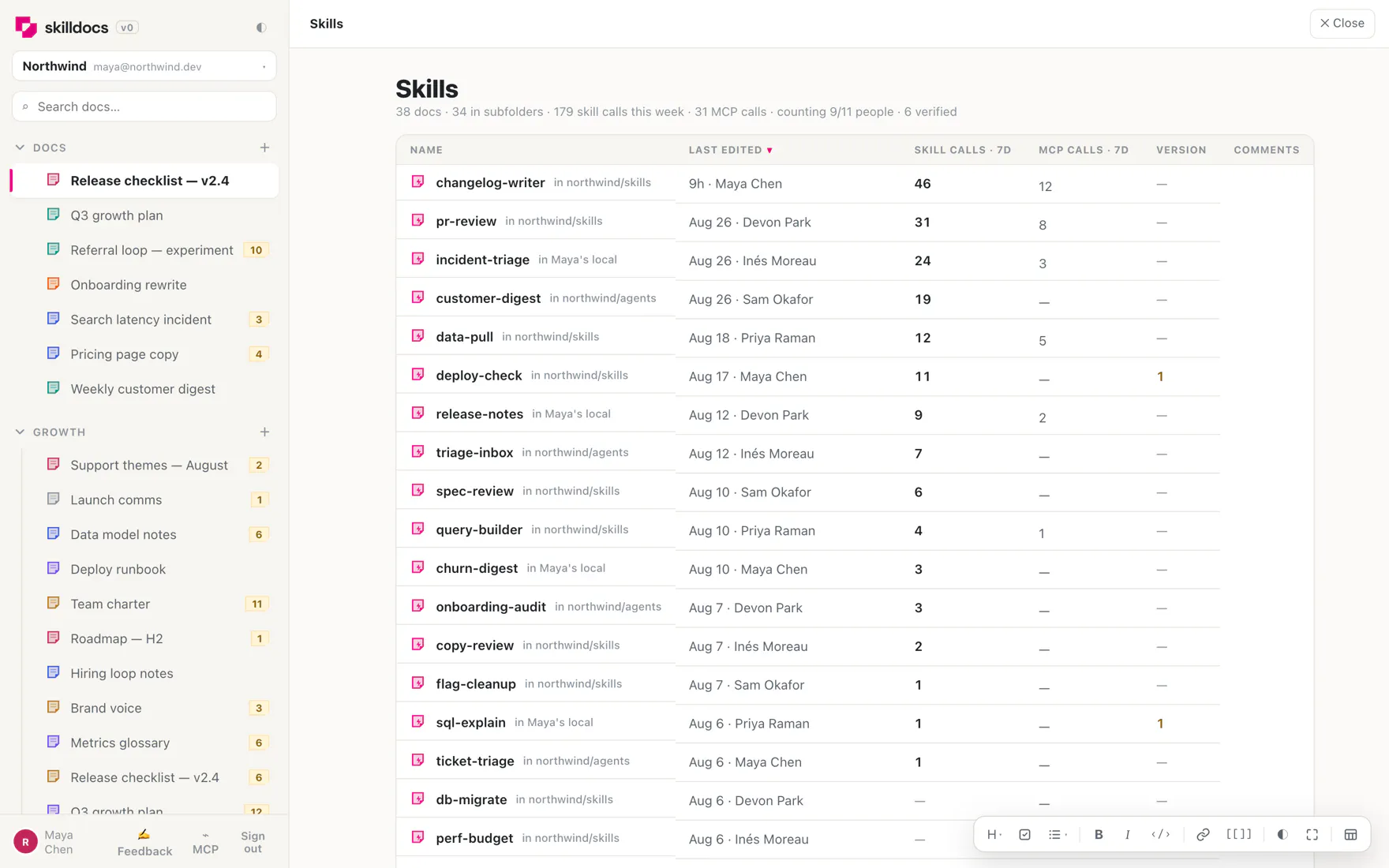
Nobody knows which skills their team actually uses. You can guess from the repo, but the repo tells you what exists, not what runs.
Merge a two-file hook into your skills repo and counting starts for everyone no per-person setup, no token to paste. Identity comes from git email, and the server accepts a claimed count only when the named repo is a connected source of that workspace, so nobody can inflate someone else's numbers. It sends the skill name, the repo, a git email and a timestamp. Never prompts, never arguments, never file contents. `SKILLDOCS_LISTENER=off` opts out.
The same beacon carries a hash of your local skill file. If it differs from the doc's latest published version, your agent gets one short note, at most twice per version, then it stays quiet. Nothing ever writes a skill file for you.
K palette
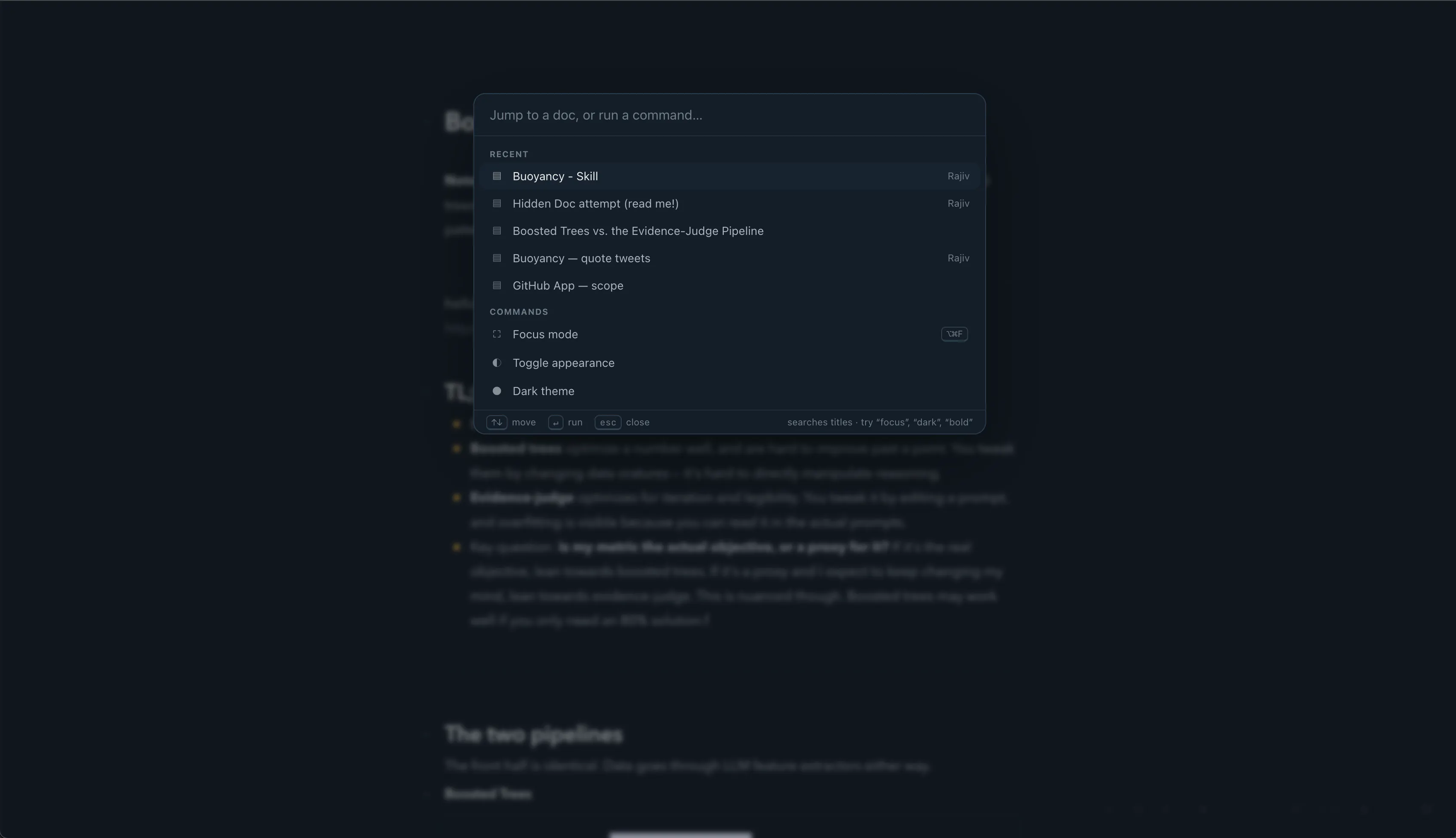
Jump to a doc, run a command, enter focus mode, format the selection, or change the theme. All from K. h/t @Superhuman
---
If you're writing skills with other people, I'd genuinely like to know where this breaks for you. I'm trying to make this the most collaborative, beautiful way to review and edit skills.


Product Hunt
Collaborating on .md files is a pain - we paste them into Notion, or open them locally and screenshare. Then after we edit and comment on them, there's no easy way to get the feedback back into the coding agents. So...I built Skilldocs.
I picked the best features of some of my favorite products: @HackMD 's mono viewer, @Figma 's live cursors + follow (no screenshare necessary), Google Docs' real-time highlighting and comments, and @Bear 's beautiful wysiwyg markdown editor. After working on the doc together, leaving comments, and editing it, you can easily copy the diff and comments and send them to your coding agent of choice.
I've started using it for collaborative docs in general. It's really fun having a meeting in it.
Minor features I love:
-Click on a teammates avatar to follow them through a doc or even through switching docs. It's like following in Figma - it feels like screenshare but snappier.
-You can cmd+click to create multiple carets and edit several lines at once (after @Sublime ).
Right now you can import skills via dropping a .md file, pasting markdown, importing from Github, or from your local machine via an MCP. Export is simple: copy the .md of the current doc, diff, or comments. I haven't built proper team source control yet but I've gotten a few requests - I'd love requests and suggestions here.
h/t to @mikekerzhner for early ideation, and @bernatfortet @teamcoscreen @heshamghandour for early testing!
Daily.co
This is awesome! I have the wrong mental model for the MCP server install, though, and could use some help. I clicked on the "Claude Code can work in here" and am following the instructions. To install the MCP server using this command, do I need to check out a local copy of skilldocs source code? (Very sorry if this is obvious in docs that I should have seen.)
```
claude mcp add skilldocs -e SKILLDOCS_TOKEN=<paste-token> -- node <path-to-skilldocs-repo>/mcp/index.js
```
Product Hunt
@kwindla sorry yeah that’s confusing. Let me get back to you with a better way.
Product Hunt
@kwindla the instructions are now more comprehensive to copy-paste. Plugin incoming!
YourSitee
Skilldocs solves a surprisingly awkward collaboration gap! How are you thinking about source control once multiple people and agents are editing the same skill? Will comments and diffs eventually map cleanly back to Git branches/PRs?
Product Hunt
@andrasczeizel how would you want it to work?
YourSitee
@rajiv_ayyangar I'd probably want each skill to stay linked to its github source, then after a collaborative session Skilldocs could turn the edits into a clean commit/pr while preserving comments as review context. Ideally I could see exactly what changed, approve what gets written back, and let my coding agent pick up the pr + discussion from there without manually copying anything :)
Product Hunt
@andrasczeizel so a “Save version and generate PR” button? then it programmatically creates a PR?
YourSitee
@rajiv_ayyangar yes!
Dial
on the source control question - since everyone's already live in the same doc like Figma, I'm not sure you actually want git branches, branching is for when people edit in isolation and need to reconcile later, which is the opposite of what you've built. what I'd actually want is lighter: the ability to name/tag a version before I hand the diff to my coding agent, so if the agent runs with a bad version of the skill I can point back to "the one from tuesday's meeting" instead of reconstructing it from memory. real branching only starts to matter once two agents are independently proposing edits to the same skill without a live human session tying them together, which sounds like a later problem, not a v1 one.
Product Hunt
@galdayan I love that story of just telling the agent which version to reference. Maybe one approach is to make really lightweight versioning in a way that's usable by, and apparent to, coding agents. In other words, having the version history and branching history in agents' context when it matters.
Dial
@rajiv_ayyangar "when it matters" is the whole design problem though - if it's always in context that's just noise for the agent to wade through, and if it's opt-in the agent has to know to ask for something it doesn't know exists. the trigger that'd actually work is probably conflict detection: the agent only needs version/branch history the moment its proposed diff touches a section that changed since its last read. everything before that point it can safely ignore. that's a much smaller thing to build than full context-awareness.
Product Hunt
@galdayan I'm not quite following your thinking here. Maybe a simpler question is: would you want to blindly subscribe to updates that anybody on your team makes to a skill?
Dial
@rajiv_ayyangar sorry, poor phrasing on my part - not a subscription/feed thing at all, the opposite actually. more like a stale-write check: right before the agent commits its diff, compare what it read when it started against what's actually there now, but only for the lines it's touching. if nothing moved, nothing changes, zero extra context. if something did move, that's the one moment worth surfacing what changed before the agent overwrites it. so no always-on feed of teammates' edits, just a single check at write-time scoped to the overlap.
The versioning thread above is the right conversation, so let me bring a different problem.
I author skills as markdown, keep them in a private repo, and push them to a second machine (a Windows box) where a different agent loads and runs them. What I have never been able to see is whether an edit made a skill better. I can tell instantly whether the prose improved. I cannot tell whether the agent followed it more reliably afterward, and those two come apart more often than I expected. I have made a skill clearer to read and worse to obey.
So collaborative editing closes the human-to-agent loop for edits, and it looks great. But the loop I need closed runs the other way: this version of the skill, run N times, produced these outcomes.
Is there any notion in Skilldocs of a version carrying results, even something as crude as letting me mark "that run went well" against whichever version was live? Gal's point about telling an agent to use "the one from Tuesday's meeting" gets much stronger if Tuesday's version also carries evidence that it actually worked.
Product Hunt
@brian_bills that’s tricky to do given sometimes the skill is part of a pipeline. Hmmmm. It would be powerful though. Any ideas how to approach this?