

Changelog: first two weeks of Skilldocs: dark theme, ⌘K, skill-listener

Two weeks of SkillDocs
I launched SkillDocs on August 12 — collaborative markdown for the files that teach your agents how to work. Live cursors, inline comments, and an MCP server so the agent works the same loop you do.
Here's what's landed since. Full changelog with screenshots: https://skilldocs.dev/changelog
New things:
tables are a live grid you edit in place, not a picture that falls apart the moment you click into it.
Focus mode on ⌥⌘F. Try it. it's beautiful.
Nested folders, and any folder opens as a sortable table.
`skilldocs_find`, so an agent coming back tomorrow can ask "which doc is this file?" instead of needing an id it no longer has.
MCP moved to a URL — nothing to install, works in any client — with OAuth, so no year-long token travels through your shell history.
Paste a GitHub repo URL and pick what to import.
Comments now pin to characters in the CRDT, so editing inside a quoted phrase stops orphaning the thread.
Here are three of my favorite improvements:
Dark theme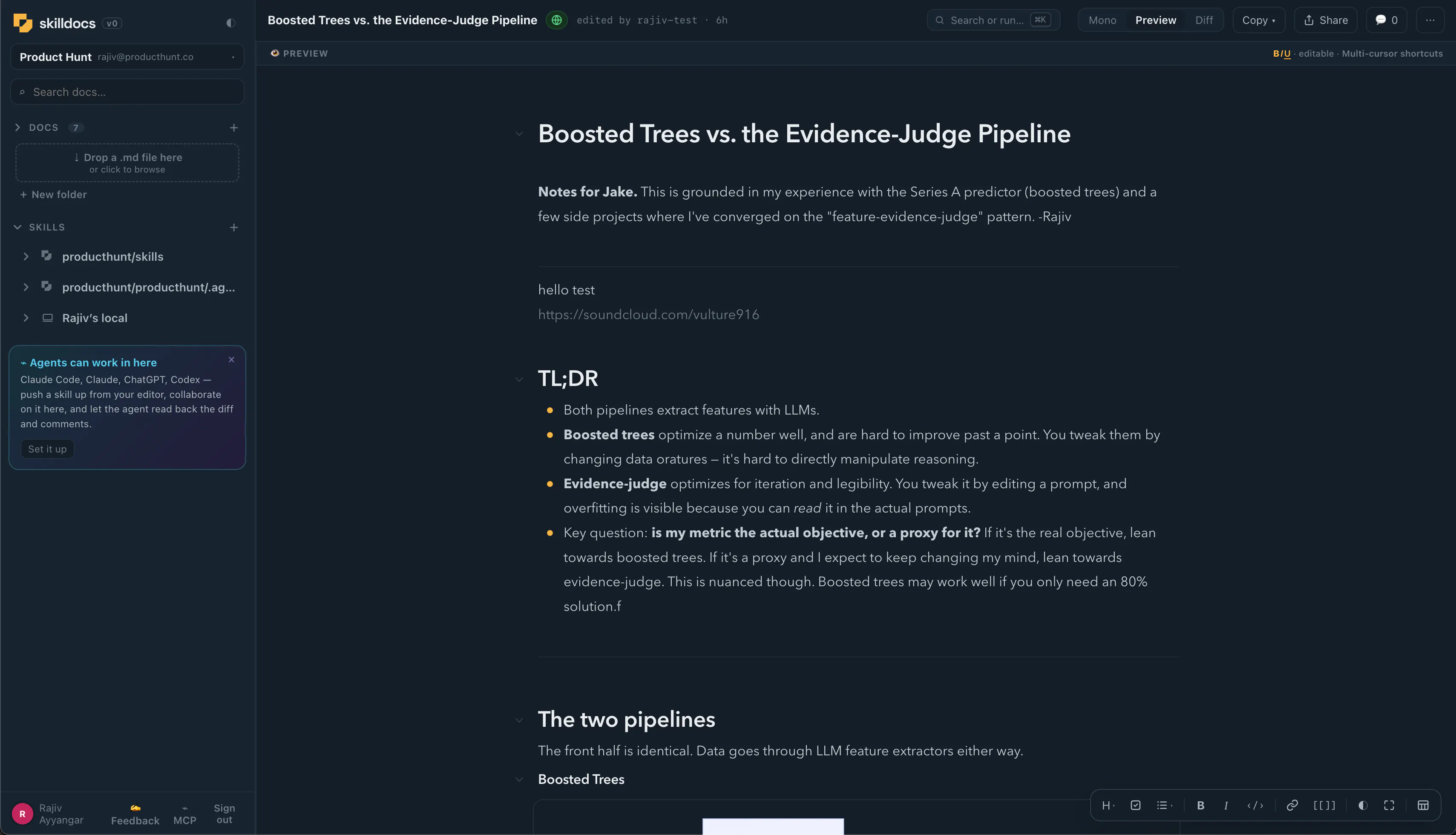
It toggles from three places: the ◐ next to the wordmark, the ◐ on the style bar, and Appearance in the settings menu. One state, three doors. Each cycles Light → Dark → Match system, and Match system follows the OS live. Plus - I love how the logo looks in dark mode.
The skill listener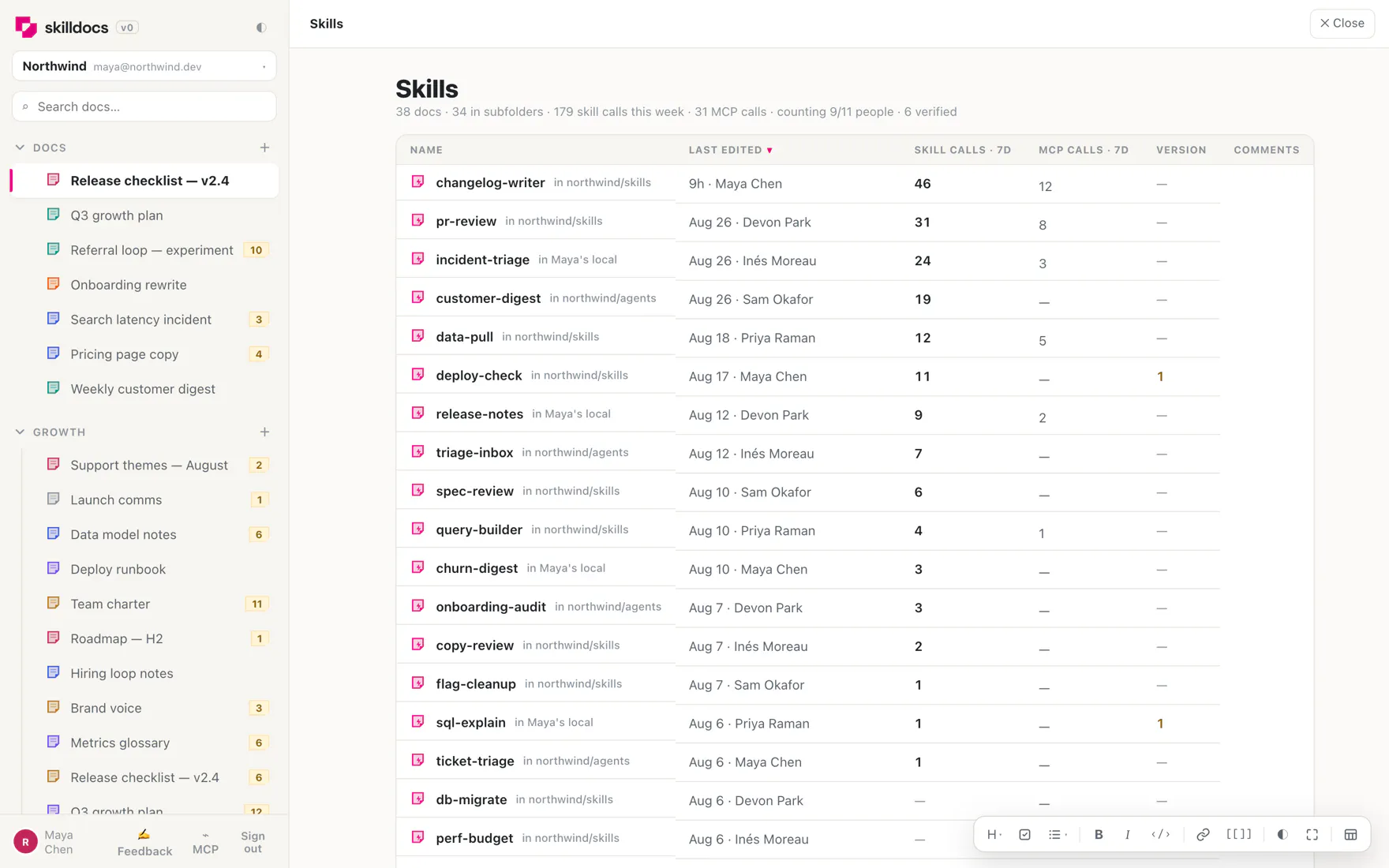
Nobody knows which skills their team actually uses. You can guess from the repo, but the repo tells you what exists, not what runs.
Merge a two-file hook into your skills repo and counting starts for everyone — no per-person setup, no token to paste. Identity comes from git email, and the server accepts a claimed count only when the named repo is a connected source of that workspace, so nobody can inflate someone else's numbers. It sends the skill name, the repo, a git email and a timestamp. Never prompts, never arguments, never file contents. `SKILLDOCS_LISTENER=off` opts out.
The same beacon carries a hash of your local skill file. If it differs from the doc's latest published version, your agent gets one short note, at most twice per version, then it stays quiet. Nothing ever writes a skill file for you.
⌘K palette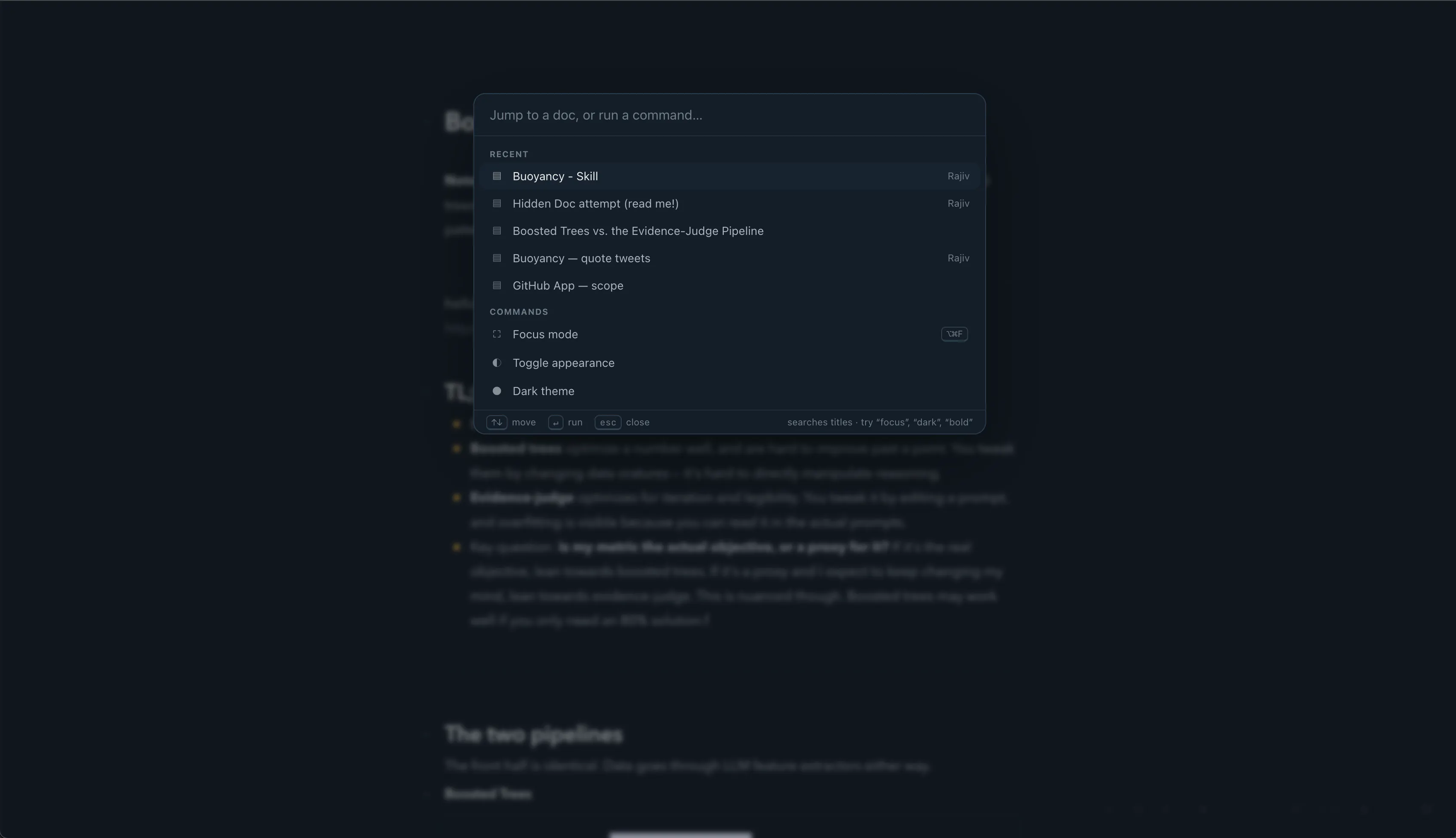
Jump to a doc, run a command, enter focus mode, format the selection, or change the theme. All from ⌘K. h/t @Superhuman
---
If you're writing skills with other people, I'd genuinely like to know where this breaks for you. I'm trying to make this the most collaborative, beautiful way to review and edit skills.
Replies
Usage counts would help, but I'd be careful about treating them as a quality signal.
In my agent workflow, some of the costly failures come from instructions that runs exactly as intended but guide the agent toward a stale assumption. I would want the listener to pair each invocation with a lightweight result: did the task pass its tests, was the skill corrected in the same session, or did the user override it?
Raw popularity alone could make a frequently used but broken skill look healthy.
@siarheihamanovich so hard to know if the task passed - any ideas on how to measure that?
@rajiv_ayyangar I don't think SkillDocs can infer one universal pass signal. Christian's repeatability idea fits subjective tasks; for coding skills, I would also let each skill define an optional local verifier + record only its name and outcome.
That verifier might be a test or typecheck exit code. A deployment skill could check the expected service state. The listener could then report `verified`, `failed`, or `unknown`, with `unknown` as the honest default.
Passing a verifier still doesn't prove the work was good, however it may show what evidence existed instead of treating completion as success.
huge update!
@andrasczeizel thanks! Have you tried it? What do you use for editing markdown?
I tried using completion as the signal and it flattered me. In one published test of my own, all 76 recorded steps completed, and the same suite still put two similarly unevidenced claims into two different negative categories. Green run, inconsistent verdict.
So the beacon I would want is not pass or fail. It is whether the same input gets the same label twice.
That was five runs of one job, so treat it as a hint rather than a method.
Really like the live table editing approach. Editing data directly in a grid feels much smoother than dealing with broken markdown tables.
the thing i keep wanting from anything in this shape is attribution per line. i maintain instruction files for agents and the honest state of mine is that i do not know which rules are actually load bearing. lines get added after a bad run, nothing ever gets removed, and the file grows until a good chunk of it is scar tissue from problems that stopped existing months ago. skilldocs_find is interesting to me for that reason more than for retrieval. if the agent is already asking which doc is this file, its one step from recording which lines it actually read and used on a given run. then i could delete a rule because i can see nothing used it, rather than guessing. the oauth change is the one i noticed most though. a year long token sitting in shell history is exactly the kind of thing you dont find until you go looking for it.