
Databox is an agentic analytics platform that brings performance data from across your business together with consistent metrics and business context. Ask its AI Analyst questions about your business, use Routines to surface important changes automatically, and turn insights into reports that explain what happened and why it matters. Databox does more of the recurring reporting and analysis, so you can understand performance faster and take better-informed action.
This is the 10th launch from Databox. View more

MCP Connectors by Databox
Launched this week
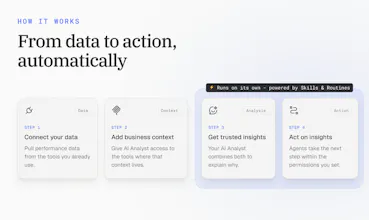
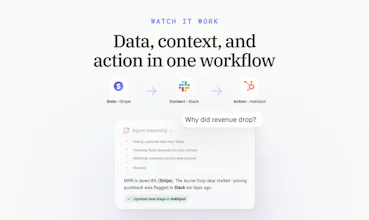
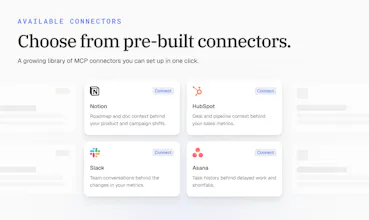
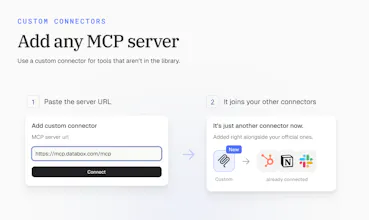
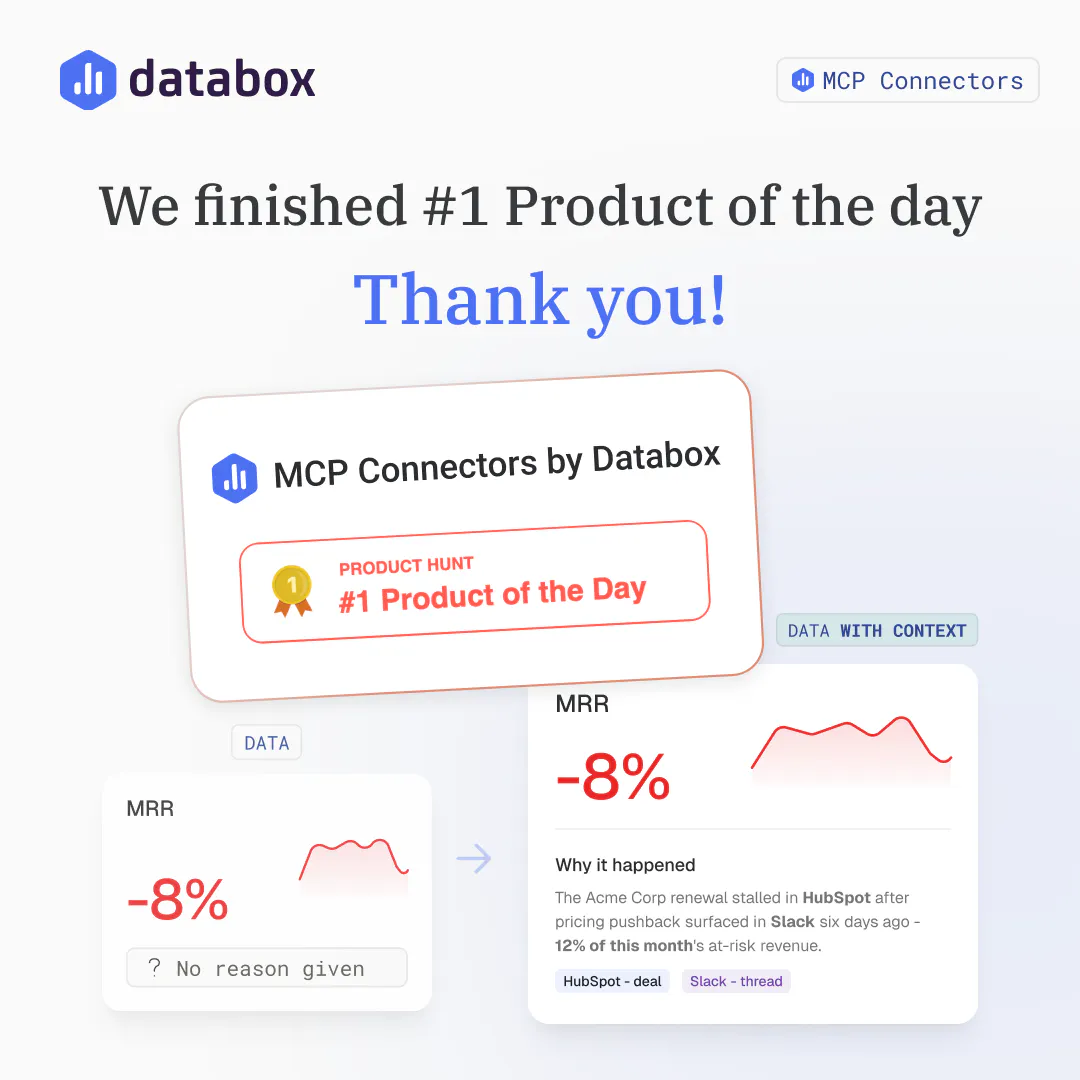
Connect your AI Analyst to the tools your business runs on. It pulls context from your CRM or support desk, so every answer reflects what's happening in your business, and it can act on what it finds. Choose from 10+ connectors or add any MCP server.



Free Options
Launch Team / Built With



What happens when the available data is incomplete or does not clearly explain a performance change?
Databox
@manonbriffaut Great question, Manon. When the data doesn't explain the change, the AI Analyst should say so instead of guessing. It tells you what it found, what's missing, and where the gap is. That's also where connectors help most. Often the answer isn't in the metrics at all, it's in a deal update or a team conversation. The more of those tools you connect, the fewer dead ends you hit.
Can teams create different report formats for executives managers and individual departments?
Databox
@noahanderson Yes, Noah. With Skills, each team defines how a report should look and what it should focus on. An executive version might be a short summary with top risks and wins, while a department version goes deeper into its own metrics. Routines then send each version to the right people on schedule. Connectors add the context behind the numbers to all of them.
The business context layer seems important because numbers without context can easily lead to the wrong conclusion. How is that context added and maintained over time?
Databox
@darly_selby Agreed, Darly, that's exactly the risk we wanted to fix. The good news is that nobody has to add or maintain the context by hand. It already lives in the tools your team uses every day, like your CRM, project tools, and team chat. Once a tool is connected, the AI Analyst reads from it live whenever it's relevant. As your team updates deals, tickets, and threads, the context stays current by itself. There's nothing to copy, sync, or keep up to date.
But when it “acts on what it finds,” what are the limits? Can teams mandate that they get approval before it responds to the CRM or to the customer?
Additionally, Congratulations @zigapotocnik @pc4media and @rohanrecommends 🚀✌️
Databox
@aymi_malik Thanks, Muhammad! Great question. You stay in control of what it can do. Permissions are set tool by tool, with one main setting per connector and overrides for single actions. For example, you can let the AI Analyst update a deal stage on its own, but block it from sending anything to a customer.
Databox
It's worth pointing out that compared to a normal integration, this isnt just data coming in, its tools genie can actually call. It's basically the foundation for agents later, not a standalone feature on its own.
Databox
@marcel_mumel Exactly, Marcel. An integration brings data in. A connector gives Genie, our AI Analyst, tools it can use: it can look things up, and it can act, like updating a deal or creating a task. That's what makes it the base for agents. Every connector a team adds today is one more thing their agents will be able to do later.
Nice, congratz! I work in support and from a technical perspective it's awesome that every connector ships with read AND write tools. Write is just turned off until permissions and oversight catch up. This is a cleaner path to v2 than adding support for write access after the fact
Databox
@emil_korpar Thanks, Emil! Every connector ships with both read and write tools, and both are live. What keeps it safe is the permission setup. You choose what Genie, our AI Analyst, can do, tool by tool, so a team can allow updating a deal but block sending anything to a customer.
Mantra Timer
@zigapotocnik having AI access to your CRM via this MCP is an great addition to the toolset. Best of luck with the launch.
Databox
@codeandsea Thanks, Brent, appreciate the support! The CRM is where most of the "why" behind a number lives, so it's usually the first connector people set up. Genie, our AI Analyst, can read from it and act on it too, like updating a deal stage right after it spots the problem.