
 •
•3d ago
Termexo 0.11.0: macOS builds, preview tabs and a smoother action review
I maintain Termexo, a local-first workbench for coding-agent terminals. v0.11.0 is now available for Windows x64 and both Apple Silicon and Intel Macs.
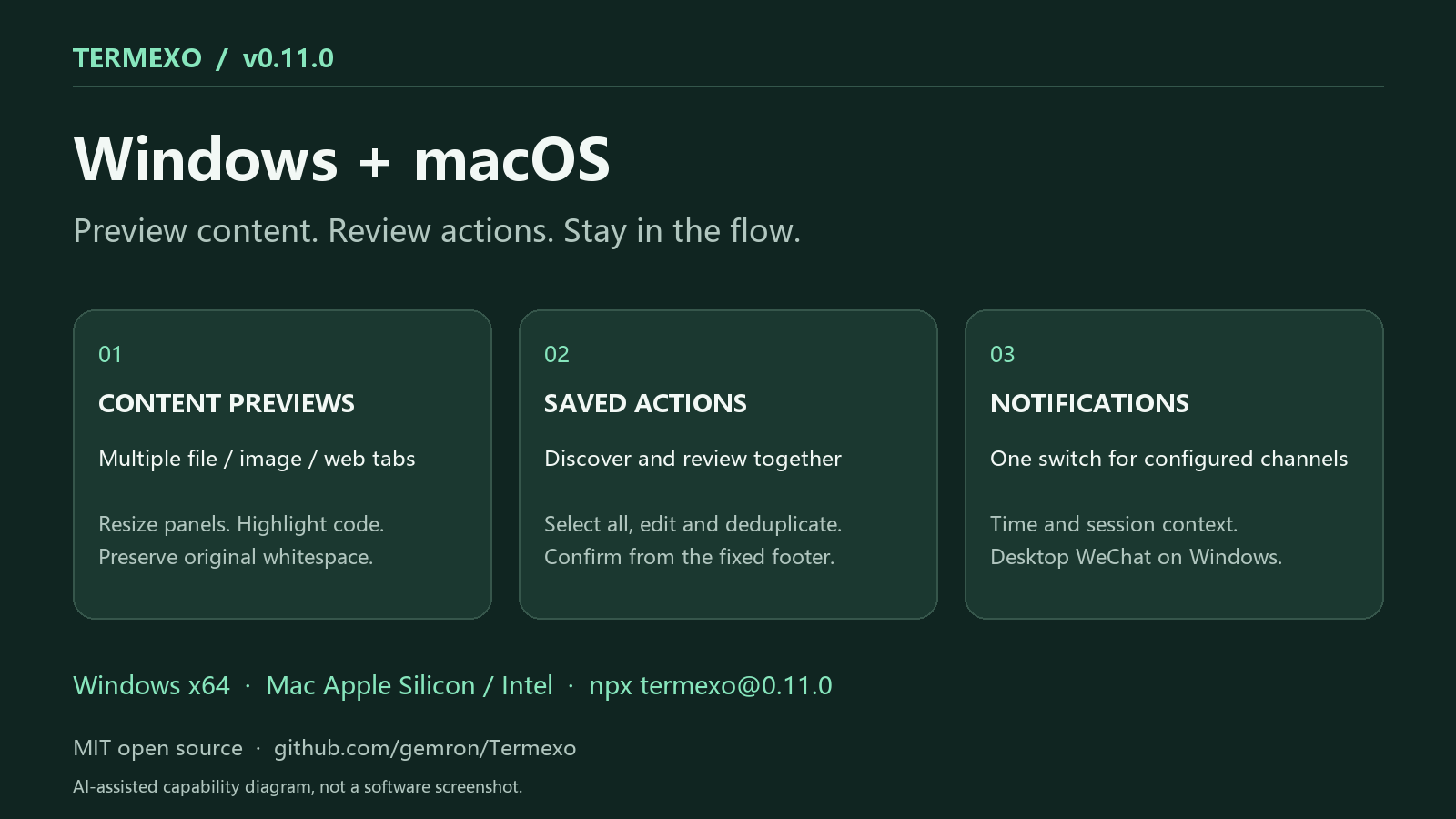
AI-assisted capability diagram, not an application screenshot. This post was written with AI assistance and checked against the release notes.
•8d ago
Termexo 0.10.15: project folders, native sign-in choices and model suggestions
I maintain Termexo. This AI-assisted update was checked against the 0.10.15 release notes.
This release is about finding the right project and making the next action clearer:
- Organize workspaces in nested folders, drag to reorder, and add tags and icons. Search the sidebar or open a project's directory from its menu.
- Choose Claude browser, Console or SSO sign-in, or Codex browser or device-code sign-in. The official CLI still handles authorization; its login terminal has a separate status.
- Discover models from a public directory and visible local Codex cache entries. Supported default profiles can show upgrade suggestions, which you review before applying. A catalog entry does not guarantee access through every account or gateway.
- Confirm before closing an active Agent terminal, so ending a process is an explicit choice.
•14d ago
Termexo 0.10.14: keeping setup results and agent reminders until they are handled
I maintain Termexo, a local-first Windows workbench for coding agents. This is an AI-assisted update, checked against the release notes.
One design choice in 0.10.14 is to stop treating the user opened the window as the user handled the message. Approval requests, input requests and completed tasks now keep the Windows taskbar reminder active until the corresponding message is acknowledged or cleared.
The same principle applies to setup: an install or update result remains available after closing and reopening Settings. Version, command and log details are available under advanced options. If the available version cannot be queried, the UI offers retry and network settings instead of claiming an update is available.
The setup panel covers Claude Code, Codex CLI, OpenCode, Pi Agent, Grok Build and Antigravity. Pi is new in this release, including native session restore, task execution, status events and local MCP integration. Thanks to wuyh410 for PR #33.
•24d ago
Termexo 0.10.11: let one coding agent operate another through MCP
I maintain Termexo. This update is about a small interaction with a useful consequence: ask one coding agent to send work to another terminal, then read back the result.
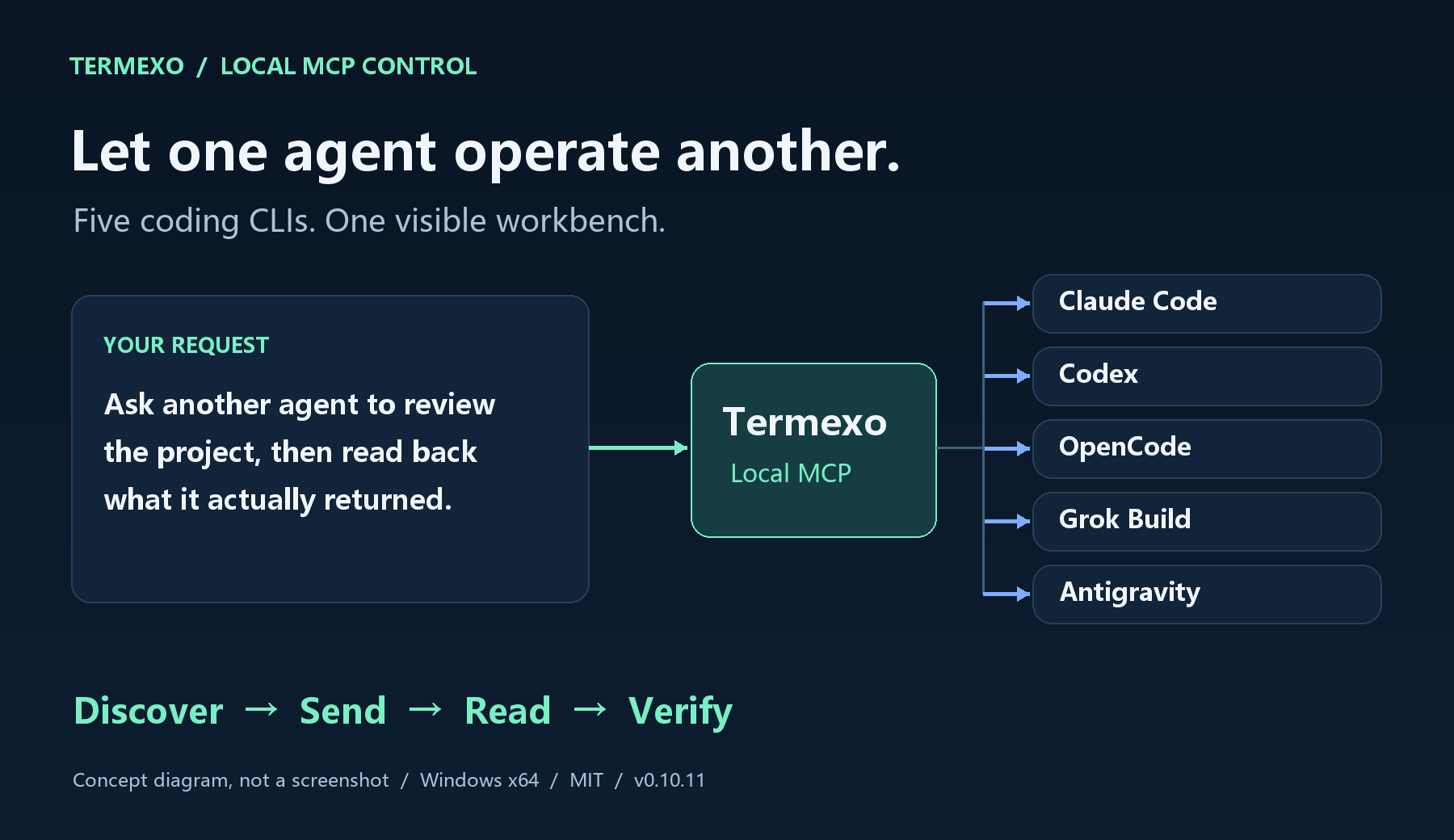
AI-assisted capability diagram, not a screenshot.
•1mo ago
Termexo v0.10.5–0.10.9: clearer agent status, persistent tasks, human-confirmed completion
Maker update: five recent Termexo releases focused on a practical question for people running several coding agents: which terminal needs attention, and what can you trust when you come back to it?
Agent status now follows the actual lifecycle. In v0.10.8 I checked Claude Code, Codex, OpenCode, Grok Build, and Antigravity against their installed CLI behavior. A late startup or idle event no longer overwrites a newer running state. OpenCode 2 and Grok Build also received updated integration paths for execution, input requests, failures, and completion.
v0.10.9 puts compact status icons in workspace order: gray for idle, animated green for running or thinking, red for errors or approval requests, and a green check for completion. Hovering shows the terminal's current name, including renames. Completion is a reminder to review the result: open the terminal, check output and code changes, then use Confirm completion to clear it.
•26d ago
Termexo 0.10.10: let coding agents query the workbench through local MCP
I maintain Termexo, an MIT-licensed Windows workbench for coding agents. Version 0.10.10 adds 19 local MCP tools for terminals, tasks and selected settings.
New Claude Code, Codex, OpenCode, Grok Build and Antigravity terminals launched in Termexo can automatically load the connection after you enable and apply MCP settings. Existing agent processes need to restart, and the desktop must stay open.
A practical first trial: ask termexo-desktop to list workspaces, with no terminal input or settings changes. Then read a test terminal you choose and create a draft task with acceptance criteria you can inspect.
The server starts disabled and listens only on loopback. Terminal, task and settings permissions are separate; settings access needs enabling. The stdio bridge reads the current credential for each request rather than putting the token in generated configuration.
•2mo ago
Termexo v0.9.0: Antigravity joins the AI coding workbench
Maintainer update: Termexo v0.9.0 is out for Windows 10/11 x64.
Antigravity joins Claude Code, Codex CLI and OpenCode, with local conversation resume, model and reasoning controls, /usage allowance and live activity status.
This release also adds vendor Windows installer choices for supported CLIs, a direct install entry when an agent is missing, change-block diff navigation (Alt+Up/Down), and fixes long lines crossing split-diff columns. OpenCode completion and waiting states now better match the actual turn.
npm supports version selection and rollback; vendor scripts install the current vendor release. OpenCode remains npm-based. Antigravity status integration saves and restores the CLI s original status line.
•2mo ago
Termexo v0.10.0: reach your desktop workbench through your own relay
Your coding agent is still working on your desktop when you leave. Termexo v0.10.0 lets you reconnect to that same workbench from a phone or another computer, across networks, through a self-hosted relay.
The desktop opens an outbound tunnel, so it needs no public IP or router port forwarding. Open the relay address in a phone or another computer s browser to check terminal output, respond to your agent and keep working in the same workbench.
Self-host termexo-relay, enroll your desktop with a code or account, then open its address or QR code. The relay supports Linux, macOS and Windows, plus containers; the Termexo desktop app is for Windows 10/11 x64.
v2 session traffic uses AES-256-GCM after an authenticated handshake. Relay login and the desktop token are independent access checks. You need a reachable HTTPS relay and a desktop that stays on with Termexo connected.
•1mo ago
Termexo v0.10.4: Grok Build joins the workbench, Git changes stay visible
Termexo v0.10.4 is live. Grok Build joins Claude Code, Codex, OpenCode, and Antigravity in our Windows terminal workbench.
With Grok Build CLI installed and signed in, you can launch it in a workspace, list and resume sessions, and use it on the task board. The usage panel now recognizes an exhausted free allowance, while an unknown percentage stays unavailable instead of appearing as 0%.
This release also fixes a frustrating long-session issue: the session change count could fall to zero and the Git panel go blank after the app had been open for a while. Changed files and diffs now keep refreshing.
Terminals now show a startup animation instead of the launch command. Claude Code accepts Ctrl+V, workspaces can be reordered by dragging, and the duplicate task-board Settings button is removed.
•2mo ago
Keeping AI coding work connected: solo projects and engineering workbenches
As Termexo s maintainer, I am focusing on a practical problem: several agents can be working while the developer is still finding terminals, checking who needs approval and reconstructing task context.
For individual developers, Termexo groups real terminals by project, surfaces agent status, organizes tasks and helps resume supported native sessions. Handoff packages can carry a reviewed summary of progress and next steps.