

Why Solo Practices Feel Stuck with “Modular” Pricing
I keep hearing the same thing from solo professionals:
“The base plan looked fine. Then we had to add everything else.”
This is not just a pricing complaint.
It is a workflow design problem.
Many case tools now follow a module model:
Core system for matters
Add-on for intake
Add-on for document automation
More paid layers for storage/reporting/integrations
On paper, that sounds flexible.
In daily work, it often feels heavy.
For solo practices, the issue is not only monthly cost.
It is uncertainty.
You cannot always predict:
Which “optional” feature becomes required in practice
Which integration breaks and forces manual work
How hard it is to leave later
So the real cost is bigger than the invoice.
You also pay in maintenance effort and workflow friction.
Three questions I now use when evaluating tools:
Can core case work run without multiple paid layers?
If one integration fails, can work continue?
If I leave, can I move records in a usable format?
If those answers are weak, the stack is risky, even if it looks good in demos.
This is why I built Silo the way I did.
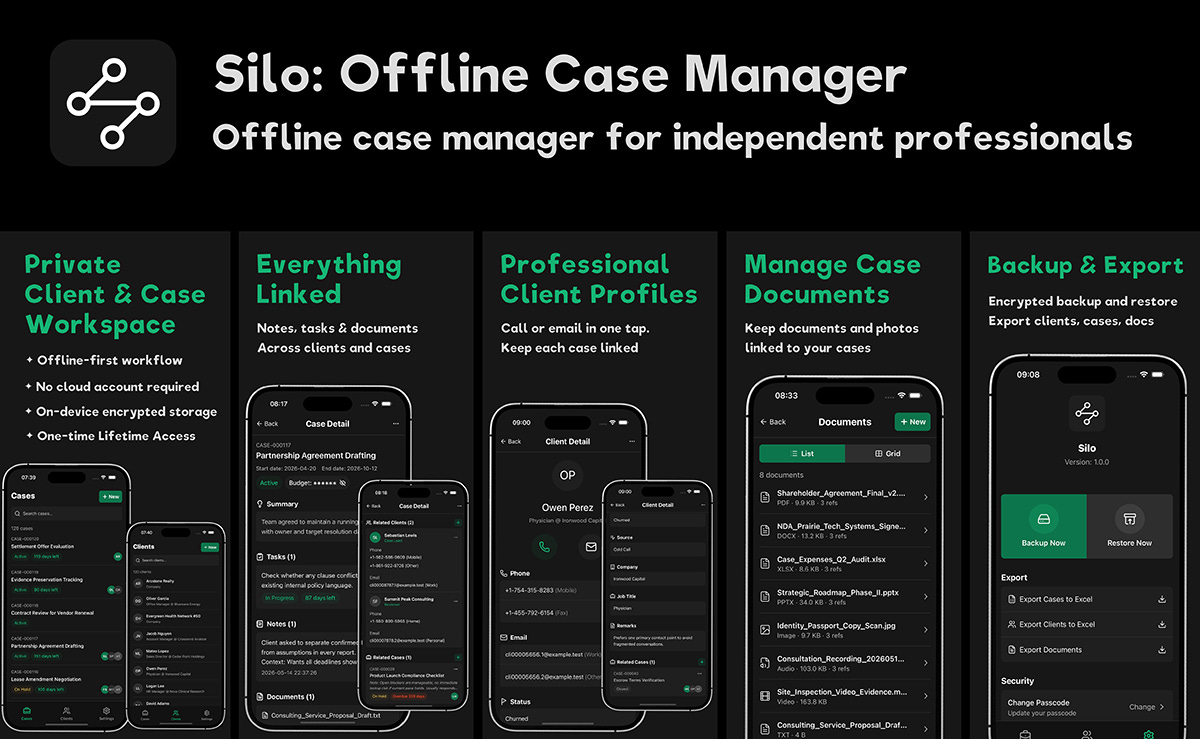
Silo is an offline-first case workspace for independent professionals:
Clients and cases in one place
Case-level tasks, notes, and documents
Local encrypted storage
Manual backup/restore and export
It is intentionally focused.
The goal is stable daily execution and predictable cost, not maximum feature sprawl.
If you are reviewing your current stack, try this:
List your top 5 weekly workflows and mark how many depend on paid modules or fragile integrations.
That one exercise usually reveals more than a feature comparison page.
If you want, reply with your current setup and I can help you audit it quickly.
Try Silo on iOS: https://apps.apple.com/app/apple-store/id6768518491?pt=125800571&ct=producthunt&mt=8
Replies