
 •
•3d ago
Version 1.3.0 released on October 7, 2026
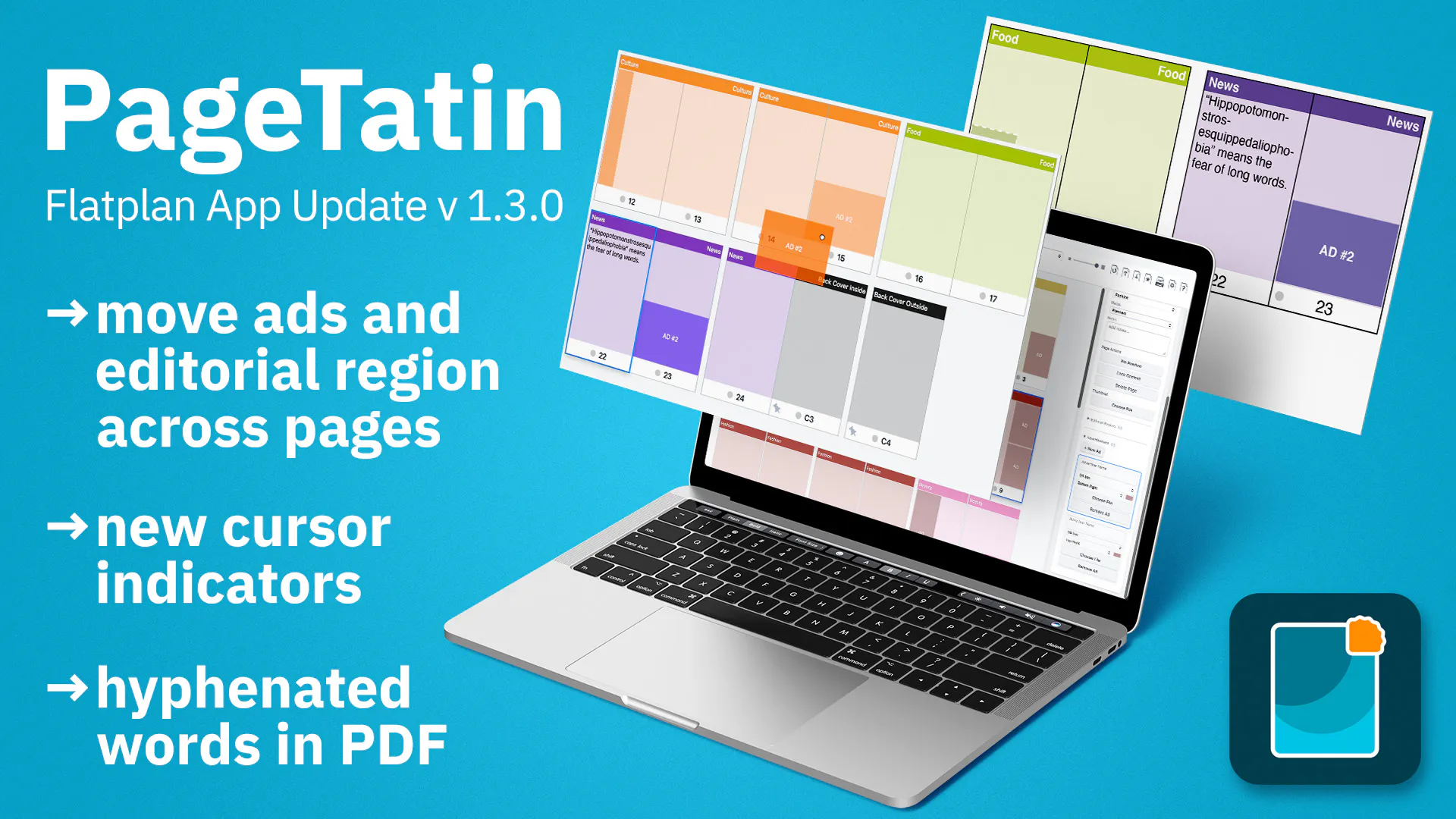
New feature: Move, copy, and swap editorial regions and ads: drag one by its grab handle to where you want it (hold Option/Alt to drop a copy), or right-click it for the same options. You can also rearrange several on the same page, or drag one onto a different page, where it settles into a fitting spot in that page s region/ad grid.
Enhancement: Rewritten the underlying engine for moving pages, making every drag operation more reliable and responsive.
Enhancement: Copying a page with Option/Alt-drag now works as expected releasing Option/Alt partway through the drag switches it to a regular move instead.
Enhancement: Proper cursor indicators while dragging pages: a grab cursor for moving, a copy cursor for duplicating, and a not-allowed cursor when the drop target isn t valid.
Enhancement: Dragging a page beyond the top or bottom of the work area now scrolls automatically.
Enhancement: All dialogs are now movable, so you can reposition them anywhere on screen.
Bug fix Windows only: the page ghost now displays correctly at every zoom level.
Bug fix: Text in the exported .pdf no longer extends over page borders and now hyphenates correctly.
•1mo ago
Version 1.2.1 released on September 8, 2026
Enhancement: Tighter, spread-like page spacing (removes the gap between adjacent pages)
Enhancement: Hide cover pages in the flatplan
Enhancement: Sketch Mode for PDF export shows only outlined pages without content or thumbnails
Enhancement: Customizable page stroke color
Bug fix: Windows only: keyboard shortcuts in the PageTatin and File menus now work correctly.
•2mo ago
Version 1.2.0 released
New feature Native .tatin file format: save your project as a native PageTatin file with the new Save as button in the top bar. .json remains available as Export as JSON for backwards compatibility.
New feature Duplicate pages: select one page or several, then duplicate them from the right-click menu or via Edit Duplicate. The copies are inserted directly after your selection. You can also hold Option/Alt while dragging a page to drop a copy where you want it.
Enhancement Export wording is now consistent for .pdf: the menu command, dialog, and confirmation button all say Export (previously Save).
Bug fix Opening a different flatplan no longer overwrites the active one without warning when it hasn t been saved to a file yet. PageTatin now warns you first and gives you the chance to save.
•2mo ago
Verson 1.1.0 released
New feature Groundwork for a native file format: PageTatin now has the code in place to read and write its own native file format. .json remains available as a separate export format for backwards compatibility.
Enhancement The app binary is now named PageTatin (previously App), so it shows up clearly in Activity Monitor, Task Manager, and other system reporting tools, and is easier for IT teams to identify and manage.
Enhancement License tab: you can now give each activated device a name, making your machines easy to tell apart. This helps when you need support to free up a device slot for a machine you can no longer deactivate yourself one that was damaged, lost, stolen, or sold, or where the operating system was reinstalled after the drive was wiped.
Enhancement Better handling when adding thumbnail images from a multi-page .pdf while cover pages are selected.
Enhancement Hold Option (Mac) or Alt (Windows) and click a category or status to open Settings for editing it.
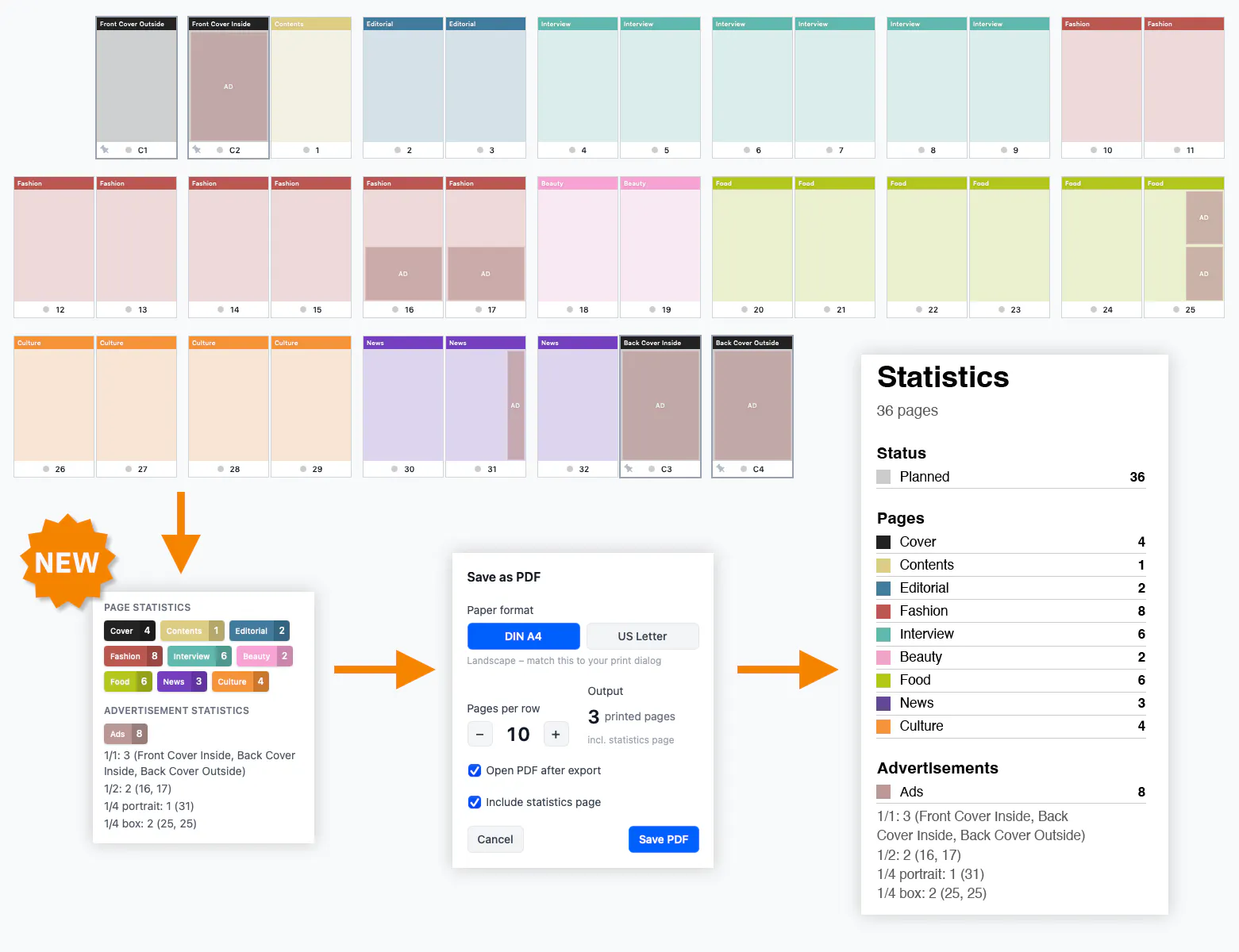
Enhancement You can now export the page and ad statistics on their own, without the rest of the flatplan.
Enhancement .pdf thumbnails that contain crop marks are now shown automatically at the cropped size.
•2mo ago
Maintenance update 1.0.4
-
New feature: Page and ad statistics: see a detailed breakdown of your category and advertisement assignments.
Enhancement: Bulk-edit page notes: select several pages and edit their notes at once through an overlay leave it empty to clear the notes, or type a note to replace them.
Enhancement: Thumbnail import for multi-page PDFs: unlock locked pages during thumbnail placement with an optional checkbox, so they receive thumbnails along with the rest.
Enhancement: Bigger type size in the PDF export for pages with many thumbnails, keeping the text legible.
Bug fix: Fixed a vertical misalignment of the categories in the first row.
Bug fix macOS only: resolved a sidebar UI glitch (pill scaling) when switching from a page selection to the idle UI state.
Bug fix Windows only: File Open Project now works as expected.
Bug fix Windows only: added the missing code-signing credentials, so Windows now shows a verified publisher (PageTatin) instead of an unknown one.
•3mo ago
Maintenance update 1.0.3
Enhancement: Advertiser names and editorial region labels now support line breaks, so a multi-line name displays and exports exactly as you type it.
•3mo ago
Maintenance update 1.0.2
Thank you for all the constructive feedback so far. Here is the next round of enhancements:
New feature: Drag and drop thumbnails directly onto advertisements and editorial regions the target highlights under your cursor as you drag.
Enhancement: Removed the faint transparent overlay on advertisements and editorial regions.
Enhancement: Transparency in .pdf thumbnails now renders correctly.
Enhancement: .pdf export now localizes its header phrases to your chosen language.
Enhancement: The Page selection color setting is now called Highlight color and also controls the drag-and-drop highlight.
Bug fix macOS only: images from print CMYK .pdf files no longer show a broken-image glyph on older macOS versions.
For more Information visit: https://help.pagetatin.com/versi...
•4mo ago
Maintenance update 1.0.1
Quickly worked on incoming feedback from the first customers and just released a maintenance update 1.0.1
New feature: Updater check for new versions manually or automatically.
Enhancement: Exporting a .json or .pdf file now lets you choose a destination. The last used folder is remembered.
Enhancement: 1/4 page advertisements and editorial regions now cover three formats: box, portrait, and landscape.
Bug fix: Dragging and dropping thumbnail images from Finder, Windows Explorer or Adobe Bridge outside pages onto the work area or in between spreads no longer makes the flatplan disappear.
Bug fix: Windows only: .pdf export no longer fails with the error Could not resolve Downloads directory .
Check here: https://help.pagetatin.com/versi...
•4mo ago