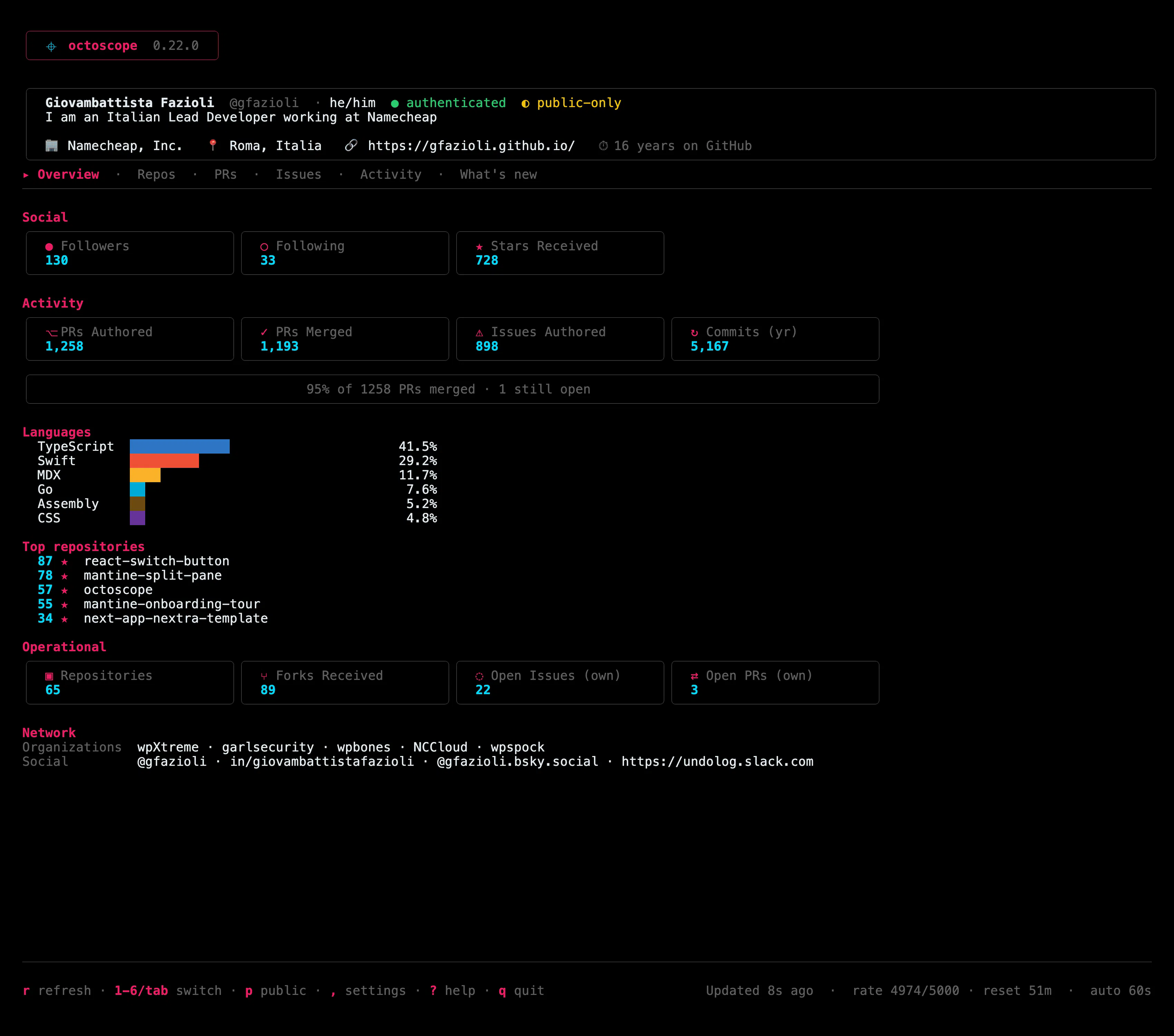
octoscope is a terminal dashboard for your GitHub account: followers, stars, PRs, issues, languages and CI, all at a glance, auto-refreshed, and read-only.
New in v0.22.0: full NO_COLOR support. Set NO_COLOR in your environment, or pass --no-color, and octoscope switches to its zero-chroma monochrome theme all greys, full hierarchy, no colour noise.
octoscope is configurable now. v0.8 lands the configuration story we've been building toward split across two patches but one product idea: octoscope should adapt to your habits, not the other way around.
Two honesty fixes this round: octoscope now tells you when a newer version is out, and it counts your whole account instead of just the first 100 repositories.
The update notice
On launch and hourly after that, on its own timer separate from the dashboard refresh octoscope checks the public Releases API and, if there's something newer, drops a quiet one-line notice under the banner. The upgrade command is context-aware: it detects how you installed octoscope and suggests the right one brew upgrade, go install, gh extension upgrade, or a download link.
Quick update on octoscope, the cross-platform terminal dashboard for GitHub. v0.10.0 just shipped and it's the first release where the app steps beyond "summary dashboard" you can now drill into a single repo / PR / issue without leaving the terminal.
What's new:
Action menu press space on any row of Repos / PRs / Issues to open a centered modal:
Quick update on octoscope, the terminal dashboard for your GitHub account. v0.9.0 just shipped and it's the biggest visual release since launch.
What's new:
7 built-in themes octoscope (default), high-contrast, terminal (matches your iTerm / Alacritty / kitty ANSI palette), monochrome, stranger-things, phosphor (80s CRT green), amber (IBM 5151 / WordStar). Switch via --theme NAME, the theme key in config.toml, or live with / in the in-app settings panel instant, no reload.
Privacy --public-only (the screenshot/screen-share mode) now also hides private watched repos and private review-requests. If you ever demo or stream octoscope, this is the one to update for.
Config safety toggling public-only or saving from the in-app settings panel could silently drop your pinned_repos / watch_repos from the config file. Fixed: every save now preserves them.
Watched repos they no longer disappear from the Repos tab on accounts with no public owned repos.
- Repos tab every owned non-fork repository in one sortable, searchable list. Language, stars, forks, open issues, last push. Press s to cycle sort, / to filter by substring. Viewport scrolls so a 100-repo account stays navigable.
v0.6.0 is out. octoscope, the GitHub TUI dashboard, just grew a proper navigation surface.
Tabs Overview Repos PRs Issues Activity. Jump with number keys 1 5 or cycle with tab / shift+tab. Your banner and profile stay pinned; only the body swaps.
Activity tab contribution heatmap. Your last ~52 weeks of contributions rendered on an accent-pink gradient, month labels above, and a summary line below: total, current streak, longest streak, busiest day with its date.
Crosshair glyph in the top banner ( ) small thing, echoes the logo on the landing page, reads as signature rather than decoration.
The [Overview] tab is the same five-section dashboard you know from 0.5.x, so if you just open-and-glance, nothing changes. The other three tabs ([Repos], [PRs], [Issues]) are placeholders today drill-in views ship in v0.7.0.
Octoscope is a native terminal dashboard that pulls your GitHub profile, activity, repo health, and network from the GraphQL API — and keeps everything auto-refreshed every 60 seconds. See PRs, issues, commits, languages, stars, followers, and org memberships at a glance. Works for your own account or any public profile: octoscope torvalds. Built in Go with BubbleTea. Open source, MIT-licensed. Install via Homebrew or go install.