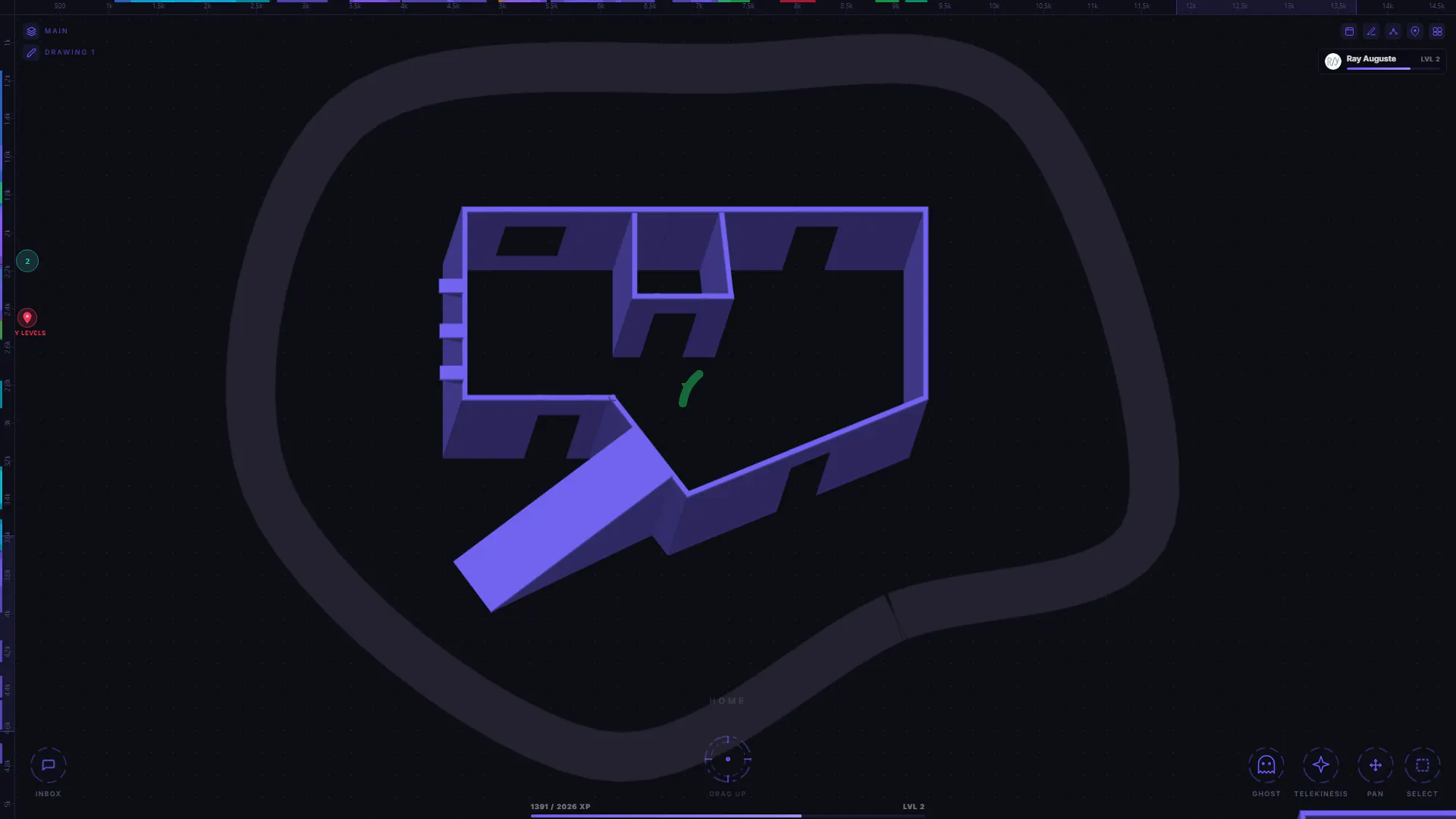
I've been working on a level design tool that helps with the early part of planning game spaces. It's still in progress, but the goal is to make it easy to sketch rooms, paths, and ideas before touching an engine.
Right now you can block out areas, draw over them, map routes, and play with different layouts. I'm trying to keep it lightweight so you can focus on flow and structure without getting stuck in technical setup.
It's not perfect yet and a few things are rough, but I'm improving it every day. If you build games or enjoy level design, I'd love to hear what feels confusing or what you think should be added next.
Aviquill just hit 1.0, and the headline feature changes what the tool is capable of end-to-end: you can now create dialogue, design level layouts, and mock up game UIs directly inside the same canvas where you already map mechanics and systems.
Aviquill's new level design tool lets you block out rooms, paths, and layouts before touching Unreal or Unity. It's early, but already makes prototyping way faster and less painful. Built for game devs who want a simple space to plan gameplay flow.
I'm also planning to expand this into a full 3D level editor later on, something lightweight, engine style, and made for quick iteration. It'll take time, but the goal is to let you sketch 3D spaces right inside Aviquill.
I've been adding more planning modes to Aviquill, and the goal is pretty straightforward: Give game designers a space where mechanics, quests, level flow, and UI ideas can live together without feeling scattered.
I'm curious what parts of your workflow feel the most fragmented right now.
I've been heads down working on Aviquill over the past few weeks, and it's changed a lot.
Some of the biggest updates:
Added Journeys for creating interactive presentations from your workspace. Completely overhauled the live collaboration experience. Redesigned the editor UI for a cleaner, more polished writing experience. Improved navigation across large workspaces to make moving around feel much more natural. Continued refining the overall UX with lots of small improvements throughout the app.
Your every day notebook makes mechanics hard to explain, causes team misalignment, and leads to costly rework. Get the best note taking app for developers that sees your vision too.
Most note-taking apps force your thoughts into rigid folders, endless pages, and linear structure. Aviquill helps you organize ideas more naturally — so projects feel clearer, research feels less overwhelming, and creative work can flow without getting lost in clutter. Built for visual thinkers who want a calmer, more flexible workspace where ideas can grow, connect, and make sense.
Aviquill is a canvas note app where you just place ideas anywhere instead of forcing them into pages.
You can move things freely, connect them with arrows, and group them into their own spaces when they grow.
There’s a zoomed-out view that lets you find things visually, kind of like a star map.
You can also try everything right away with the demo.
It’s meant to feel like a space for thinking, not something that makes you organize everything first.