
Tamadoggo
A living journal for your pet's life, with AI insights
298 followers
A living journal for your pet's life, with AI insights
298 followers
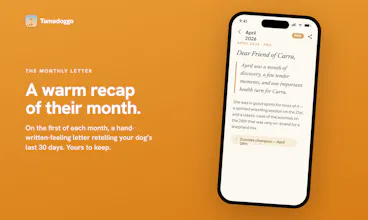
Most pet apps are clinical trackers. Tamadoggo is a living journal, a warm place to hold every walk, meal, vet visit and milestone. What stands out: gentle AI that never nags or diagnoses. It surfaces patterns across the timeline, gives breed and age-aware suggestions, scans a vet doc (photo or PDF) into auto-filled records, and writes a warm monthly letter. Each pet gets a "Crib", an illustrated home for their whole life. The free tier is also genuinely complete. PRO adds the AI magic.





@s0rvas Congrats on your launch!! I love the idea and your version definitely has a warmth to it that others lack. Sadly, I'll have to wait for the Android version. I noticed someone asked about other pets and you mentioned cats. What about other critters, like backyard hens?! Be a good way to keep track of any health issues with them.
@anna_ludwinowski Haha, backyard hens would definitely be a cool addition! The felines are coming in V1.1, already submitted. 6 avatars for our curious companions arriving very soon. Thanks for the support!
Congrats on shipping, Sorin! I love that you went journal first rather than tracker first for this.
I'm a solo founder building something architecturally similar in a different domain: AI-powered couples journal, where the AI's tone is similarly load-bearing (has to challenge without preaching, facilitate without taking sides). Two questions where I think your decisions might actually transfer to my work:
The "gentle AI that never nags or diagnoses" constraint is the most thoughtful part of Tamadoggo, and probably the hardest to get right. How is it actually encoded, is it primarily prompt-based, structural (the AI is given tools that only let it surface, never recommend), or a separate review layer that filters output before it reaches the user?
You mentioned the AI is built on Claude's tool-use through an MCP server. I'm currently on streaming Claude API and have been wondering whether tool-use is the better fit for the kind of pattern-surfacing-across-events work both our products do. What pushed you toward MCP + tool-use over prompt-based generation?
@ferdi_sigona Hi Ferdi! Thanks for the question!
You're correct on all 3. It's given access to read-only tools, the common base prompt sets the voice (warm, never alarmist, never clinical, always uses the dog's name) and the AI can only output a small, fixed set of things (or nothing if doesn't find anything meaningful) but it's not guaranteed it will return the structured data (best-effort, not guaranteed valid). So the last step is validating in code the returned text which should contain some specific enums I defined. This final review/filter layer is where I match the free-text JSON against the type/severity (specific enums), do some fuzzy-dedupes, drop any "pattern" whose event ids don't resolve to real timeline rows etc.
I went the tool based approach instead of a prompt based one-shot mainly because of the 90 day event history I wanted to provide to the model which meant to first assemble the events then stuff everything into context on every run. Tool-based also allows the model to start slim, the prompt has in it something like "only query data that's relevant, don't query everything because you can". All tools are read-only.
For pattern matching, going the tool-based way might be a bit of an overkill considering multi-round latency, orchestration and possible extra costs starting June 15 (hope not too much), but for my case because this happens behind the scenes and no one is actually waiting while it loads (these insights and monthly summaries come like an email) it's acceptable. I also imagined maybe somewhere along the way users might want to use an MCP with their model outside the app and "talk" to their data.
I know I said there's an MCP Server in action, but not quite. I ended up dropping it for V1 just to save on the extra Railway server costs and maintenance. So I ended up using a Supabase edge function (the db is also in Supabase so less latency) which fetches api.anthropic.com/v1/messages with a tools array and runs a multi-turn loop: Claude emits tool_use blocks > the worker executes them against Postgres > feeds tool_result back > repeats until Claude returns a final answer (capped at 10 rounds). This has it's downsides but if the need for a separate server comes it can be easily replaced with a full fledged one (tools are authored in MCP-server shape).
@s0rvas super helpful to understand, thank you! One follow-up if you've got it: how do you handle the cases where the 10-round tool-use loop hits the cap without converging on a final answer? Do you fall back to a partial result, retry with a tighter prompt, or just drop and surface nothing that month? I imagine "the AI couldn't make sense of last month's data" is a real edge case for a journaling product, and I'm curious whether you treat that as a soft-fail (silent) or surface it somehow.
Also, since you mentioned the June 15 pricing change as a concern, are you thinking of switching some of the tool-use orchestration to Sonnet for the cheaper rounds, or staying on Opus throughout? I'm wrestling with the same tradeoff (Sonnet for chat, Opus for synthesis is my current plan).
@ferdi_sigona For Tamadoggo's Weekly AI Insights, I went with Haiku because it handles this use case quite well. For the Monthly Summary, I chose Sonnet. Ultimately, you know best what kind of output fits your specific needs. If the cost difference isn't significant, I'd recommend choosing based on how the responses actually feel and read. That's essentially how I made the decision. I compared the outputs from different models using the same prompt and picked the ones whose tone and style matched what I wanted to deliver.
In my testing, I haven't hit the 10-round cap yet, but if it does happen, I simply discard the output for the weekly insights. Since there can be up to three insights generated at once, dropping one isn't a big issue. For the Monthly Summary, I retry once and then fall back if needed.
I do have some observability in place and track these runs in a dedicated table, but to really stress-test the setup I'll need active users with a lot more data than I currently have. It's a small app, and I haven't had the opportunity to run extensive load testing or explore every edge case yet.
If the user base grows, I'll adjust accordingly. Hope that helps!
Hey Sorin, love the Tamagotchi throwback. Congrats on the launch!
On first look, It looks good. Do you have plans to allow for multiple pet owners to view the same pet profile? My partner usually feeds my dog breakfast while I usually take care of dinner. It would be great if we could both track which vitamins and toppers we each gave him or any big treats we each gave (my dog won't like this.. he definitely tries to shake us both down for maximum treat dispensing!).
Quick note - I created a profile and it took me about 3 tries to add a profile image. On first try, after I selected the photo, nothing happened. On second try, it took me to the image cropping page, then nothing happened. For context I am using an iPhone 12.
@laura__wong Hi Laura!
You just helped confirm a bug I fixed yesterday, one I was hoping wouldn't affect anyone, but... here we are! 😅
The good news is that it was a minor issue that only affected changing the profile photo. You should now be able to edit or replace it as many times as you'd like.
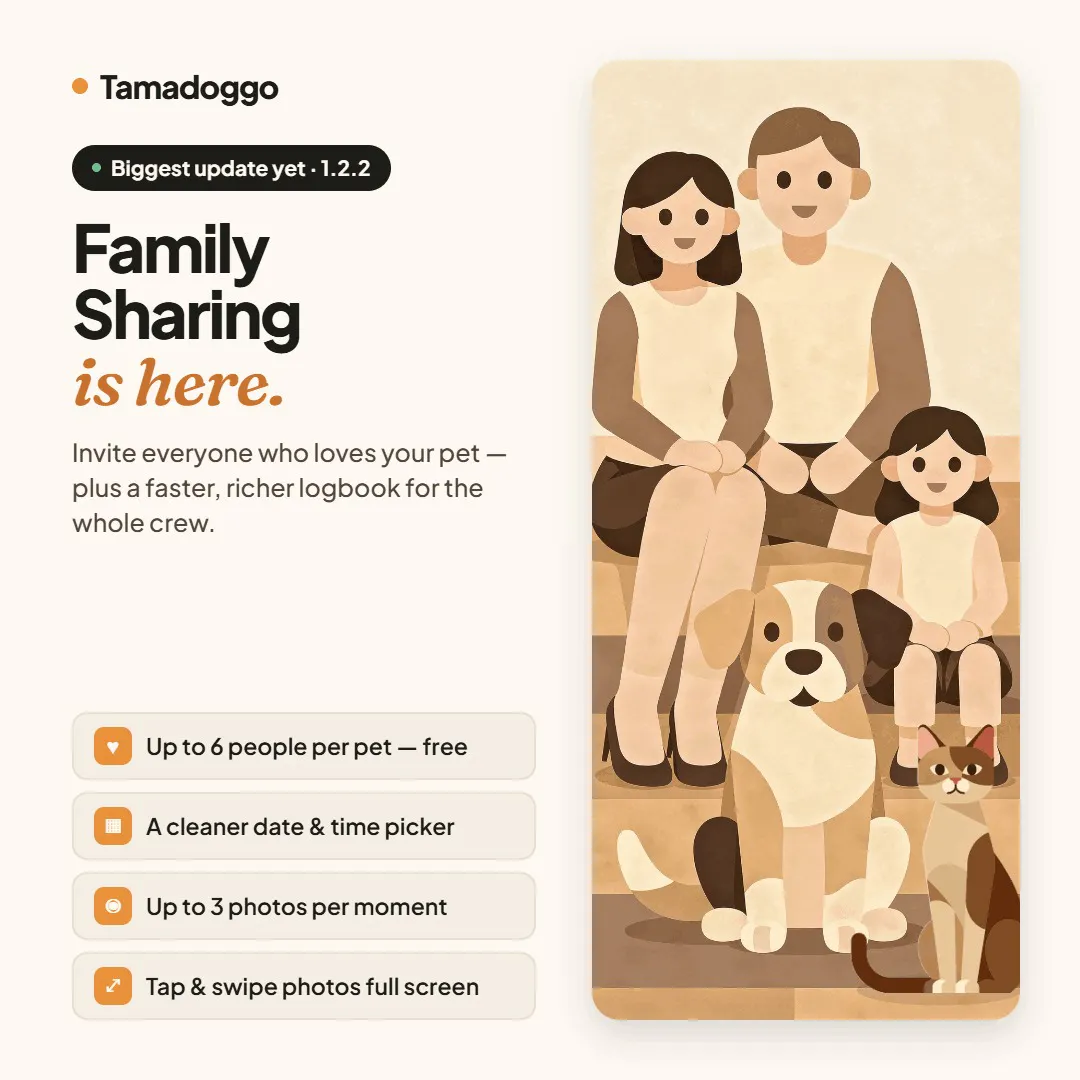
As for family sharing, it's definitely on my roadmap for one of the next iterations. My immediate focus is getting the Android version launched, and after that I expect to start working on features like this. If you find the app useful and decide to stick around, there's a good chance you'll see it in the near future!
Thanks so much for downloading the app and for taking the time to report this!
Hi Harini!
It was a bit of a hassle, mainly because I don't have a native iOS development setup. My environment is Windows-based, so I built @Tamadoggo with React Native and Expo.
One thing that helped a lot was using @Expo Development Builds. I installed them on my own iPhone and could test changes quickly without going through a full App Store submission. As long as the change was JavaScript-only and didn't involve native libraries, I could verify fixes almost immediately on my device.
For testing on different devices, I used a few emulators. Appetize.io has a generous free tier and worked well for testing builds across multiple device types. It's also useful for capturing screenshots, which you can then enhance with tools like @Claude by Anthropic or @Weavy for App Store previews.
Until launch day, I maintained a single @supabase backend. To prepare content, I generated mock events, manually triggered AI features, and essentially fast-forwarded through the app experience until everything felt launch-ready.
I only recently introduced a staging environment because Family Sharing (currently in development) requires significant backend changes, and I want to avoid disrupting the early @Tamadoggo users.
The App Store submission process was intimidating at first. There's a lot of information to provide, but once you get through the initial submission, future releases become much easier. If a review seems stuck for several days, don't hesitate to contact App Review support.
Beyond that, there wasn't really a playbook. I tackled things as they came up. @Stripe integration, subscription testing, in-app purchases, App Store requirements, and everything else.
I imagine the experience is smoother with a Mac dedicated to iOS development, but it's definitely possible to get by without one. Having modern AI tools available also makes life a lot easier as a solo developer.
Hope this helps, and thank you for the support! 😊
This immediately caught my attention because I also own a dog. Though I only have a dog myself, I also curious about that are you planning to expand the experience beyond dogs in the future, for example to cats or other pets? I can imagine many pet owners would love this kind of app.
@evakk Yup! Can't ignore the felines! V2 brings cat support with 6 cute avatars. It's in the making as we speak. Future updates will add support for even more companions :) Thank you!
@evakk I have always wanted this as well, I think this could be applied to all animals!
@evakk @tejas_pulavarti For sure! Will keep adding, specially if there will be users requests
Congrats. Was curious if this is just for dogs or other pets as well?
@swati_paliwal Feline support is under way. Version 1.1 extends the crib for our cats too. Build is already submitted to the AppStore
@swati_paliwal Cats just arrived in v1.1. We're live on the appstore! Thanks for the support!
This is very interesting. It seems positioned at a consumer app, but have you considered running a pilot program with vets, dog sitters, dog walkers, or doggy daycares? This could be an exceptionally useful and cute way for all of these businesses to give updates to their dog owners.
@james_effarah1 That's a really interesting perspective, and it gives me a few threads to work with. Going to run with a few, and put them on the roadmap. Thank you!