
Spellar AI
Intelligent Meeting Companion
5.0•23 reviews•3.6K followers
Intelligent Meeting Companion
5.0•23 reviews•3.6K followers
Elevate your online meetings with a native assistant that provides real-time tips, auto-generated summaries, and task extraction—without awkward bot joiners.
Featuring support for 100+ languages and seamless integrations with tools like Notion, Docs, and Jira, Spellar fits perfectly into your existing workflow. Powered by top-tier models (GPT, Gemini, Claude, Perplexity), it offers personalized configurations to maximize your productivity.
This is the 6th launch from Spellar AI. View more
Spellar 3.0
Launched this week
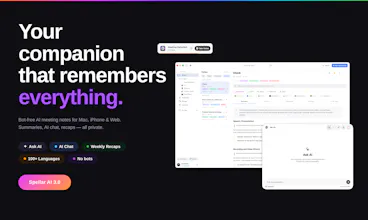
Most meeting tools give you notes. Spellar AI gives you memory.
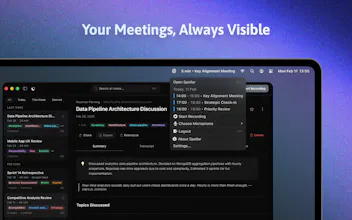
It joins your calls, captures every word, and builds context across all your meetings.
Ask what a client said three calls ago.
Find decisions from last week.
See what’s still open.
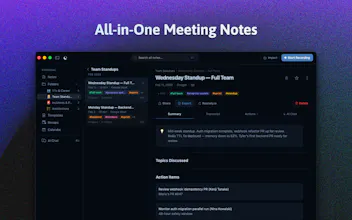
Organize by client, use templates, and choose the AI you trust — OpenAI, Anthropic, Perplexity, Gemini and more!




Free Options
Launch Team / Built With


Spellar AI
Hi all, my name is Yuliia, and as the QA engineer on this product, I've spent months doing one thing: trying to break it.
That's the job. Find every edge case. Every flow that almost works. Every moment where the product doesn't quite deliver what it promised.
What made this one different: the core idea held up.
The memory feature - the thing that connects context across meetings over time - is the kind of feature that's easy to get almost right and very hard to get actually right. The gap between "it usually works" and "you can trust it" is where I spend most of my time.
We're at the second one. I wouldn't have let it ship otherwise.
Spellar 3.0 is live on Product Hunt today. An AI meeting companion that remembers everything - no bot, no noise, just context when you need it.
Want to hear your feedback ❤️
Spellar AI
@j_che Yuliia, very proud we’re launching this together 🚀
Spellar AI
@hotfixer Thank you, Anastasiia. So excited about this 🤩
Causo
Looks great folks. Been struggling with AI notetakers' output being isolated - good to see someone is consolidating it with persistent memory:)
Spellar AI
@dawid_baranowski Thank you Dawid ❤️
@dawid_baranowski Dawid, appreciate that 🙌
We wanted Spellar to feel less like “another AI notetaker” and more like a memory layer for your work 🧠
Spellar AI
@dawid_baranowski Thanks! In the era of AI, setting up a "second brain" is becoming more & more important
Congrats on the launch! 🎉
I see the focus is mostly on meetings, but I’m really interested in trying this out for classroom lectures. Do you think it’s robust enough to capture a professor moving around a larger room, or is it optimized specifically for desk-to-microphone distances?
The cross-meeting memory is a game changer for managing long-term client projects. Just curious about the data siloing: how does Spellar ensure that context or memory from Client A's meetings doesn't accidentally bleed into the insights generated for Client B?
One thing I'm wondering. For queries like "what did Acme say about pricing over the last six months", is that mostly vector retrieval over the raw transcripts, or are you actually maintaining some per-client state that gets updated after each call?
the meeting coaching angle makes more sense to me than the presentation angle, presentations you can rehearse, meetings are where the real gaps show up, and the way it goes is always so unpredictable...