
@O - AI coworker in Slack
Your AI coworker, in Slack. Just tag @O.
908 followers
Your AI coworker, in Slack. Just tag @O.
908 followers
@O is the ultimate AI coworker that lives natively in Slack. Tag @O like a colleague, to ask anything or delegate daily tasks in plain English. It connects to 1,000+ tools, runs automations while you sleep, and shares memory and skills across your whole team right in Slack. One-click install, everyone AI-enabled in under 5min. Zero friction, maximum adoption.
This is the 2nd launch from @O - AI coworker in Slack. View more
Ogment AI
Launching today
@O is the ultimate AI coworker that lives natively in Slack.
Tag @O like a colleague, to ask anything or delegate daily tasks in plain English. It connects to 1,000+ tools your business runs on, does work while you sleep, and shares memory and skills across your whole team right in Slack, on any model you choose, including your own.
One-click install, and everyone is AI-enabled in under 5min, not just your power users. Zero friction, maximum adoption.




Free Options
Launch Team / Built With


Tagged @O in a test channel and it pulled a report from our CRM in seconds, no setup headache. The shared memory across teammates is a nice touch too.
@O - AI coworker in Slack
@huriyedarka awesome to hear! Next step might be to ask O to create a skill so it processes the data exactly like you want every time? :)
Netlify
Hey PH fam 👋
Super excited to bring Ogment AI to the global tech and startup community today!
Here's a pattern I keep seeing across the AI ecosystem: almost every AI tool is built for one person at a time. One chat window. One context. One user. But real work is a team sport. It happens in threads, channels, and shared projects.
Most AI tools are like giving every employee their own private notebook. Useful, sure. But nothing compounds. @O is the team whiteboard.
It lives natively in Slack, works inside your existing channels and threads, and shares memory and skills across the entire team. When one person teaches it something, everyone benefits. That's the unlock.
My honest take on the competitive landscape: yes, the giants are shipping Slack agents too. Claude Tag is a strong product. But model companies are running many races at once: frontier models, APIs, consumer apps, coding tools. A Slack coworker is one bet among dozens.
For Ogment, it's the only bet. Every sprint, every roadmap call, every support ticket serves this single product. History rewards that kind of maniacal focus. Figma out-obsessed Adobe. Superhuman out-crafted Gmail.
And here's the clever part: Ogment runs on any model you choose, including Claude. So it wins no matter which lab wins the model race. That's smart positioning, not just brave positioning.
What stood out to me:
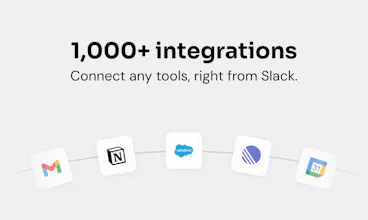
→ Connects to 1,000+ tools (Gmail, Salesforce, Notion, Linear, Stripe) and actually executes work, not just answers questions
→ Works on any model you choose, including your own local LLM
→ One workspace plan, unlimited Slack users, starting at $50/month. Per-seat AI pricing punishes adoption. This model rewards it.
Big shoutout to Teo and the Ogment team who are all here today and keen to hear from you 🙌
Here's a question I'd love this community's take on: where do AI coworkers ultimately live? Inside the tools we already use every day, like Slack? Or will we all migrate to dedicated agent platforms built from the ground up? Drop your take below 👇
@O - AI coworker in Slack
@O - AI coworker in Slack
Hello everyone, Flo here, I'm one of the builders at Ogment :)
Really excited to share what we've been hard at work on for the past months. A few more insights into the technical aspects of making an agent in slack run smoothly in production.
The bar we set for this product is extremely high: it needs to be incredibly easy to setup, essentially all integrations should be available to you, it should behave as smoothly as possible in all scenarios that exist in a chat app like Slack, and the hardest part: It should survive and work reliably across a myriad of possible failure modes, errors of all kinds, and deployments - to give people the feeling that "it just works".
First surprise: Slack's API, even their latest one made for agent apps, has an incredible amount of edge cases, error codes and rough edges. Make a tiny mistake, and the entire stream or message your agent is trying to write will simply not be displayed. Getting this right and buttery smooth was an uphill battle of renderers, meticulous testing and bug reports from our alpha testers.
Second surprise: Making agents survive in production still feels like an unsolved problem. Everyone is hand-rolling their own runtime, making agents recoverable when the process crashes, when your LLM provider dies, or when you deploy a new version of your agent and/or its runtime. There's a lot of space to make this simple, or to overengineer it, but one thing is for sure: This is no easy feat (even with the smartest coding agents).
Excited to see what people will delegate to our dear agent O 🚀
how does pricing work as the team grows, is it per user or per active usage?
@O - AI coworker in Slack
@bernahru8 Good q! It's usage-based, not per-seat, so you're not paying for people who barely touch it. You can add your whole team without seat math, and cost tracks actual work done. And since @O is model-agnostic, you've got a real lever there, point it at a cheaper or local model to tune cost per use case. Happy to ballpark real numbers if you tell me rough team size and how heavily you'd use it
@O - AI coworker in Slack
Hey Product Hunt 👋 I'm Amaury, cofounder of Ogment, and I'm super proud to share what we've been building.
We kept seeing the same pattern: people are excited about the AI revolution, they want that full "agentic" experience, but then reality hits. The friction to install and maintain agents a la OpenClaw or Hermes is actually pretty high, esp. for less technical people. Not even mentioning the security or the team collaboration aspect...
So we built O from the ground up for Slack-native teams, where a ton of context already lives. Your conversations, your decisions, your files, your workflows: it's all right there. And the best part? There's zero friction to onboard, just tag @O in Slack.
Here's the thing that surprises people most: we don't really have a dashboard. You can do it all from Slack. Connecting your systems (Gmail, Linear, Stripe), creating a custom skill or sharing it with your team, setting up a recurring job... just ask your agent, like you would a colleague.
And it's proactive. Ogment doesn't just wait for instructions. It constantly spots automation opportunities and surfaces them to you, without you even having to ask.
My personal favorite skill with O? It handles my post-product meetings end to end. It pulls the Granola transcript, reads my backlog in Linear, checks strategy docs in Notion, grabs context from emails, and outputs a clear list of feature requests, bugs, market insights, and a backlog update proposal. What used to take me 45 minutes to do properly is now done in 1 minute.
We're incredibly excited to get this into your hands. Can't wait to see what you build with it!
Tool-calling is the sneaky failure with any bring-your-own-model setup. Providers each format function calls differently, so a harness tuned on one model's schema quietly drops args or mis-picks tools when you point it at a cheaper endpoint, and it still reads as working. That's the bug that ate the most of our debugging time building agent infra. How much of the agent quality actually holds when someone swaps their own model in versus your default?
@O - AI coworker in Slack
Hello Product Hunt!👋
Designer at Ogment here - brand, site, dashboard, launch assets.
The design brief was the same as the product promise: zero friction. If tagging @ O should feel like tagging a colleague, nothing around it gets to feel like software - no new app to open, nothing to learn, nothing in the way.
None of this was designed in a corner - everything we shipped went through the whole team, and half the best cuts came from engineers asking "do we even need this?" Small team, tight loop, that's how it stayed simple 🙌
Don't take my word for it though - just onboard @ O to your Slack and feel the magic ✨
One of my favorite parts? I create O brand assets by tagging our beloved @ O in our #marketing channel, where the whole team can see the process. And when it comes to repetitive revisions... I don't do them anymore. O does.
So excited to finally share this with you all - your thoughts and questions are more than welcome! 💛
Happy to be part of this amazing team and incredibly proud of what we've built.
@O - AI coworker in Slack
@payamdaliri - proud of the beautiful designs you've created for @ O!