
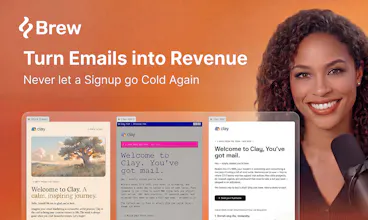
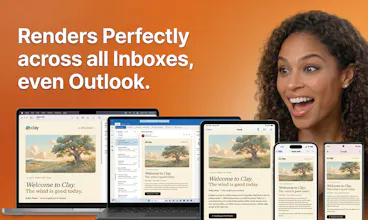
Brew is the fastest way to design and send beautiful, on-brand emails and automations that render perfectly in every inbox. Describe a campaign or a multi-step automation in plain English, and Brew builds the whole thing in seconds: copy, design, audience, and logic. Works with any AI agent: paste our docs into OpenClaw, Viktor, Claude, or Lovable. No lock-in: send from Brew or export to your ESP. Free to get started.





Free Options
Launch Team / Built With


Framer AI AgentsDesign and publish professional sites with AI
Promoted


You mention that open rate improves by 48%. But how does that work? Open rate depends on the subject line — a person will not see even the best design in the world until they open the email.
And how do you track open rate? For more than a year now, open rate tracking (via pixel) has been disabled by everyone who does this professionally because it is considered a very negative factor for Gmail.
Overall, the service seems quite useful, but the questions above are still unanswered :)
Hey@natalia_iankovych - totally fair questions, and you clearly know this space. 💪
You're right on both counts:
On attribution: you are right that opens come down to subject line and sender reputation, not design. That is actually something we have worked on directly. We have spent time with some of the best email marketers in the world to understand what genuinely drives opens, subject lines especially, and built that thinking into the product. The catch is that it is highly dependent on your brand and the specific audience you are sending to, which is exactly what Brew takes into account rather than applying a one-size-fits-all formula.
On tracking: also fair. Pixel-based open tracking has been unreliable since Apple Mail Privacy Protection started pre-loading images, so we treat absolute open rate as a soft signal rather than a source of truth. Where it does stay useful is relative comparison: when you send to the same audience with the same tracking method, the noise is roughly constant on both sides, so the difference between a control and a redesigned send still tells you something real. Beyond that we lean on clicks, conversions, and replies, which are harder to game and not inflated by privacy proxies.
Appreciate you pushing on this. For full transparency, these numbers are from one of our customers, LiveFlow, rather than an aggregate across all users, so treat it as one real example rather than a guaranteed result.
Thanks for the thoughtful comment. ❤️🔥
Congrats on the launch =) One question on the brand extraction: how do you handle sites that block automated readers or render everything client-side? Curious if you've found a way around it.
@francesco2689 Thanks Francesco! Great question. We leverage a couple different solutions in our brand extraction to ensure that even if the site is fully client-side rendered or blocked with bot protection we can still extract great context. We aren't in the business of bypassing WAFs or beating bot detection but have many different fall backs and solutions for different types of sites! Let us know if you run into any brands that you had in mind, would love to iterate with you :)
Congrats team! Pretty nice idea, I have to admit :) Not doing manual job, when setting up a campaign is big deal. Does this tool rather work as cold mailing / outbound tool (like instantly, smartlead) or more as s newsletter tool (mailchimp etc.)
Thank you so much @davitausberlin, appreciate your support! ❤️🔥
Straight answer: we only serve warm brew, not cold brew ☕
Brew is built for the newsletter and lifecycle side, much more the Mailchimp world than Instantly or Smartlead. So welcome flows, newsletters, announcements, re-engagement, all the email going to people who already know you. Cold outbound is a different game and not what we do. Where we shine is the design and the last mile: describe the campaign, get the whole thing on-brand, and have it render right everywhere.
Congrats on launching. I have a question regarding the pricing. How are the credits consumed? Like, is it a fixed number of credits per generation or based on how complex the design is?
How does it calculate credits?
@zerotox Hey Kumar! Great question. Credits are a direct reflection of the tokens used across email generation, image generation, and all other LLM tasks in the app. This means the more complex or involved your ask is in terms of input/output tokens the more credits it will consume. With that said, we do a lot of intelligent tool calling and caching under the hood to make sure you get the most bang for your buck!
Hey! Amazing product.
Are there any trials available? I was looking to export the first campaign that Brew designed to me in order to evaluate the quality of the HTML.
Let me know, thanks.
@thipatriota Hey Thiago! No trial needed! You can sign up for free today and start generating emails in Brew. You can also send test emails from Brew to see how they render in your inbox. Thanks for the question!
@thomas_park2 I appreciate it Thomas!
Came in hoping this was a cold outbound play, saw "warm brew, not cold brew" and laughed. Fair. Quick Q though - any plans to add re-engagement flows triggered off CRM activity? That's the gap between SDR tools and lifecycle for me.
@nastassia_baravik1 glad you liked our little pun 😂
Yes absolutely, that's a core use case that we support today! You can integrate with your CRM of choice, and then trigger re-engagement flows (automations) based on any customer activity in your CRM!
Happy to show you live. Any time that works for you here?
@philip_sorensen @thomas_park2 @jessica_w204 Really slick UI - excited to take a look as we're always evaluating email tools - curious if you could run through what the pricing structure looks like / how things integrate into existing stacks?
Another question - presume we have a custom amazon SES internal email system (for our end users) do you have an API / overlay / white label where we could potentially relay this user experience to our customers?
Looks great upon first glance and I am excited to dig a bit deeper.
Thanks @dzaitzow , both great questions.
On pricing and integrations: we have a free tier (with a small watermark, perfect for testing), paid plans from $50 a month for full features, and enterprise pricing for larger teams. On the stack side, we integrate natively with Klaviyo, HubSpot, Mailchimp, Marketo, Iterable, Brevo, Braze, ActiveCampaign, Customer.io, MailerLite, and Drip. You can also export production-ready HTML to drop into anything else, including SES.
On the white-label/embed question: that is genuinely interesting and not something we have shipped publicly yet. We have had a few enterprise conversations exploring exactly this kind of "Brew creation experience inside our own product for our end users" pattern.
Thanks again for digging in.
Sounds good @dzaitzow. Door is open whenever SES moves up the list. Enjoy the trial in the meantime, and would love your honest feedback once you have played with it.
@philip_sorensen Will do!