Hey everyone!
I published a new tutorial on building a custom agent using Giselle no code required.
What it covers
Setting up a GitHub trigger that fires when a PR is opened
Using Agentic RAG to query your existing codebase for context
Generating reviews that understand your code conventions
Automatically posting review comments back to the PR




Giselle
Hello everyone! 🙌
I'm so excited to finally launch Giselle and share it with all of you!
We built this for ourselves. There are countless AI workflow builders out there—but when we actually tried to use them for real work, something always felt off. Too complex to set up, too rigid to adapt, or too opaque to debug when things went wrong.
So we built what we actually wanted to use:
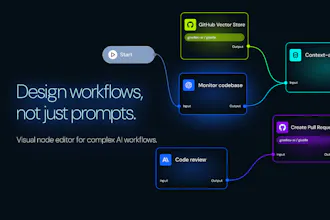
A visual node editor where you can see your entire workflow at a glance
Mix and match models from different providers in one canvas
Real-time tracking so you know exactly what's happening
Zero infrastructure headaches—just build and run
It's open source because we believe the best tools grow with their community.
If you've ever felt frustrated with existing AI workflow tools, give Giselle a try. We'd love to hear what you think.
And if you know of better products out there, please let us know! We're always looking to learn from great tools.
@codenote Huge congrats. Upvoted!
This is a breath of fresh air for the AI automation space! I completely relate to that feeling of "whack-a-mole" when trying to debug a complex LLM chain—it’s usually so opaque that you have no idea where the logic broke.
The visual node editor is the real hero here. Being able to mix and match models from different providers on a single canvas is exactly the kind of flexibility power users need.
Question for the team: How does the real-time tracking handle high-concurrency workflows? Is there a specific "debug mode" that lets you inspect the exact prompt/response at each node?
🚀
Giselle
@annnarobbb Thank you so much!
We rely on @Trigger.dev as our workflow engine to handle this.
Internally, we have the capability through @Langfuse , but we haven't exposed it to users yet. A debug mode is actually something I want myself too, so I'm adding it to our roadmap.
Thanks for the great suggestion!
Giselle
@codenote @annnarobbb
Thank you so much for the kind words!
We don't have a dedicated "debug mode" in the strict sense yet, but in our Studio editor, you can configure and run prompts for each node individually. This gives you a pretty good idea of what's happening at each step. That said, we recognize that understanding how outputs chain together across nodes is really the key—and we're actively thinking about ways to make that flow more visible and intuitive.
Giselle
@aditya_shynxmedia san, Thank you — I'm glad the "actually finish" part resonated. That's exactly what we care about most.
You're right that tools like Giselle are better experienced than explained. We believe showing real value through actual workflows matters more than loud marketing.
Your approach to creator-led discovery is really interesting. Small experiments in real scenarios, not promos — that sounds like exactly the kind of feedback we're looking for.
Hey love the design and functionality. How does it differentiate itself from n8n, make , zapier and other tools ?
Giselle
@siraj_hassan2 Thanks! Design is something we really care about, so that means a lot.
A few key differences:
First, we focus on making it easy to access the latest AI models. We've already integrated major APIs — OpenAI, Anthropic, Gemini, and more — so users can start using the latest models right away without managing their own API keys.
Second, we currently have strong integrations with tools like GitHub, making it easy to build agents that support product development workflows — things like generating release notes, drafting PRDs, or automating code reviews.
Looking ahead, we're focused on helping users turn their knowledge work into workflows through experimentation. We're also exploring ways to support end-to-end agentic flows, from structured data analysis to KPI reporting.
What stands out to me is the emphasis on making workflows understandable, not just runnable.
When people can clearly see how decisions flow and how state evolves, AI becomes something teams can actually rely on day to day. That’s usually where these tools either stick or fade.
Nice work. Curious to see how this holds up as usage grows.
Giselle
@petter_magnusson Thank you for this comment — it really resonates with us.
Making workflows understandable, not just runnable, is exactly what we're focused on. We dogfood Giselle ourselves and feel this pain firsthand, which drives a lot of our design decisions.
As for scale, that's definitely an area we're actively working on. Appreciate you keeping an eye on us!
@gyu07 Makes sense.
We’ve run into the same thing. Once workflows get opaque, teams stop trusting them, even if they technically “work.”
We’re tackling a nearby problem with purposewrite, but through a more step-by-step, interview-style model with Human In The Loop, rather than graphs and running tasks.
If it’s useful, we’ve open-sourced a few concrete workflow examples here:
https://github.com/Petter-Pmagi/purposewrite-examples
Giselle
I'm Taka, CEO of the team behind Giselle. Today we're launching Giselle — a visual AI app builder designed for product teams.
Why we built this:
We started building Giselle over a year ago, back when GPT-3 was the standard and tools like CrewAI and n8n were just emerging. Our original goal was to bring LLM-powered automation to consulting and finance — domains drowning in research and documentation work.
But here's what we learned: getting "professional-grade" output quality was hard. Really hard. So we did what any stubborn team would do — we dogfooded relentlessly. We became our own zero-customer, using Giselle daily to build our own products.
That journey shaped what Giselle is today: an AI app builder optimized for product ops and GitHub-native workflows.
What makes Giselle different:
GitHub as your vector store — Turn your repos, issues, PRs, and code into RAG-ready context with one click. No pipeline setup.
Event-driven workflows — Trigger Giselle apps from GitHub events (new issue, PR comment, etc.). Build your own CodeRabbit-style review agent — no code required.
Team-first, cloud-native — Apps you build are instantly shareable. Call them from a chat UI ("Stage") or directly from GitHub with custom slash commands (you define the command name).
What you can build:
✅ Automated PR review agents
✅ PRD drafters that pull context from your codebase
✅ Spec/docs updaters triggered by merged PRs
✅ Parallel workflows like Cursor or Claude Code — but for your whole team
Why this matters:
Tools like Cursor and Claude Code have supercharged individual developers. But teams still struggle to share that leverage. Giselle bridges that gap — not everyone needs to be a builder; one person's app becomes the whole team's productivity boost.
What's next:
Right now we're focused on product ops, but the path forward is clear. As we expand support for diverse document types and data sources, we expect Giselle to handle the consulting and professional services use cases we originally envisioned — research synthesis, client deliverables, knowledge management at scale.
In the near term, we're doubling down on two fronts:
Visual builder improvements — Making it even easier to prototype AI apps without code
Developer-facing features — Instant API access for any app you build, MCP (Model Context Protocol) support, app virtualization for complex compositions, and smoother paths to scale with LangChain when you're ready
We'd love your feedback. What workflows would you build first?
Giselle
I wrote an article about GitHub-powered Vector Stores—one of Giselle's standout features. Very few tools make it this easy to turn your codebase into a Vector Store. Would love to hear your thoughts!
How to Use Vector Store and Query in Giselle
https://giselles.ai/blog/vector-store-and-query-in-giselle
Giselle
I've also written an article covering some more advanced use cases. Feel free to check it out for reference.
Cross-Repository Analysis with Giselle: An Advanced Use Case for Vector Store
https://giselles.ai/blog/cross-repository-analysis-with-giselle-vector-store
Giselle
Continuing the series!
This one covers how to build a custom deep research workflow—no prompt engineering expertise required.
Building a Simple but Powerful Custom Deep Research App with Giselle
https://giselles.ai/blog/custom-deep-research-app
Got a use case you'd like to see covered? Drop a comment—I'm always looking for ideas.
Giselle
Continuing the series! Last time I covered custom deep research workflows—this one's about bringing any document into your AI workflows.
Beyond Code: Building RAG Systems from Any Document with Giselle
https://giselles.ai/blog/document-vector-store-in-giselle
Most business knowledge isn't in code—it's in PDFs, Word docs, and internal wikis. Document Vector Store lets you upload these files and query them with AI, no coding required.
The tutorial walks through building a PostgreSQL documentation Q&A system using Context7's pre-processed docs.
Got questions about RAG or document ingestion? Happy to chat in the comments.
Giselle
New article! This time we're flipping the approach—instead of pulling knowledge from documents, we're reacting to GitHub events as they happen.
GitHub Event-Driven Workflows: Building Automated Issue Assistants with Giselle https://giselles.ai/blog/github-event-driven-workflows-giselle
The tutorial walks through building an issue assistant that automatically researches context and posts helpful comments when new issues are created. Set up takes about 15 minutes, no code required.
Got questions about event-driven automation? Drop them in the comments.
Giselle
Taking it further! Yesterday's issue assistant was just the warm-up—now we're building something teams actually ask for: a custom PR review agent.
Building Your Own PR Review Agent with Giselle
https://giselles.ai/blog/pr-review-agent-giselle
CodeRabbit and Copilot are great, but every team has different needs. This tutorial shows how to build a review agent that understands your codebase using Agentic RAG—so feedback is grounded in your actual code, not generic best practices.
Giselle
Hey Product Hunt 🙋♀️
We just launched Giselle — and I'm the designer behind it.
While our engineers were focused on making AI workflows safe to rely on — even when they run for hours — I obsessed over a different question:
What does it feel like to build one?
I spent way too much time on something most people won't consciously notice: the nodes. We designed them to feel like bright stars floating in space — vivid enough to stay readable as workflows grow, but calm enough not to overwhelm you.⭐️⭐️⭐️
My goal was simple: I wanted your workflows to look like something you'd actually want to show off — not just tolerate using.
I'd love to hear from you: What feels intuitive when you're building — and where do you still feel lost?✨
Giselle
Thanks again for all the feedback from the launch.
I published a short write-up on how we built Giselle using Giselle — sharing some of the workflows and decisions behind the scenes. 😉
In case it’s helpful:
→ Designing Giselle With using Giselle: Closing the gap between design and code
Giselle
@kaochannel154 Thanks for writing and sharing this post!
It was really interesting to get a glimpse into your thought process and see how you approached things from your perspective.
Giselle
@kaochannel154 san, Thank you for the lovely comment! I'm truly grateful that you brought the vision of "stars floating in space" to life.
As engineers, we tend to focus on reliability and stability, and the "experience of using" often takes a back seat. But because you obsessed over what it feels like to build, Giselle became not just a tool, but a product that's genuinely pleasant to use.
I'm so happy to be launching with this team. 🚀
Giselle
Appreciate the thoughtful feedback here. 🤩
We’re already testing a few workflow tweaks based on what people shared.
Giselle
As we wrap up this week, we just wanted to say thank you again for all the thoughtful conversations here.
We’ve been reading every comment and have already started incorporating some of the feedback into Giselle.
We also shared a behind-the-scenes write-up that focuses on the practical how — how we actually built and run AI workflows using Giselle itself:
→ https://giselles.ai/blog/document-vector-store-in-giselle
Grateful for this community 🙏
SigniFi
Looks cool! Thx for you guys build a easy-used workflow, which is really clear with input and output
Giselle
@yoang_loo san
Thanks so much! That really means a lot - we were aiming for that "cool" feeling while designing it, so I'm thrilled you picked up on that. Would love to hear your feedback once you try it out!👂
Giselle
@yoang_loo san, Thank you so much! We put a lot of effort into the UX, so I'm really happy to hear that!!
Giselle
@yoang_loo
Thanks! Really happy to hear that 😊
We put a lot of thought into making the inputs and outputs easy to understand.
Feel free to share any feedback as you explore!
Giselle
@yoang_loo Thanks! Clarity was a big focus for us — glad it shows.
Looks very simple to use. I'm just wondering if you can build a workflow by writing a prompt, and will actually come up with the required nodes and suggest integrations?
Giselle
@pasha_tseluyko Thanks for the kind words!
You’re describing a text-to-workflow feature (write a prompt → Giselle generates the nodes + suggests integrations). We don’t support that yet, but it’s one of the higher-priority things we want to tackle as a team. I’ll definitely share an update on Product Hunt once it ships.
Curious to learn from you: if you had that feature today, what prompt would you type in—and what workflow would you want it to run end-to-end?
Giselle
@pasha_tseluyko As Satoshi mentioned, text-to-workflow is definitely on our radar — we're already structuring things with that in mind. Will share an update when it ships!
Giselle
@pasha_tseluyko san! That's exactly the feature we have in mind! We're planning to build an "Enhance Prompt" capability that lets you construct entire workflows from scratch—just describe what you need, and it generates the nodes and suggests integrations for you.