Been using this for quick research and it feels faster than traditional search engines.
What stands out:
• Answers usually come with sources, which makes it easier to verify information
• The interface is very clean and minimal
• Responses are fast compared to most AI search tools
It’s been really useful for quick research, learning new topics, and getting summarized information without opening dozens of tabs.
Personal Computer by Perplexity AI is redefining what a computer can do.
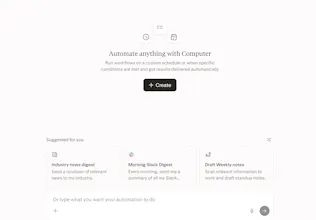
Most computers still rely on you to juggle files, apps, tabs, and workflows. Personal Computer flips that, it acts as an AI orchestrator that understands your objective and executes tasks across your local files, apps, connectors, and the web.
What makes it different? It blends local + cloud environments, bringing multi-model orchestration directly to your machine, not just inside a chat window.
Key features:
Works across files, native apps, and the web
Automates complex & continuous workflows
Reads and executes your to-do lists
Organizes files and compares local + web data
Voice + keyboard activation (CMD shortcut)
Secure sandbox with auditable, reversible actions
Who it’s for & use cases:
Builders, operators, and power users
Automating repetitive workflows
Managing files, tasks, and communication
Decision-making using local + web context
Why it matters: This is a shift from “using a computer” to managing an AI that uses the computer for you.
If you’re into the future of AI-native workflows, this is worth watching.
P.S. I hunt the latest and greatest launches in tech, SaaS and AI, follow to be notified → @rohanrecommends
@rohanrecommends How does it handle context-switching between your local files like Notion branding templates and external tools PH threads, LI comments? Say I'm prepping a "PH Hunter outreach" workflow; does it auto-summarize yesterday's forum comments + pull my personal brand playbook into one action plan?