


Upcoming update
by•

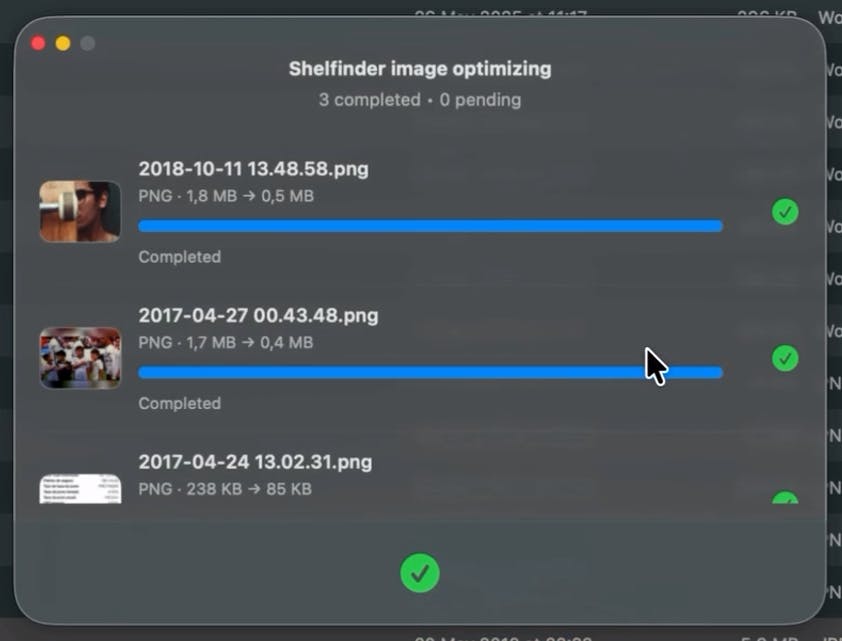
Besides the floating shelf inside Finder, Shelfinder is getting an image & PDF optimizer in the next release.
You’ll be able to optimize PNG, JPG, and PDF files directly from the app — no extra tools, no context switching.
Still polishing the details, but excited to ship this soon.
Feedback is very welcome 🚀
25 views
Replies
Love this direction for Shelfinder.
The big win for power users (and honestly for tired, distracted humans) is killing those tiny context switches that quietly eat half the day.
Curious how you're thinking about the defaults for optimization:
- Will there be 'safe' presets so people don't have to think about DPI/quality sliders every time?
- And are you designing more for 'I just need a smaller file right now' or for repeatable workflows (same export profile 50× a week)?
Either way, bundling "grab file" + "make it lighter" into one motion inside Finder feels like one of those invisible quality-of-life upgrades you only notice when you use a Mac that doesn't have it yet.