


DataQueryAI – Ask Your Data Anything, Instantly
Turn your database into insights—no SQL required.
Introduction:
Ever wished you could ask your database a question in plain English, Vietnamese, German, French, Italian, Portuguese, Hindi, Spanish, and Thai and get instant, accurate results? DataQueryAI makes it possible. Connect your SQL Server, MySQL, or PostgreSQL database, and start querying in natural language. The AI handles the rest—building queries, and even producing reports.
Why it's different:
Natural Language → SQL: No need to learn SQL or struggle with complex joins. Ask in plain English, Vietnamese, German, French, Italian, Portuguese, Hindi, Spanish, and Thai and get results.
Supports Major Databases: Currently works with SQL Server, MySQL, and PostgreSQL. Other database types coming soon.
Large Database Friendly: Designed to scale — whether your database has thousands, millions, or even billions of rows, DataQueryAI loads results efficiently with paging and schema guidance.
End-to-End Analysis: Query → visualize → export reports.
Export Options: Export results in HTML, CSV, or XLSX formats.
Privacy-Focused: Option for local execution ensures your sensitive data stays secure.
Designed for Non-Technical Users: Perfect for business analysts, researchers, product managers, and small teams.
How it Works:
Connect your database (SQL Server, MySQL, or PostgreSQL)
Ask questions in your preferred language (English, Vietnamese, German, French, Italian, Portuguese, Hindi, Spanish, or Thai)
Select relevant schemas for large databases (small databases skip this step)
View results with paging and visualizations
Export full reports in HTML, CSV, or XLSX
Who Should Try It:
Analysts who want faster insights without writing SQL
Product managers and founders seeking ad-hoc data analysis
Small teams or startups that need lightweight, powerful analytics
Users working with huge datasets, from millions to billions of rows
Multilingual teams seeking data analysis in multiple languages
For example, consider the AdventureWorks database, which contains 12 tables with many rows:

By default, for databases containing more than 7 tables, a "Table/Schema Selection" popup will be shown so that the user can choose which schemas they want to query:


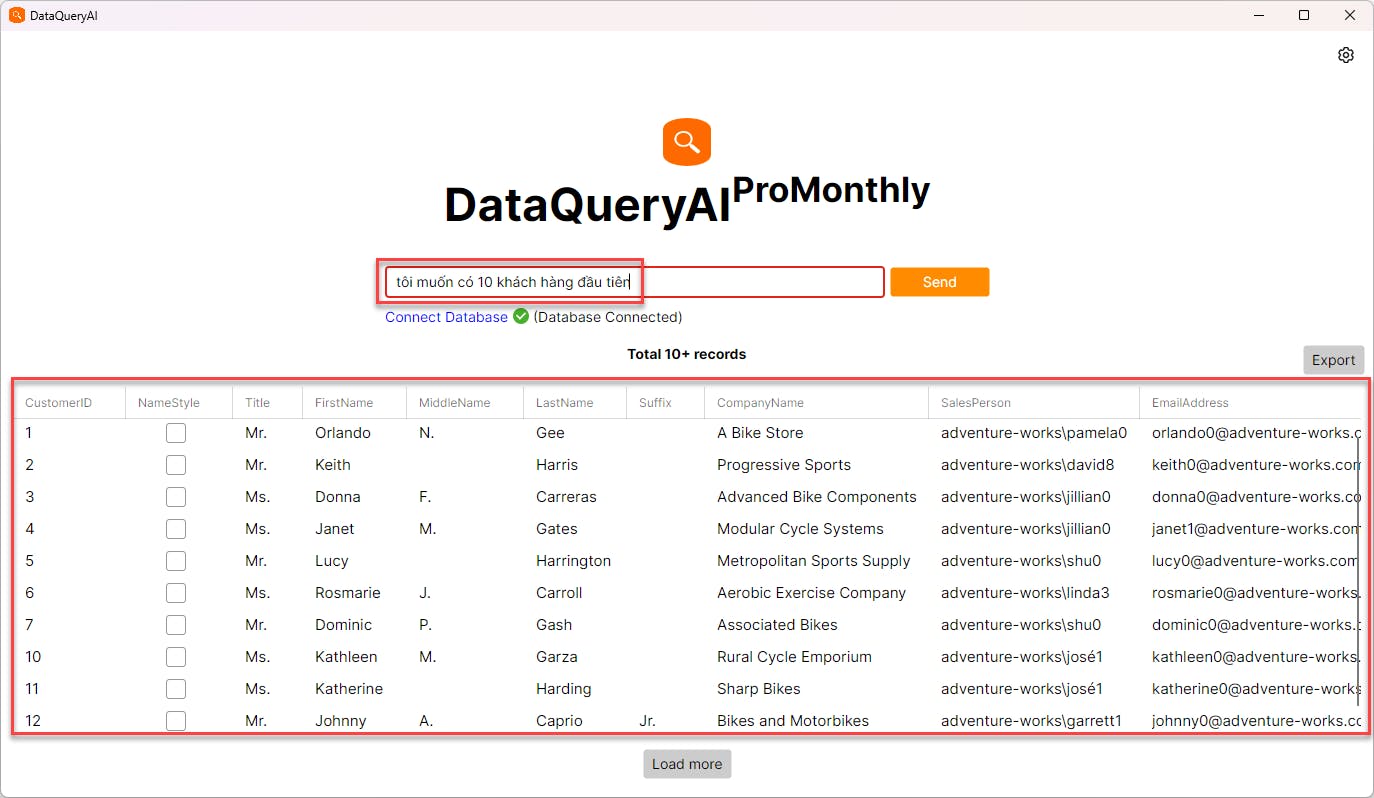
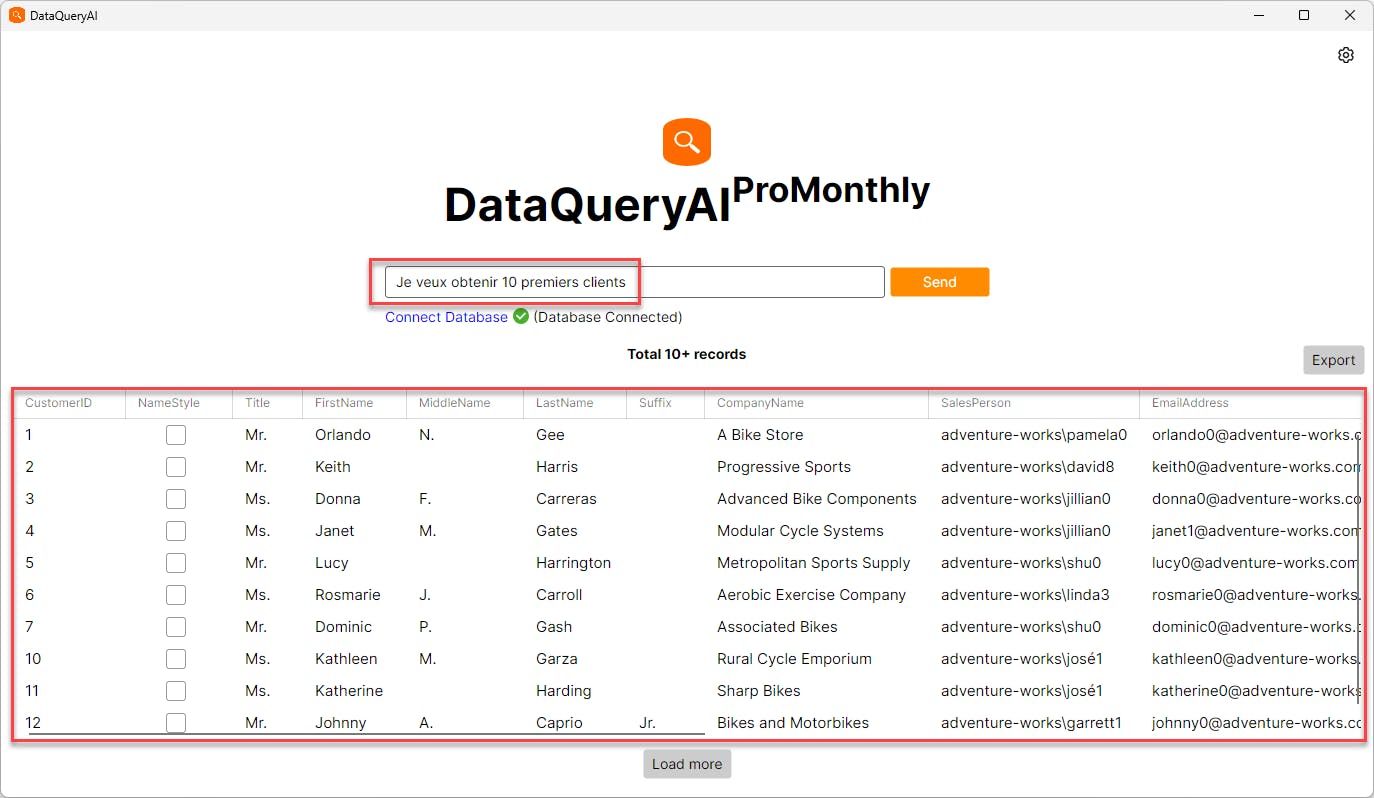
Another example of using plain language: here are samples in Vietnamese, English, Thai, German, and French:
Vietnamese
English

Thai

German

French
Why We Built It:
DataQueryAI was created to democratize data analysis. No more waiting on engineers or writing complex queries—anyone can explore and understand their database quickly and securely, in the language they’re most comfortable with.
Call to Action:
Try DataQueryAI today and turn your database into answers. Your next insight is just a question away!
Replies