

AI video upscale without uploading your files 🎬

Why should video upscaling require uploading your files?
This has been on our mind while building Render Room.
A lot of video tools now advertise “AI enhancement” or “AI upscale,” but the workflow often means uploading your media somewhere, waiting in a queue, and hoping the output is useful. That feels strange for many everyday files: screen recordings, product demos, internal clips, support videos, social assets, and GIFs.
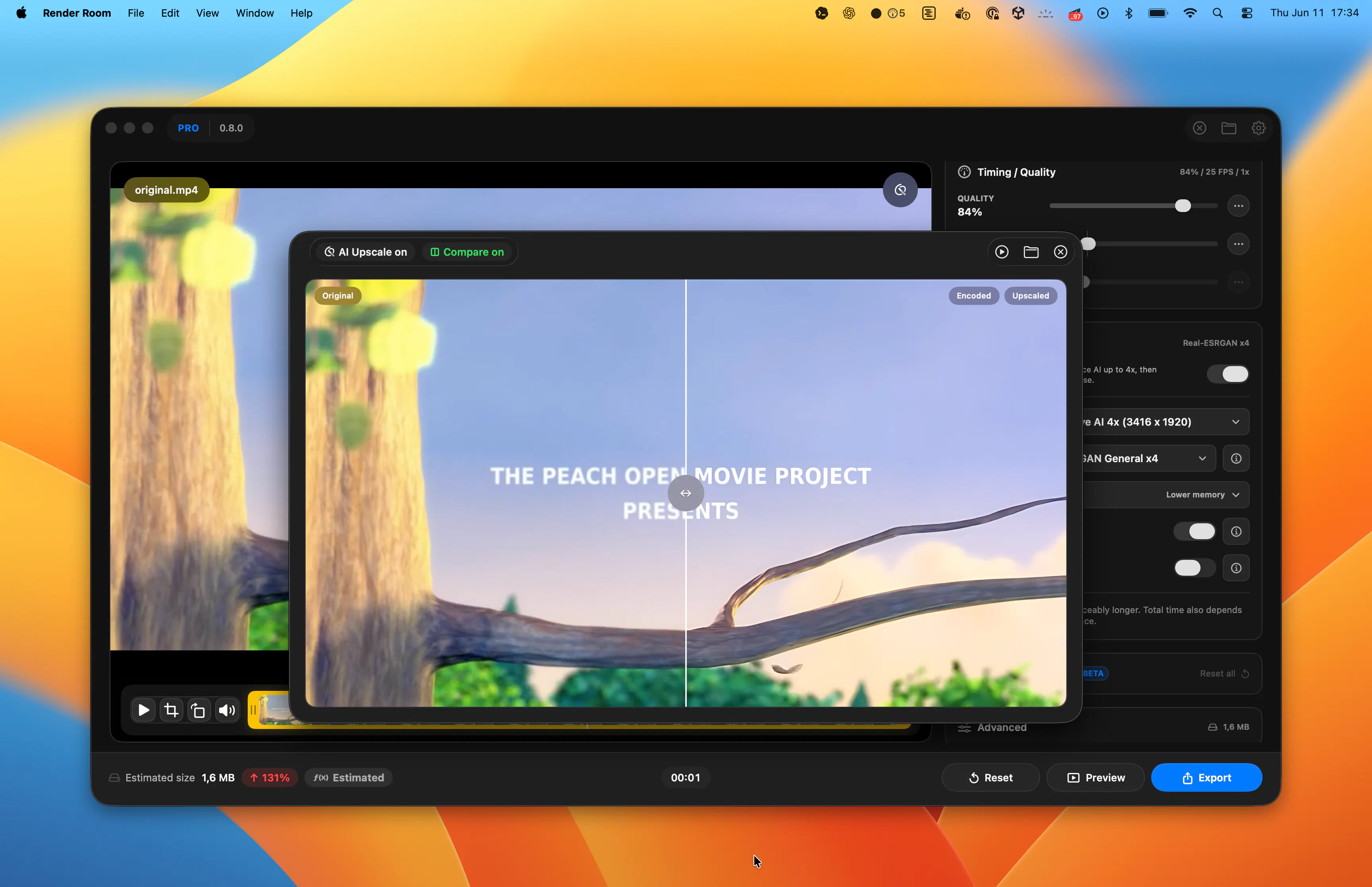
For this update, we added local AI Upscale to Render Room.
🎬 4k Preview: https://youtu.be/q4LFg275w_I
It runs on-device on Apple Silicon Macs using Core ML models, so the workflow stays inside the app: drop in a file, choose an upscale target, preview the result, compare it, and export.
Another thing we wanted to avoid was turning upscale into a separate credit system. Many cloud-based upscale tools charge per export, per minute, or through add-on credits. In Render Room, local AI Upscale is included in Pro, so it fits into the same workflow instead of becoming a separate meter running in the background.
We also added a dedicated GIF x4 upscale path, which is still surprisingly rare in media tools. GIFs are usually treated as a tiny afterthought in larger apps, but a lot of people still use them for product demos, docs, support replies, and launch assets. The goal was to upscale animated GIFs while preserving frame timing and loop behavior instead of turning them into a broken or bloated export.
This update also improves the rest of the export workflow:
• Local AI Upscale for video
• GIF x4 AI Upscale for animated GIFs
• Encoded preview before full export
• Side-by-side original vs compressed comparison
• Custom export presets
• Output filename templates
• Better estimated size feedback
• Improved export recovery when something fails
The larger product idea is still the same: video, GIF, and audio conversion should feel fast, local, predictable, and native on Mac.
Curious how people here think about this:
Do you prefer local AI media tools, or are cloud-based AI workflows fine for your use case?
And for upscaling, what matters more to you: privacy, speed, quality, file size, cost predictability, or control?
Replies
The GIF side surprised us the most. A lot of tools technically support GIFs, but very few treat animated GIFs as a real workflow with timing, loop behavior, preview, and export quality handled carefully.
That was one of the reasons we wanted local GIF x4 upscale to sit inside the same workflow as video upscale, instead of being a separate one-off tool. 🤝