

New in Osaurus: Browser Use, driven by a 9B local model

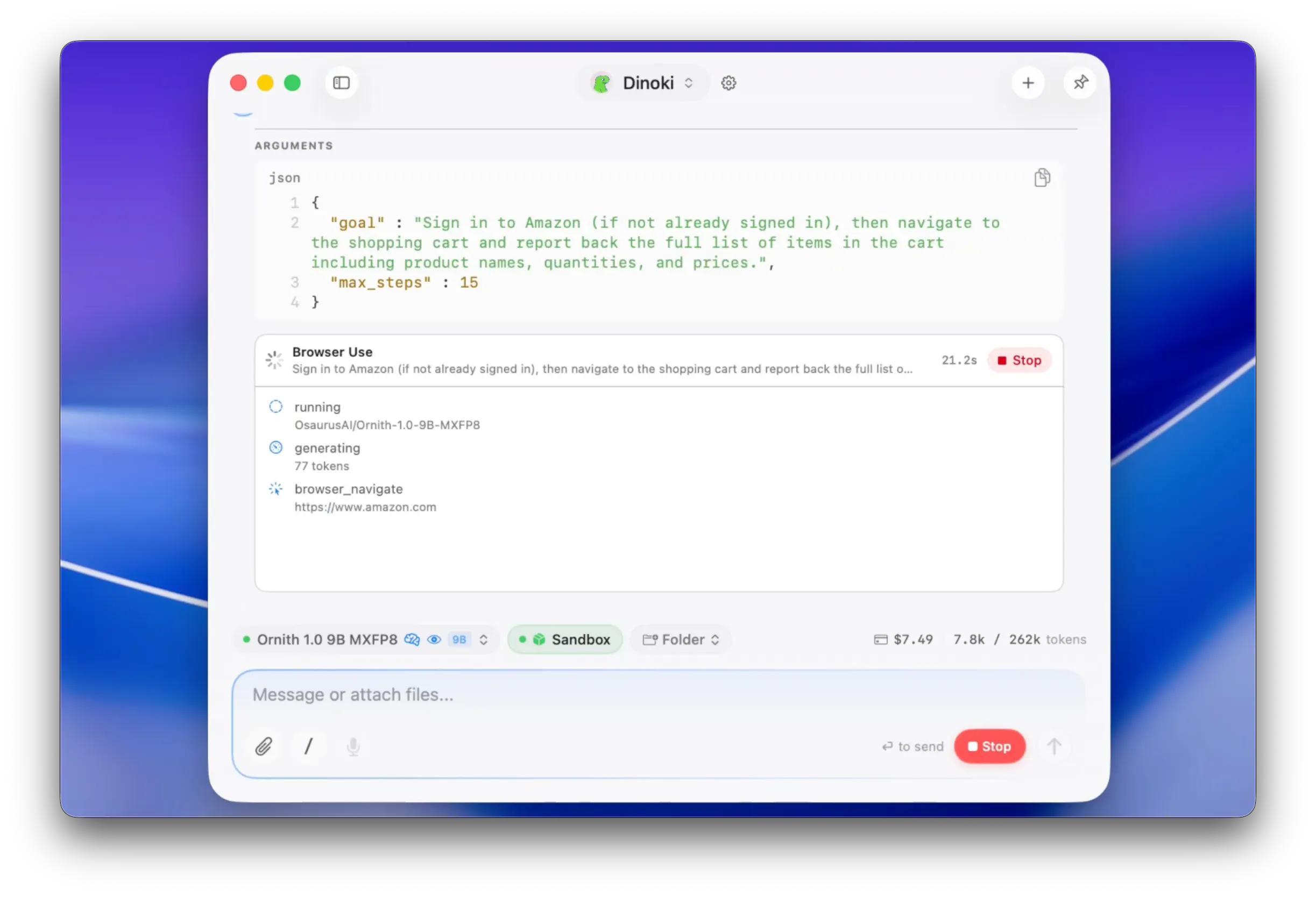
Osaurus agents can now drive a real browser. You give the agent a goal in plain language, and it navigates, clicks, reads pages, and reports back.
The demo we shipped it with: a 9B model checking an Amazon shopping cart. Real browser, real login, real cart. It signed in, read the page, and returned the items and prices. About 90 seconds, running locally on a Mac.
What makes it different from cloud browser agents:
The model runs on your machine. Each agent gets its own isolated browser profile, so sign-ins persist across sessions and never leak between agents or into your personal browser.
It is off by default and enabled per agent. Every action passes through an approval gate: reading and navigating are automatic, but typing, submitting forms, and anything that looks like a purchase asks you first. Sign-ins happen in a visible window you complete yourself. The model never touches credentials.
Osaurus is free, MIT licensed, and open source. Local models need 16GB RAM to get started, 24GB recommended.
If you try it, we want to hear what breaks. Negative feedback is the most useful kind.
Replies
The isolated browser profile approach sounds very thoughtful. My biggest concern with browser agents is accidental access to unrelated sessions or data. How strict is the isolation, and can one agent ever access another agent’s profile?
@maya_boothman It's fully isolated per agent. Each agent gets their own sessions that requires individual logins.
I really like the “visible window + approval gate” approach. Fully autonomous browser agents sound exciting until they do something irreversible. This feels like a better progression toward trust.
@joseph_parker3 Absolutely. Fully private AI with fully private browsing experience
The per-agent profile and action gate are the right split. The tissue anecdote is also a perfect reminder that “asks before purchase” needs to bind approval to the exact cart, quantities, shipping address, total, and final action, not merely the intent to buy. Does the approval invalidate if the page changes after review?
@giulianno_v It doesn't invalidate, but if the session expires then it will catch that for the next run
This sounds really fun. How can I set up a safe new area in my Mac to try this out?
The per-agent profile and the visible sign-in window are both good calls. I want to pick up the thread about approvals going stale, because I think it is the sharpest thing in here. What saved me in my own work was making the approval about a specific proposed action rather than about a moment in time. You hash exactly what you showed the person, and when the action finally fires you check that the hash still matches. If the page moved underneath, you ask again instead of proceeding. It sounds fussy right up until the first time a cart quietly changes between the dialog and the click. The other thing I would watch is "Always Allow", since that is where these systems usually start leaking. Scoping it to a domain plus an action type ages a lot better than a blanket allow per agent. Really like where this is going.