

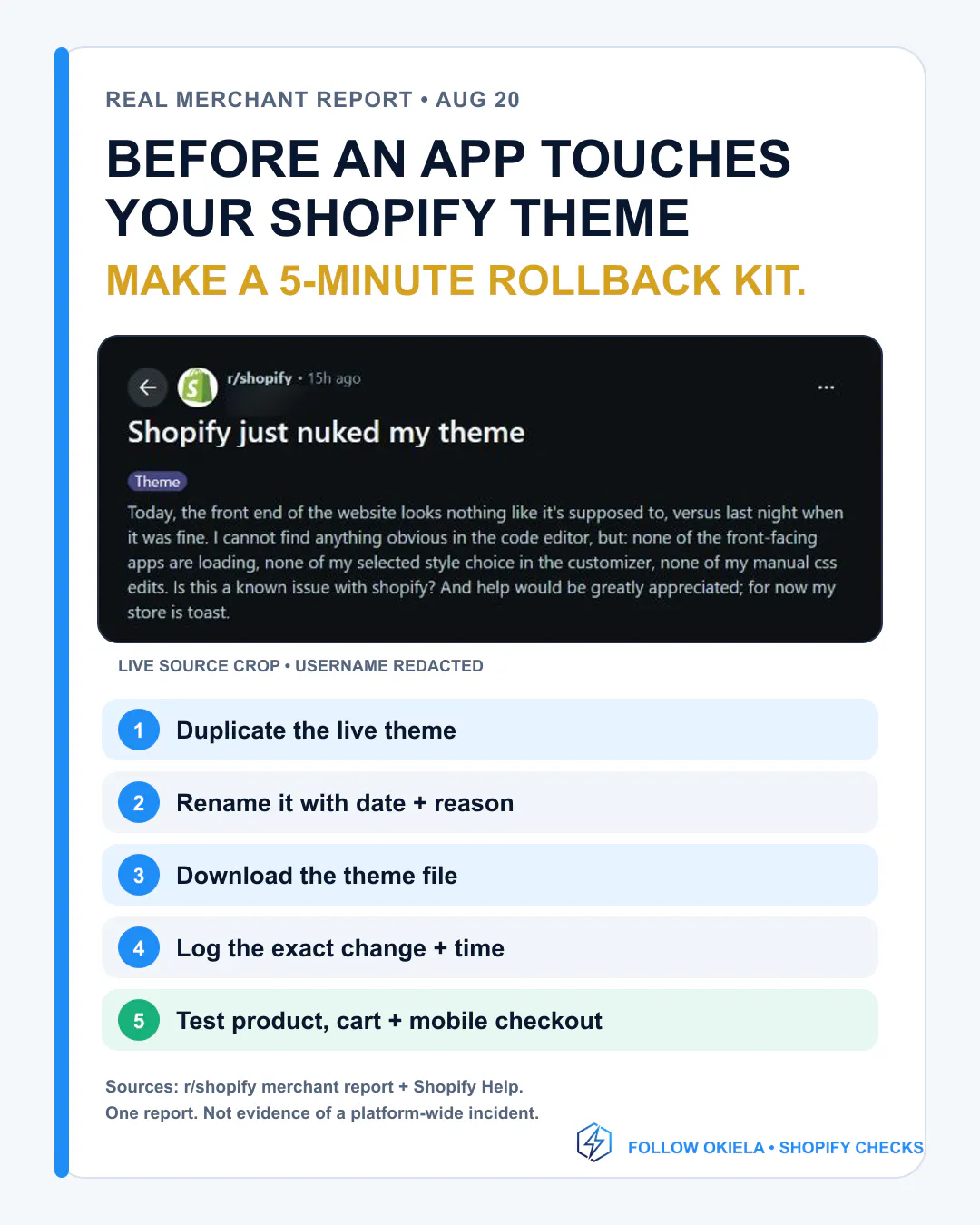
A Shopify merchant woke up to a storefront that no longer looked like it had the night before...
A Shopify merchant woke up to a storefront that no longer looked like it had the night before.
The theme settings appeared gone. App output was missing. Manual CSS was no longer showing.
The most useful takeaway is not the app name.
It is this: before an app install, theme update, developer handoff, or AI code change, build a rollback point.
My 5-minute Shopify rollback kit:
1. Duplicate the current live theme.
2. Rename it with the date and reason.
3. Download the theme file.
4. Record the exact change, owner, and start time.
5. Test six paths: home, collection, product and variants, add to cart, cart, mobile checkout handoff.
If subscriptions, bundles, quick add, or Markets matter to your store, test those too.
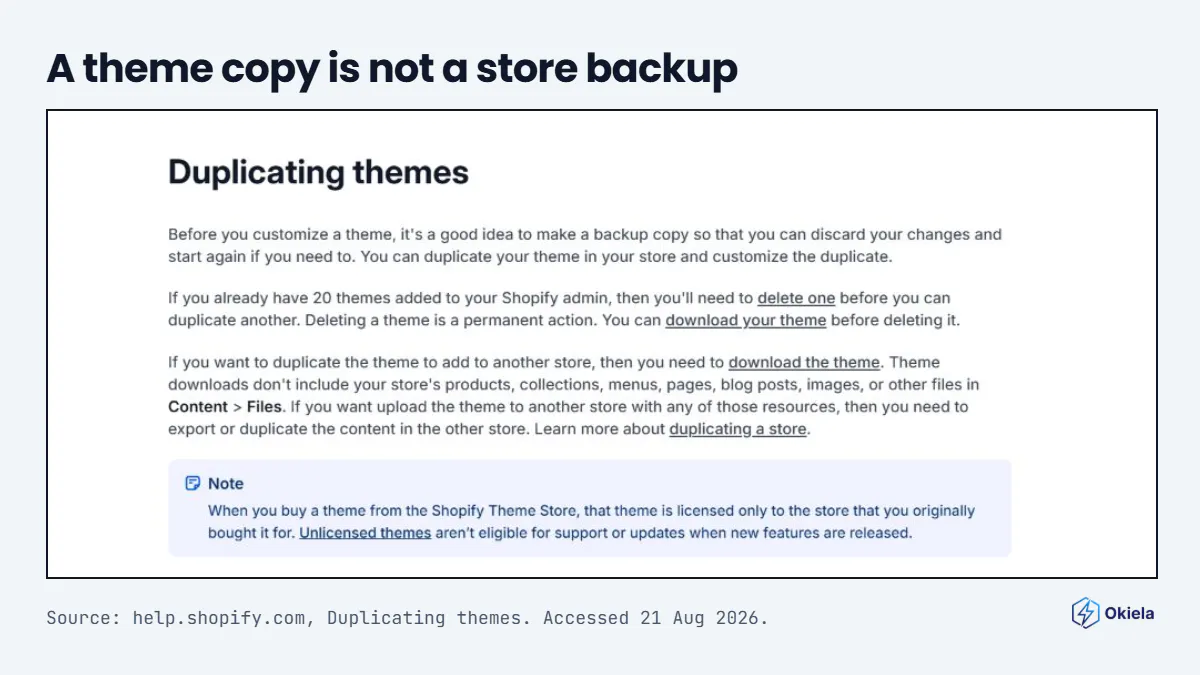
One limit worth knowing: a theme copy is not a full-store backup. Shopify says theme downloads do not include products, collections, menus, pages, blog posts, images, or Content files.
And code Timeline is not a full restore button. It restores one existing file at a time, its history is finite, and it cannot recover deleted files.
The Reddit post is one merchant report, not proof of a platform-wide incident. The backup guidance is confirmed in Shopify's own Help Center.
Save this before your next storefront change. Send it to whoever touches your theme.
Follow Okiela for practical Shopify checks merchants can use today.
Sources: Shopify in comments.
---
Also, I’m testing a quick preflight for that exact check.
No store connect. Just price, unit cost, shipping, fee %, discount % and it returns Go / Review / Stop with the math: app.okiela.io
#Shopify #ShopifyTips #EcommerceOperations #Storefront #ShopifyMerchants #Okiela
Replies