

FinderGit 0.12.0 — catch a supply-chain worm before it runs 🛡️

Hey everyone 👋
If you've been following the Shai-Hulud / Miasma supply-chain worm, you know the scary part: a hijacked maintainer account commits an obfuscated dropper, and it runs the moment you open the repo in your editor, let an AI agent load it, or run npm install — before you've read a single line of the change. @icflorescu
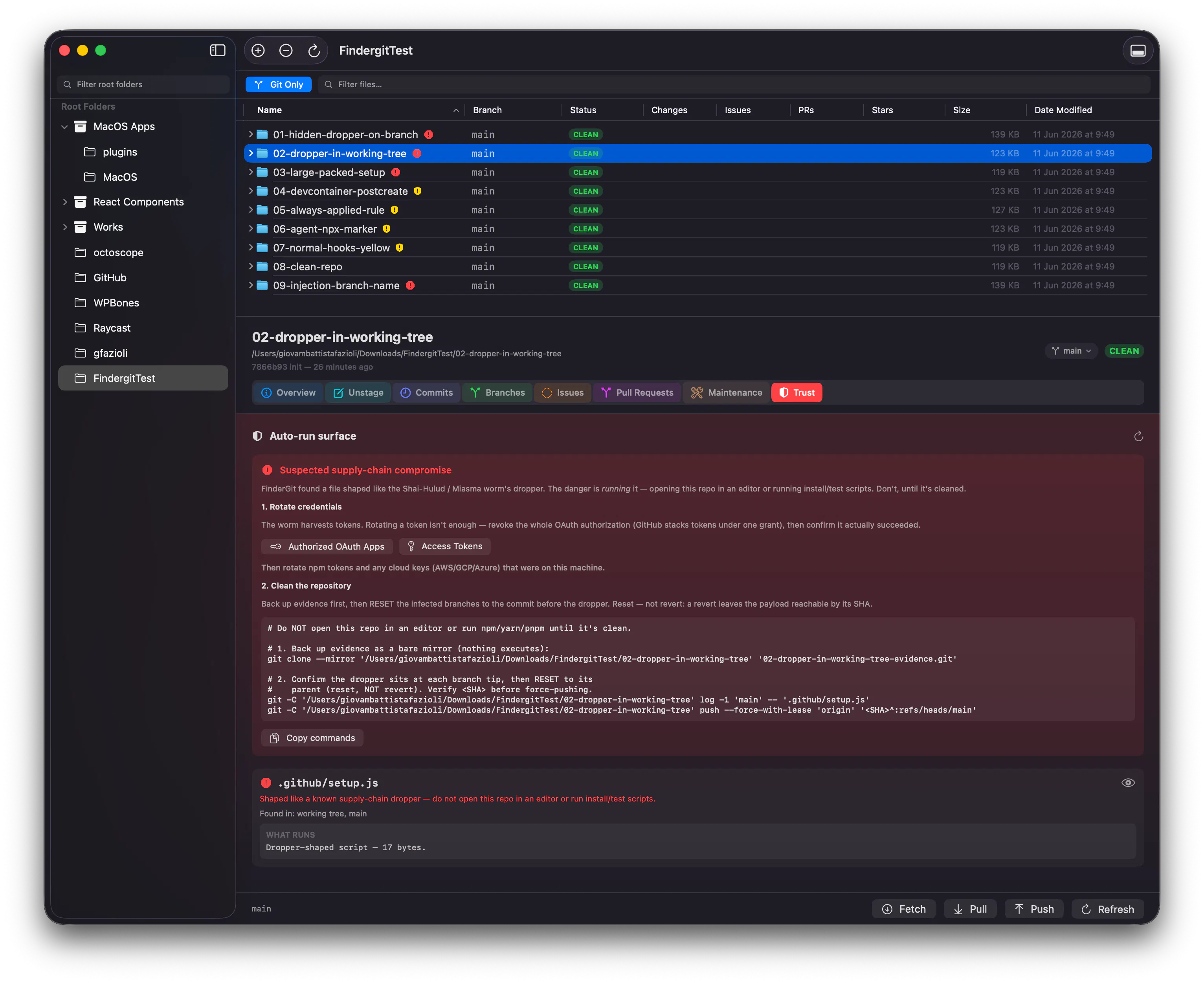
FinderGit is a Git-aware file browser for macOS, and 0.12.0 is built to catch exactly that:
• It flags the dropper itself — not just the hook that launches it — and scans every branch, because these worms hide a back-dated copy on a side branch that a clean checkout never shows you.
• It surfaces a repo's whole "auto-run surface" (editor tasks, AI-agent configs, dev-container and npm hooks) and alerts you when that surface changes after a pull.
• If a repo looks compromised, it walks you through cleanup: revoke the whole OAuth authorization (not just a token), then reset — never revert — the infected branches, with the exact commands already filled in.
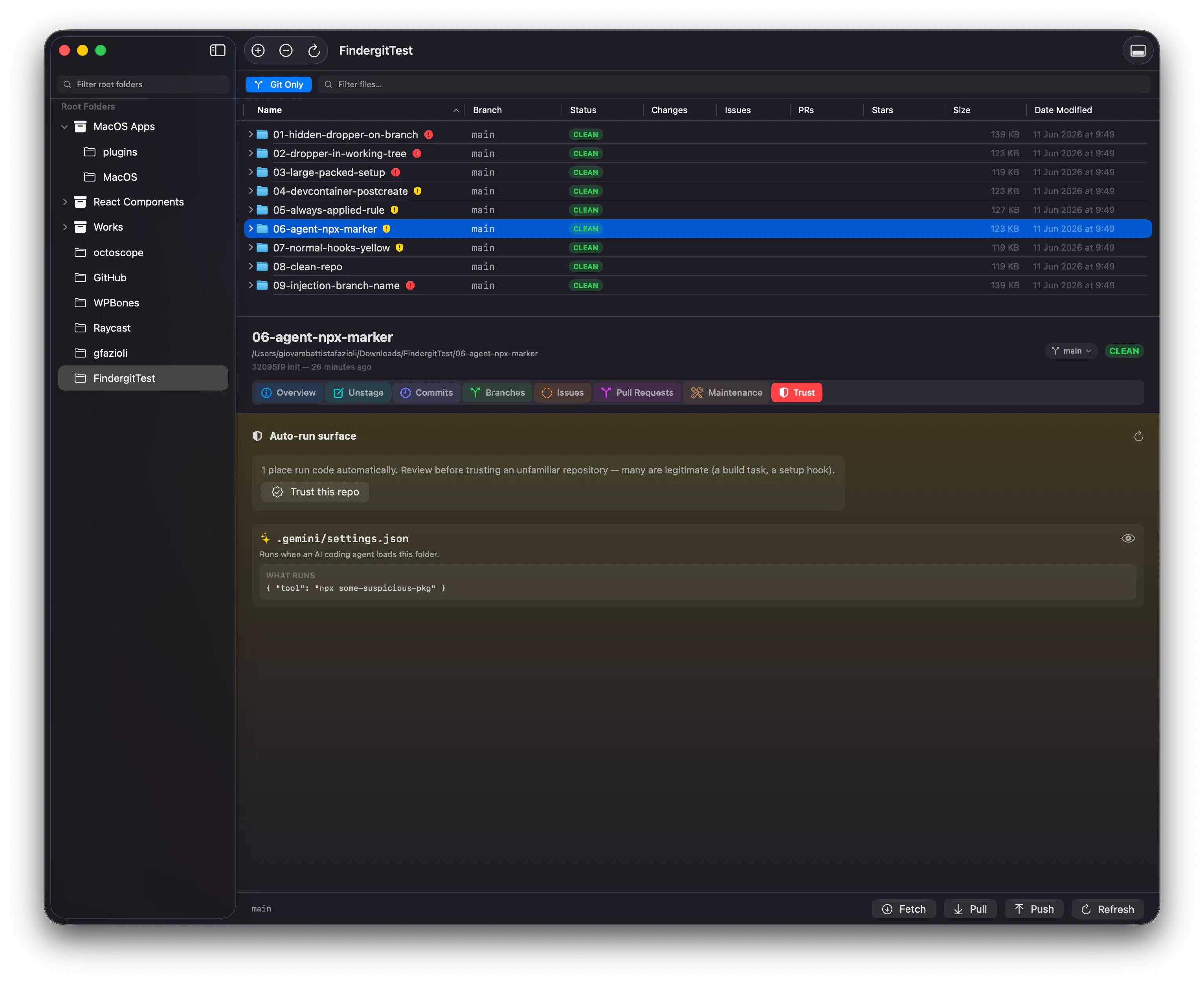
And it's read-only the whole way: FinderGit never runs anything it inspects, so it's safe to point at a repo you don't trust yet.
Free, macOS 15+, signed and notarized → https://findergit.app
Genuinely curious: how do you check a freshly-cloned repo today before you open it in your editor or hand it to an AI agent? Most devs I ask… don't. 👀
Replies
Be the first to reply
Have a question or a thought to share? Add a comment above to start the conversation.