

My Downloads folder had 4,000 files so I built an AI to fix the mess!

Hey Product Hunt community 👋
I’m Gowtham V, co-founder of FilesMagicAI.
Check FilesMagicAI and download it for free here
Our latest Producthunt launch live now: Check it out https://www.producthunt.com/products/files-magic-ai/launches/ai-file-agent-organizer-system-cleaner .
This started with a very real problem: my Mac was a mess.
My Downloads folder had thousands of files. The Desktop was cluttered.
Old DMG installers were still sitting there. Duplicate files were taking up space. Developer folders like node modules, Flutter projects, Gradle cache, and Xcode archives were quietly eating storage.
And honestly, I didn’t want to spend hours cleaning it manually.
Rules-based tools like Hazel and Finder Smart Folders are powerful, but they still require you to decide the rules upfront. That works if your workflow never changes, but mine changes all the time.
So we built FilesMagicAI v2 around a different idea:
What if organizing your Mac files felt like chatting with an assistant?
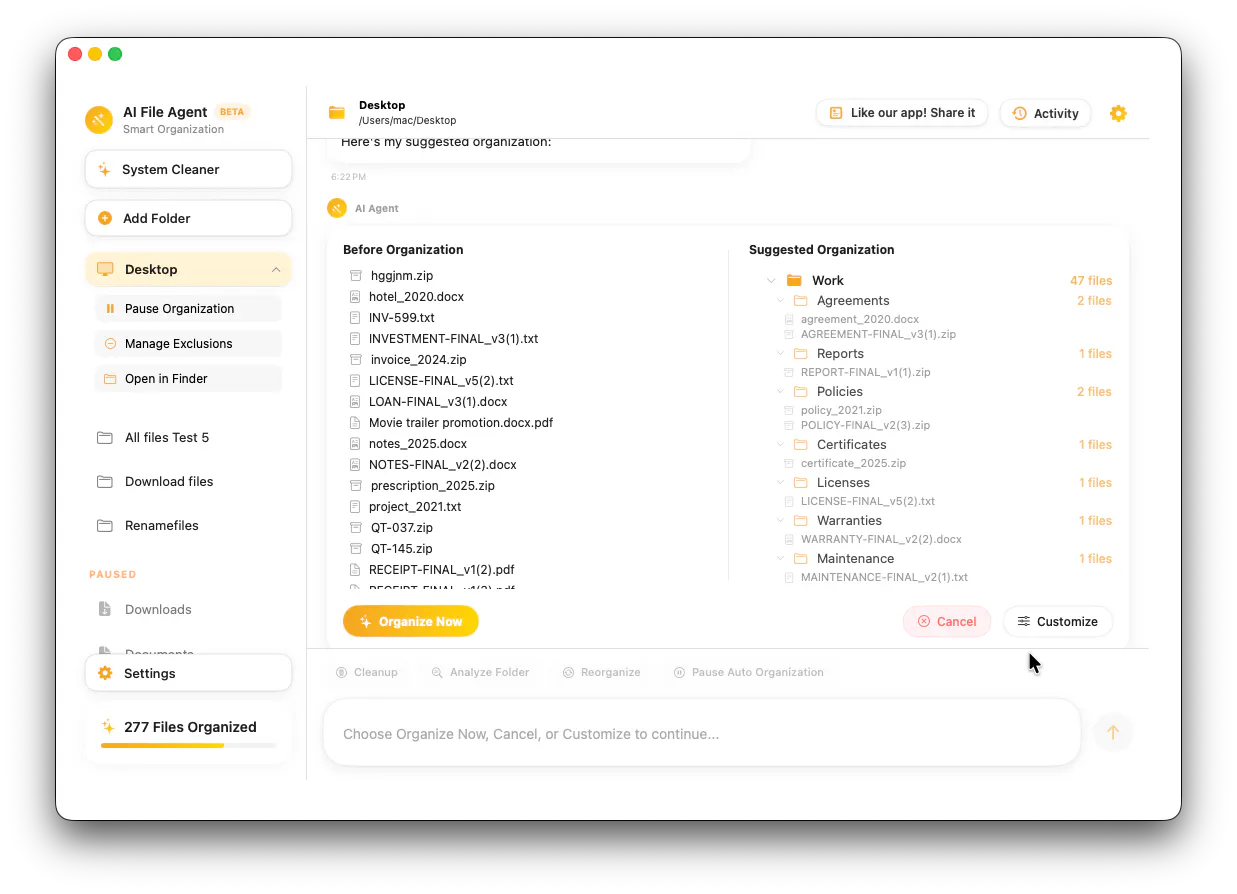
Instead of creating rules manually, you can tell FilesMagicAI what you want in plain English before organizing.
For example:
“Organize into work, personal, invoices, screenshots, installers, and projects.”
Or:
“Organize and group files based on file type.”
FilesMagicAI then creates an organization structure and helps sort your files automatically.
We also added:
Magic Rename
Rename files based on their content using local AI. Your file content stays on your Mac.

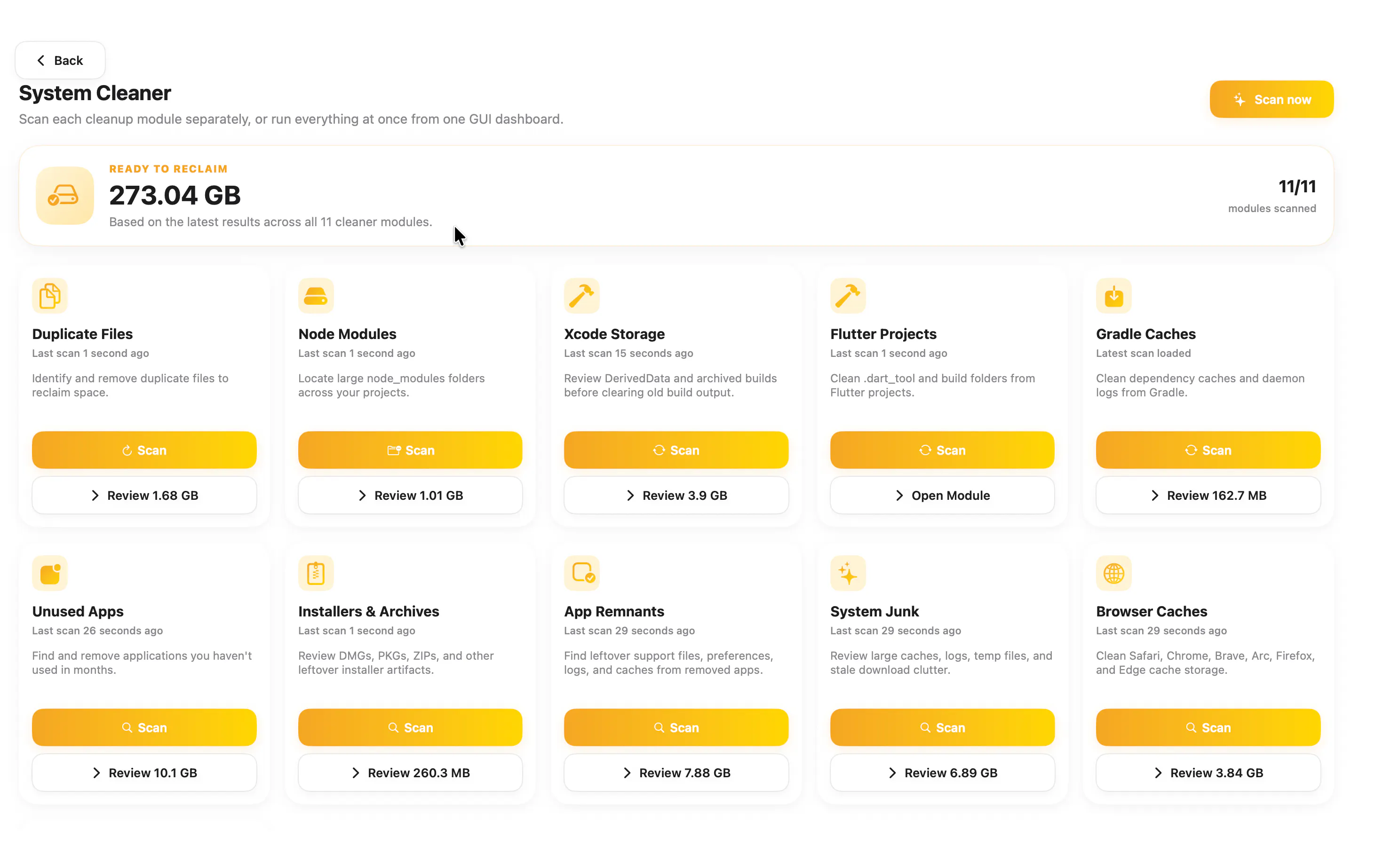
Fully Free System Cleaner
Find and clean duplicate files, DMG installers, unused apps, node modules, Flutter projects, Gradle cache, and Xcode cache/archive files.
Privacy-first approach
Your file and folder content never leaves your Mac. For AI organization, only filenames are used to generate the folder structure. Magic Rename works locally using Apple Intelligence.
Check it out and try it for free here
I’m curious:
How bad is your Downloads folder right now?
Do you organize files manually, use rules, rely on search, or just let everything pile up until your Mac begs for mercy? 😅
Also, would you trust an AI assistant to organize your files if you could review the structure before anything gets moved?
Would love your feedback, thoughts, and feature ideas 🙌
Replies
My Downloads folder is honestly a mess. I stopped trying to maintain any kind of folder structure years ago because it never lasted more than a few weeks. Now I just rely on search whenever I need something, which works most of the time until I'm looking for a file I downloaded months ago and can barely remember what it was called.
For the AI assistant question, I would definitely give it a try. The key for me is being able to review the proposed structure before anything actually moves. I think most people's hesitation around automated file organization isn't about the AI making bad decisions. It's about losing the mental map of where things are. If I can see the logic and approve it first, that removes the uncertainty.
One thing that would make it even better is if the system could learn from my corrections over time. If I move something it organized in a way I didn't expect, it remembers that preference for the next run. That way it adapts to how I actually think about my files, not just generic categories.
@crystalmei Yes it will review the proposed structure before anything actually moves.
You have to click customize and tell it what to change.
@crystalmei Great do try it out and upvote in our latest launch here https://www.producthunt.com/products/files-magic-ai/launches/ai-file-agent-organizer-system-cleaner .
Let me know in comments how are you keeping your folders organized now on your mac?
@prafull_sharma2 Yes. With filesmagic you get to decide how to organize and then you can remove the unwanted files easily. Also there are many hidden files that's taking up storage that can be deleted without affecting anything important.
The trust question for me is not just privacy, it is reversibility. I would try an AI organizer much faster if every move came with a compact receipt: what category decision it made, what confidence it had, and a clean undo path for the whole batch. Plain-English control is great, but rollback is what makes people comfortable using it on real work folders.