
Zoho Tables is a no-code spreadsheet-database hybrid with AI brains to organise work, automate workflows, and collaborate in real time.




What's great
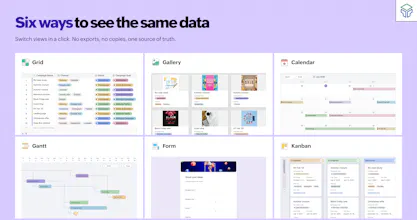
the AI-assisted table setup actually saves real time, I described a project tracker with a couple relations and it got the column types and views right on the first try instead of me manually wrangling field types like I usually do in Airtable. being backed by Zoho's broader suite also means it's not going to disappear in a year, which matters more to me than it probably should after watching a few smaller no-code tools shut down.
What needs improvement
the mobile experience feels like an afterthought compared to the desktop web app, some of the AI table generation options aren't even reachable from the phone. also wish there was a faster way to bulk-import from a messy CSV without having to manually fix column type mismatches after the fact
Ratings
Ease of use
Reliability
Value for money
Customization
Report
14 views
@archanaa11 excited for this
how does the AI actually help when building out a table from scratch, like does it suggest column structures or just fill in data?
@duranznk3
Great question! 😊
Today, AI can build an entire base from a simple prompt—including tables, fields, relationships, and views—so you don't have to start from a blank canvas. You can use what it generates as-is or customize it however you like.
We're also building an AI assistant for every base. You'll be able to ask things like, "Add a Priority field," "Create a linked Expenses table," "Show me expenses over $100," or "Generate sample data," and it'll take care of it. The goal is to let you build, organize, and work with your data using natural language instead of clicking through menus.
We're planning to launch it publicly later this quarter, and we're really excited about what it'll unlock for our users.
If you have any questions or feedback, feel free to write to support@zohotables.com. We'd love to hear from you!
How does the AI actually decide when to automate a workflow versus just suggesting one, and is there a cap on the number of records or automations on the free tier?
@gnlnvmn
AI will never automate anything on its own—it always suggests, and you're always in control of what gets created or enabled. That way, you can review and decide what fits your workflow before making any changes.
And yes, the Free plan does have usage limits, including limits on records and active automations. You can find the complete breakdown on our pricing page: Zoho Tables Pricing.
If you have any questions about which plan is right for your use case, feel free to write to support@zohotables.com.
How does the AI handle really large datasets, and does it slow down once you cross a few hundred thousand rows?
@ouzx7gq You can already import existing spreadsheets into Zoho Tables and organize your data with different views, relationships, and automations.
Our AI assistant, which is expected to launch later this quarter, is designed to make day-to-day work much easier. You'll be able to chat with it to create and modify tables, add fields, generate sample data, query your records, and perform common actions using natural language instead of manually configuring everything.
If you have any questions or would like to know more, feel free to write to support@zohotables.com.
How does the AI actually help organize things day to day, like does it suggest structure when you import messy data or more of a chat assistant you have to prompt?
Looks like a great addition to the no-code space. I like the combination of spreadsheets, databases, workflows, and AI in one place! seems like it could simplify a lot of team operations. Congrats on the launch !!! Question: can existing Airtable or Google Sheets projects be imported with formulas, automations, and relationships intact?
How does the AI actually work under the hood here. Like is it generating formulas on the fly or is it more of a natural language search through your rows. Curious how much hand holding it needs when your data gets messy.