
Replay
Your time travel debugger
667 followers
Your time travel debugger
667 followers
🔴 Record your website in the Replay Browser ⠀ 🔍 Inspect the replay with familiar devtools ⠀ 👋 Share with friends and submit the best bug reports⠀ ⠀ ▶️ Replay captures all of the context needed to replay and inspect the web.⠀
This is the 3rd launch from Replay. View more
Replay QA
Launched this week
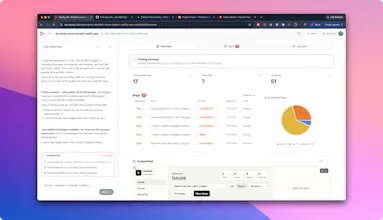
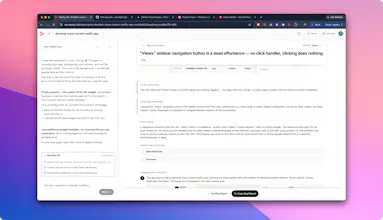
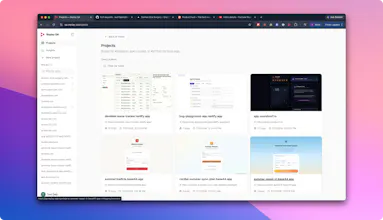
Add your GitHub repo for continuous testing, or drop in a URL for a one-time check. Replay QA explores your app, records every session, finds real bugs, and gives your coding agent the root cause and fix. Try for free: qa.replay.io
Free
Launch Team / Built With


This looks cool! How does Replay QA prioritize which bugs are worth fixing first?
Replay
@dhatri_rai1 that’s the secret sauce in the QA harness we have built, and which we are evolving every day! In a nutshell, it is trained to triage the bugs, bucket them into categories and assigns severity levels. This is an ever-evolving and improving layer in the harness.
FetchSandbox
Congrats on the launch. The coding agent handoff is what caught my eye. Curious what the root cause artifact actually looks like in practice: is it a structured description of the broken flow, a reproduction trace, or something closer to a prompt the agent can act on directly in Cursor or Claude? Also wondering how it handles async UI states where the same event sequence sometimes resolves and sometimes fails, since that seems to be exactly what the thread is wrestling with.
@rnagulapalle thanks for your support! have you experimented with @Replay for @FetchSandbox? would love to have your feedback about the first-time experience
get started here: qa.replay.io
MentionDrop
Hey Product Hunt,
Marcos here from @Replay.
Shipping apps has changed. AI coding tools make it much faster to build something that looks like it works. But the hard question hasn't changed: does this thing actually work in the browser?
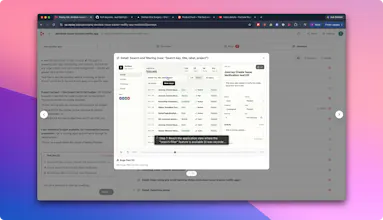
We built Replay QA to answer that. Give it a URL and it explores your app like a real user, then produces a structured QA report showing what broke, where it broke, and exactly what your agent or team needs to fix it. Every session is recorded with our time-travel debugger, so you can replay the exact moment a bug occurred.
And if you're building something for the public - free tier included. If your app is posted to a public link (Show HN, Reddit, X, Product Hunt), you can test it for free. Create a project, set your public share link, and it becomes free immediately. Any existing credits are refunded.
Give it a try: qa.replay.io
We'll be here all day answering questions about what Replay QA checks, how the reports work, how this fits with coding agents, where it fits alongside existing testing tools, and how teams can use it before launch or in CI.
Would love to hear what you think - especially if you have an app we should test.
@mplacona neat product, love the direction. S/O for the great work.
@mplacona oh and ICYMI @Product Hunt put it simply in today's newsletter:
Read on: The Leaderboard, July 20, 2026
good q. from my perspective, @Replay is especially useful for teams using products like @Github Copilot who need better browser context for debugging.
Replay
@arokamal_sethy Copilot helps you write code faster. Replay tells CoPilot why the code broke at runtime — race conditions, state bugs, the stuff that’s invisible in source. The biggest distinction is that it while Copilot can see the code, it can’t see how that code works at runtime. This is where we add value to the coding agent you already use.
the part that stands out is handing the root cause and fix straight to your coding agent. most QA tools stop at "here's a bug" and leave you to reproduce and diagnose it, which is honestly 80% of the actual work. closing that loop into the agent that can already fix it is the right instinct, the bug report was never the valuable part.
frame this, ?makers!
Replay
@fmerian couldn’t have said it better ourselves!
Replay
@fmerian @tehreem_fatima5 Replay QA automatically discovers all user journeys through an app, including checkout flows for ecommerce, nuanced flows like inviting teammates to a collaborative space (think SaaS app workflows), in addition to the page-level errors.
yes, and I'd add @Replay is especially useful for AI-built apps, indie launches, client handoffs, build-in-public demos, teams using @Cursor, @Claude Code, @v0 by Vercel, and similar tools, and developers who need better browser context for debugging.
get started here -- the first-time experience is really fast: qa.replay.io
enjoy!
One thing that would make Replay way more useful for me: a "diff" view that lets you replay two recordings side by side and highlight the differences. Would be huge for QA teams trying to spot what changed between a working build and a broken one.
good idea! cc @mplacona @thomascdaly
Replay
@mplacona @fmerian noted! Thanks for the feedback!