
@O - AI coworker in Slack
Your AI coworker, in Slack. Just tag @O.
918 followers
Your AI coworker, in Slack. Just tag @O.
918 followers
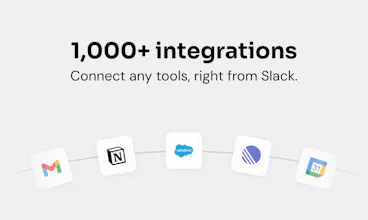
@O is the ultimate AI coworker that lives natively in Slack. Tag @O like a colleague, to ask anything or delegate daily tasks in plain English. It connects to 1,000+ tools, runs automations while you sleep, and shares memory and skills across your whole team right in Slack. One-click install, everyone AI-enabled in under 5min. Zero friction, maximum adoption.
This is the 2nd launch from @O - AI coworker in Slack. View more
Ogment AI
Launching today
@O is the ultimate AI coworker that lives natively in Slack.
Tag @O like a colleague, to ask anything or delegate daily tasks in plain English. It connects to 1,000+ tools your business runs on, does work while you sleep, and shares memory and skills across your whole team right in Slack, on any model you choose, including your own.
One-click install, and everyone is AI-enabled in under 5min, not just your power users. Zero friction, maximum adoption.




Free Options
Launch Team / Built With


@O - AI coworker in Slack
Hey Product Hunt 👋 I'm Amaury, cofounder of Ogment, and I'm super proud to share what we've been building.
We kept seeing the same pattern: people are excited about the AI revolution, they want that full "agentic" experience, but then reality hits. The friction to install and maintain agents a la OpenClaw or Hermes is actually pretty high, esp. for less technical people. Not even mentioning the security or the team collaboration aspect...
So we built O from the ground up for Slack-native teams, where a ton of context already lives. Your conversations, your decisions, your files, your workflows: it's all right there. And the best part? There's zero friction to onboard, just tag @O in Slack.
Here's the thing that surprises people most: we don't really have a dashboard. You can do it all from Slack. Connecting your systems (Gmail, Linear, Stripe), creating a custom skill or sharing it with your team, setting up a recurring job... just ask your agent, like you would a colleague.
And it's proactive. Ogment doesn't just wait for instructions. It constantly spots automation opportunities and surfaces them to you, without you even having to ask.
My personal favorite skill with O? It handles my post-product meetings end to end. It pulls the Granola transcript, reads my backlog in Linear, checks strategy docs in Notion, grabs context from emails, and outputs a clear list of feature requests, bugs, market insights, and a backlog update proposal. What used to take me 45 minutes to do properly is now done in 1 minute.
We're incredibly excited to get this into your hands. Can't wait to see what you build with it!
Tool-calling is the sneaky failure with any bring-your-own-model setup. Providers each format function calls differently, so a harness tuned on one model's schema quietly drops args or mis-picks tools when you point it at a cheaper endpoint, and it still reads as working. That's the bug that ate the most of our debugging time building agent infra. How much of the agent quality actually holds when someone swaps their own model in versus your default?
The shares-memory-and-skills-across-your-whole-team part plus running automations while you sleep is the combination I would want to pin down before rolling it out. When @O touches one of those 1,000+ tools, is the connection scoped per-user so it acts with my permissions, or is it one workspace-level token everyone shares? And the shared team memory: does that live in your infra, or can I point it at our own store or model like the including-your-own line suggests?
@O - AI coworker in Slack
Hello Product Hunt!👋
Designer at Ogment here - brand, site, dashboard, launch assets.
The design brief was the same as the product promise: zero friction. If tagging @ O should feel like tagging a colleague, nothing around it gets to feel like software - no new app to open, nothing to learn, nothing in the way.
None of this was designed in a corner - everything we shipped went through the whole team, and half the best cuts came from engineers asking "do we even need this?" Small team, tight loop, that's how it stayed simple 🙌
Don't take my word for it though - just onboard @ O to your Slack and feel the magic ✨
One of my favorite parts? I create O brand assets by tagging our beloved @ O in our #marketing channel, where the whole team can see the process. And when it comes to repetitive revisions... I don't do them anymore. O does.
So excited to finally share this with you all - your thoughts and questions are more than welcome! 💛
Happy to be part of this amazing team and incredibly proud of what we've built.
@O - AI coworker in Slack
@payamdaliri - proud of the beautiful designs you've created for @ O!
Love how it just slots into Slack without a separate dashboard or login. The fact that tagging it feels exactly like pinging a teammate is a small detail but it’s probably the real reason people will actually use it.
@O - AI coworker in Slack
@kezbankuldasmu - glad you like it! Thanks for your support Kezban!
Very cool! I use it to automate workflows that eat up my time, like adding call summaries, and tagging relevant people for action, or getting summaries of my day.
Cool stuff @ - AI coworker in Slack
@O - AI coworker in Slack
@therealmalo thanks Malo - excited to have you on board!
@O - AI coworker in Slack
Hey Product Hunt 👋
I've always felt that the main challenge with AI is getting it into the hands of non-technical users. You basically have a few options:
1. A capable agent like Claude Code or Codex that requires the user to know what a terminal is and how to set up API keys, MCP, and CLI configs.
2. A basic chat interface where you have to manually bring in all the context from your work.
3. Specialized agents (like the one in Figma) that can't pull in data from other sources.
We wanted to solve this: give non-technical users a general-purpose agent that has access to all the right context without any complex setup. I think we pulled it off 🫡