
@O - AI coworker in Slack
Your AI coworker, in Slack. Just tag @O.
1K followers
Your AI coworker, in Slack. Just tag @O.
1K followers
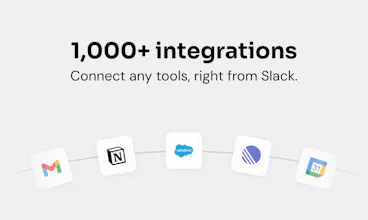
@O is the ultimate AI coworker that lives natively in Slack. Tag @O like a colleague, to ask anything or delegate daily tasks in plain English. It connects to 1,000+ tools, runs automations while you sleep, and shares memory and skills across your whole team right in Slack. One-click install, everyone AI-enabled in under 5min. Zero friction, maximum adoption.
This is the 2nd launch from @O - AI coworker in Slack. View more
Ogment AI
Launching today
@O is the ultimate AI coworker that lives natively in Slack.
Tag @O like a colleague, to ask anything or delegate daily tasks in plain English. It connects to 1,000+ tools your business runs on, does work while you sleep, and shares memory and skills across your whole team right in Slack, on any model you choose, including your own.
One-click install, and everyone is AI-enabled in under 5min, not just your power users. Zero friction, maximum adoption.




Free Options
Launch Team / Built With


Very cool! I use it to automate workflows that eat up my time, like adding call summaries, and tagging relevant people for action, or getting summaries of my day.
Cool stuff @ - AI coworker in Slack
@O - AI coworker in Slack
@therealmalo thanks Malo - excited to have you on board!
@O - AI coworker in Slack
Hey Product Hunt 👋
I've always felt that the main challenge with AI is getting it into the hands of non-technical users. You basically have a few options:
1. A capable agent like Claude Code or Codex that requires the user to know what a terminal is and how to set up API keys, MCP, and CLI configs.
2. A basic chat interface where you have to manually bring in all the context from your work.
3. Specialized agents (like the one in Figma) that can't pull in data from other sources.
We wanted to solve this: give non-technical users a general-purpose agent that has access to all the right context without any complex setup. I think we pulled it off 🫡
Finally tried @O in our Slack and tagging it feels just like asking a coworker. Loved that it remembered context from earlier threads without me re-explaining.
@O - AI coworker in Slack
@nurcanboyu - thanks for your support Nurcan. Happy you liked the experience 🫶
tagged @O to summarize a long thread and it actually pulled the key decisions plus action items in seconds, way cleaner than the bots we tried before.
@O - AI coworker in Slack
@erifeergveynbd great! Would love to hear about your next use cases!
tagging it like a teammate instead of hiding it behind a slash command is a really clever UX move, it makes the bot feel like part of the conversation rather than a separate tool to context switch into.
@O - AI coworker in Slack
@pakizeycoa - yes, feels like a small difference but actually has really good shared "context-effect" while collaborating in threads!
Tagged @O in a channel to draft a quick meeting recap and it pulled everything together faster than my usual routine, the Slack-native feel really does make it feel like another teammate on the team.
@O - AI coworker in Slack
@ecrindaler - glad O found new job in your org! :D
Love that you can tag it like a teammate instead of opening yet another tab. The shared memory across the whole team is a really smart call, that's what usually breaks with these tools.
@O - AI coworker in Slack
@cemrebfmt - thanks for your comment. Hope you get to try O with your team!