
@O - AI coworker in Slack
Your AI coworker, in Slack. Just tag @O.
1K followers
Your AI coworker, in Slack. Just tag @O.
1K followers
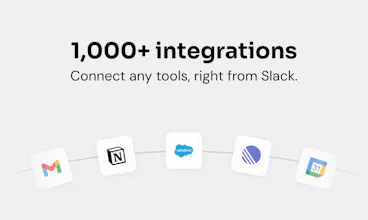
@O is the ultimate AI coworker that lives natively in Slack. Tag @O like a colleague, to ask anything or delegate daily tasks in plain English. It connects to 1,000+ tools, runs automations while you sleep, and shares memory and skills across your whole team right in Slack. One-click install, everyone AI-enabled in under 5min. Zero friction, maximum adoption.
This is the 2nd launch from @O - AI coworker in Slack. View more
Ogment AI
Launching today
@O is the ultimate AI coworker that lives natively in Slack.
Tag @O like a colleague, to ask anything or delegate daily tasks in plain English. It connects to 1,000+ tools your business runs on, does work while you sleep, and shares memory and skills across your whole team right in Slack, on any model you choose, including your own.
One-click install, and everyone is AI-enabled in under 5min, not just your power users. Zero friction, maximum adoption.




Free Options
Launch Team / Built With


How does the shared memory actually work between teammates — is there a way to keep some context private to just me, or does everyone see everything I ask @O?
@O - AI coworker in Slack
@rzakalpcaj9w - Yep, private-to-you is the default. Two layers: personal memory that's yours alone (learned from your own tasks) and an org-level layer an admin shares team-wide on purpose. So everyone does not see everything you ask @O, your stuff stays yours, and the shared context is deliberate.
How does the memory sharing actually work between teammates, like can it see what others have asked or does each person keep their own separate context?
@O - AI coworker in Slack
@hazal395430 Ha, this is easily the most-asked question of the launch, clearly the thing everyone wants to know, and we love it 🙂 Each person keeps their own separate context by default, so your agent can't just see what a teammate asked. On top of that there's an org-level layer an admin shares team-wide on purpose, for stuff everyone should have. So personal stays personal, shared is deliberate!
How does the shared memory actually work between teammates, like can I keep certain context private to just me or does @O sync everything across the whole workspace?
@O - AI coworker in Slack
@alisennecl99142 You can absolutely keep context private to just you, that's the default. @O doesn't sync everything across the workspace. Two layers: personal memory that's yours alone (learned from your own tasks) and an org-level layer an admin shares team-wide on purpose. So your stuff stays yours, shared context is deliberate.
How does the shared memory actually work across teammates — does my data stay private to my own prompts or does it get pooled into a team-wide knowledge base?
@O - AI coworker in Slack
@yldzzk2x your data stays private to you by default, it doesn't get pooled. Two layers: personal memory that's yours alone (learned from your own prompts) and an org-level layer an admin deliberately shares team-wide. So nothing you ask gets swept into a shared knowledge base automatically, the team-wide stuff is curated on purpose.
how does the shared memory actually work between teammates? like if i teach it a workflow once, does my coworker need to retrain it or does it pick up automatically?
@O - AI coworker in Slack
@cemelagno7bj Good q! Your coworker doesn't have to retrain it. Shared memory is admin-managed, so every agent starts with the base context the company wants everyone to have. And when you teach @O a specific workflow, that becomes a skill you can share through an internal skills marketplace, build it once, the whole team picks it up. No retraining from scratch
How does O manage shared team memory and permissions in Slack so it can collaborate effectively without exposing sensitive information across users or channels?
@O - AI coworker in Slack
@satyam_raina Good q, this is core to the design. Two pieces:
Permissions are per employee, and each person's @O mirrors their own access, it can only reach what they're already allowed to reach, so nothing sensitive leaks across users or channels by default. Memory works on two layers: an admin-managed org layer that gives everyone shared base context, and a personal layer that stays private to each user. So you get real collaboration, shared context where it helps, without opening up sensitive work to people who shouldn't see it. Admins keep visibility over the whole thing 🙂
how does the memory and skills sharing actually work across team members, like does everyone see the same context or can you scope it per project?
@O - AI coworker in Slack
@fatmaklwx31 Good q! You can scope it, it's not one flat shared brain. Memory works in layers: an admin-managed org layer everyone shares, plus personal memory that stays private to each user. Skills are shareable too, so a workflow built once can be handed to the team or kept to a project. And since permissions are per employee, each person's @O only reaches what they're allowed to, so project-level scoping holds. Shared where it helps, scoped where it matters 🙂