
@O - AI coworker in Slack
Your AI coworker, in Slack. Just tag @O.
1K followers
Your AI coworker, in Slack. Just tag @O.
1K followers
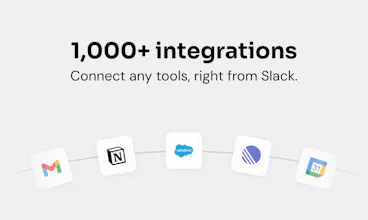
@O is the ultimate AI coworker that lives natively in Slack. Tag @O like a colleague, to ask anything or delegate daily tasks in plain English. It connects to 1,000+ tools, runs automations while you sleep, and shares memory and skills across your whole team right in Slack. One-click install, everyone AI-enabled in under 5min. Zero friction, maximum adoption.
This is the 2nd launch from @O - AI coworker in Slack. View more
Ogment AI
Launching today
@O is the ultimate AI coworker that lives natively in Slack.
Tag @O like a colleague, to ask anything or delegate daily tasks in plain English. It connects to 1,000+ tools your business runs on, does work while you sleep, and shares memory and skills across your whole team right in Slack, on any model you choose, including your own.
One-click install, and everyone is AI-enabled in under 5min, not just your power users. Zero friction, maximum adoption.




Free Options
Launch Team / Built With


how does the shared memory actually work across team members, like does it learn from everyone's conversations or just store explicit info you tell it
@O - AI coworker in Slack
@furkan9mrg great q! It's not one big pool that silently learns from everyone. Two layers: org-level memory an admin curates (available for all agents across the org), and personal memory that learns just from your own chats and stays yours. So your agent gets smarter with you, while team-wide stuff is added on purpose, not by listening in. Good balance of productivity and privacy imo 🙂
"Any model you choose, including your own" is an interesting claim for a Slack app. If someone brings their own model, where does the conversation data go, does it still route through Ogment's infrastructure before hitting their model endpoint, or is there a deployment option where nothing touches your servers at all? For teams that care about data residency that's not a minor detail.
@O - AI coworker in Slack
@ansari_adin - a question we are actively thinking about!
Today: yes, the conversation routes through our agent system / harness before it hits any model endpoint. So "bring your own model" right now is about model privacy (your prompts/completions aren't going to a shared frontier provider) and, honestly, cost, that's the biggest driver we see, teams pointing at their own or cheaper endpoints to control spend.
What you're describing, nothing touching our servers at all, is a VPC/on-prem deployment, and it's on our longer term radar for teams with hard residency requirements.
How does the shared memory actually work across teammates, like does it learn from each person's tasks or is it more of a static knowledge base you update manually?
@O - AI coworker in Slack
@sena2l6l Two layers: personal memory that learns automatically from your own tasks and stays yours, and an org-level layer an admin shares team-wide on purpose. So it's learning-driven for you, deliberate for the team, keeps it useful without everyone's stuff silently leaking into everyone else's agent. Trying to stirke a good balance between productivity/privacy/context 🙂
how does pricing scale when a whole team starts tagging @o constantly throughout the day, does it balloon fast?
@O - AI coworker in Slack
@glerioqv - honestly, with Opus 4.8 it could add up fast at high volume. But Sonnet just landed about 3x cheaper with basically the same performance for this kind of work, so the math changed a lot, we're getting to genuinely competitive pricing even at scale now. And since you can point @O at different models, you've got a real lever to tune cost vs power per use case rather than paying top-tier for everything.
how does the shared memory actually work across teammates, like is there a way to keep some context private to just me vs stuff that everyone in the channel can see
@O - AI coworker in Slack
@aryaxrhm yep, exactly that split by design. Two layers: personal memory that's private to you (learned from your own tasks, stays yours) and an org-level layer an admin shares team-wide. So your own context doesn't leak to teammates, and the shared stuff is there on purpose, not by default.
how does the memory actually get shared across teammates without it getting weird when someone else pulls up context from a thread i was part of
@O - AI coworker in Slack
@samitcmo good q, and yeah the "weird" part is exactly what we designed around. Your personal memory stays yours, it doesn't get pulled into someone else's agent just because you shared a thread. What's shared team-wide lives in a separate org layer an admin curates, so context spreads on purpose, not by someone accidentally surfacing your stuff.
Curious how the shared memory actually works between teammates, does anything I share with @O stay private to me or does the whole team see the context it picks up?
@O - AI coworker in Slack
@aytenklkesfmuc - Stays private to you by default. Two layers: personal memory that's yours alone (learned from your own tasks) and an org-level layer an admin deliberately shares team-wide. So what you tell @O doesn't just spill to the whole team, the shared stuff is there on purpose :)