What I like:
- Better and faster than HubSpot on everything for solo individuals like me: both in terms of simplicity (HubSpot is overkill) and pricing (I think 18 USD is a bit too much but I think once I start finishing to enter all my contacts with thousands of contacts folk will be worth it)
- The company associated to contacts is the ultimate game changer here. You can see who works at X company in the company view. It's something that HubSpot struggles with and doesn't have from scratch, you have to set up complicated workflows with HubSpot, whereas with folk it's on the spot boom.
- Great UX and stack choices, the dev team seems very solid and competent with a vision
- Clean up duplicates is great
- Network pipeline view is great, exactly what I needed, simple and visual
- I haven't used email server yet, looks great. Will have to test it out
What I don't like and still needs improvement:
- like the person below said, there's no auto "last modification date" and "create date" fields. It wastes me a lot of time. I need these native functions available. In HubSpot it's part of the options. In folk I don't have these columns and therefore I would need to add this info individually for 1'000s of contacts. I don't wanna do that, it's not a reliable option.
- the keyboard shortcuts would need to be displayed directly on the screen next to the text for each shortcut available (because it's really confusing for now, you need to go to the help section for now, it's hard to understand, and they use different shortcuts than the rest of macOS apps). For example: select all entries, unselect all, delete entries, duplicate entries, etc.
- It's impossible to select multiple columns at the same time (by pressing Cmd to select, like in Excel or any app) to move them from one place to another (big waste of time for me)
- It doesn't have a 'Move left' column function like in HubSpot, where you can easily move a newly created column to the left. For now creating a new column is not easy, as I need to go to the right of the table. And I usually have a lot of columns so my screen is very wide...
- So we would need to have a '+' on the left as well to create new columns
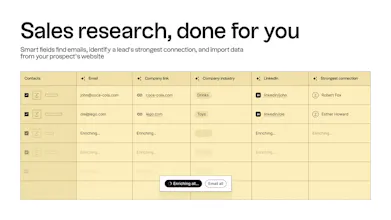
- The 'enrich' option is 'for all entries' only, you can't select to 'enrich' specific columns, which is not very helpful as when you click 'enrich', I don't want to delete the infos I've entered manually. So I decided I'm not using 'enrich' for now.
- For example I would want to only enrich people's pictures, or companies logo, not the rest. The 'enrich' feature is too broad and needs more customization.
- There's only one native URL column available. I use this one for people's LinkedIn link. It's great you can click on it (unlike Hubspot) and it takes you to the page. But sometimes I would to create extra links in the table. Say Extra link 1, Extra link 2, as clickable URL. For now you have to click on the contact and reach the links. It's a waste of time for me. So please allow to create custom URL columns, not just text.
- And finally, there's no previous and next button on the macOS app like in Notion/Slack. This would save me a looot of time with the 3-finger swipe, switching from one page to another, instead of having to click on previous and next each time.
- Ah and also, it's impossible to press enter to exit an active cell (like in Excel or any app), you have to click with the mouse in another cell to exit the active cell, which doesn't make sense from a UX standpoint
- The three dots (...) in the column headers are too small, one would need to click on the entire column header to open the column menu, because having to click on the three dots (...) is too much work especially when the last column is close to the screen edge
I'll put 5 stars when this has been fixed :)
Cheers.
folk
folk
June
folk
folk
Stackoon
folk
folk
folk
Superlist
folk
folk
folk
folk
folk
folk
folk