
Dayflow
Open source tools that help you get promoted
201 followers
Open source tools that help you get promoted
201 followers
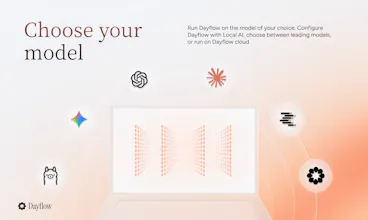
Getting promoted isn't just about doing great work - it's about remembering and proving it. Can you remember what you accomplished 23 weeks ago? Dayflow is a local-first macOS app that uses your screen data and AI to automatically journal your workday. No timers, no manual logging. Every bug fixed, doc written, and problem solved is captured - ready for standups, 1:1s, and performance reviews. Run any model (local or cloud), keep everything on your Mac. Open source, MIT licensed.






BetterClaw
the framing is spot on. the people who get promoted are the ones who can articulate what they did, not necessarily the ones who did the most. i've lost track of genuinely important work just because i didn't write it down in the moment. the local-first approach matters a lot here too because screen data is about as personal as it gets. does the AI summarize at the end of the day automatically or do you review a timeline and pick what's worth keeping?
Dayflow
Thanks@tina_chhabra! Summaries are automatically updated every 15 minutes, and you have the option to edit how your summaries are categorized if needed.
ModuleX
The brag doc angle is clever, but the thing I keep thinking about is how it tells real focus from a tab you left open, like if I'm heads down in my editor for two hours with a Jira ticket parked in the background, does Dayflow credit the editor work or the ticket that was just sitting there?
Dayflow
@sezerufukyavuz Thanks! Dayflow credits the work you're actively doing.
A lot of the discussion is about whether the timeline is accurate. The part I'm more curious about is what happens when it actually gets used. Does the summary go straight into a review or brag doc, or is there always a review/edit step first? That handoff feels just as important as the capture itself. Congrats on the launch!
Dayflow
Thanks @jared_salois! The summaries are produced automatically, totally hands off, and you can review/edit if needed.
Loomal
The screen-capture approach to auto-journaling is smart — most brag-doc tools fail because the manual logging burden kills the habit. Curious how Dayflow handles sensitive content on screen (passwords, private chats) when it's continuously capturing?
Dayflow
@dannyheng Thanks! You can exclude any app you'd want from being captured. Also, all screen data is stored locally on your machine, not our servers, and you can choose between a range of local and leading LLMs based on your needs around privacy.
Dial
the screen data approach is what i'd want for passive journaling, no manual tagging. curious about the data model though - does it store actual screen captures locally or just extracted text/events? open source helps with trust but i'd want to know what actually persists on disk before installing something that watches my screen all day
Dayflow
@omri_ben_shoham1 it stores screen captures locally, but you can configure it to delete automatically!
Dial
@jerry_liu10 good to know, auto-delete makes it much easier to trust for a work laptop. going to try it with a local model first before pointing it at anything cloud-based
Cool! But is it safe to install this on my work laptop?
Dayflow
@maxim_enis Yep, it's open source so if you're concerned, you can easily build it from scratch!
This solves a problem I think a lot of people underestimate. The work itself isn't always enough—you also need a reliable way to remember and communicate your impact. A local-first tool that quietly builds that history without adding more manual tracking feels like a thoughtful approach. Since Dayflow captures screen activity, how do you handle moments with sensitive information (like passwords, personal messages, or confidential documents)? Can users easily exclude specific apps or time periods from being recorded?