
Cursor
AI coding agent
5.0•894 reviews•50K followers
AI coding agent
5.0•894 reviews•50K followers
Cursor is the best way to build ambitious software.
This is the 10th launch from Cursor. View more

Cursor for iOS
Launched this week
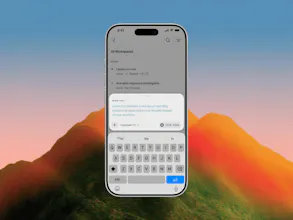
Cursor is now available as a native iOS app in public beta, so you can build from anywhere.
Until now, developers have worked around the limits of their local machines, keeping laptops half-open and caffeinated everywhere they go.
With Cursor for iOS, you can launch always-on agents in the cloud, or control agents running on your computer from your phone. Kick them off when ideas strike, get notified when work is ready for review, and merge PRs on the go.


Launch Team


This is a really helpful update! I used Cursor on my computer, and I really like how efficient it is; it saved a lot of time for me. The ios version can definitely help me to continue working when I step away from the computer. I can manually review it on my phone, but when I go back to desk, will it automatically pick up what I did on my phone, and synchronous message history?
Cursor for iOS
@xinrui1 Yes it will! You'll see your full message history, PRs, and prompts from all Cursor surfaces
@aryamank Thank you! That is super helpful.
Product Hunt
Exciting, congrats on the launch! Did y'all discover any use cases for the mobile app during testing that you didn't envision before building?
Cursor for iOS
@mike_ciesielka1 personally, I've been pleasantly surprised by how much of my dev process I can do entirely from the app. For the past month or so I've been building a lot of the app from the app itself, which wasn't something I really expected going in. Anytime I noticed something off, I'd kick off an agent right there and have a new build to test a little while later. Surprisingly satisfying!
Product Hunt
@cbrauchli using the app to build the app 💪
The idea of running coding agents from a phone is pretty interesting. How much of a project can you realistically manage from the iOS app before you need to switch back to a desktop?
Cursor
@vaishnavi_makode depends on the project! You could go entirely end to end on your phone, especially for features where watching the agent's demos and looking at the diffs give you enough confident to merge the PR. In some cases, you might want to switch back to a desktop to test the changes locally yourself.
@nicolezhang Thanks for clarifying! It sounds surprisingly capable. In your experience, what kinds of tasks feel most comfortable on the iOS app, and which ones are still easier on desktop?
The phone surface makes sense if it is treated as a control plane, not a tiny replacement for the main coding environment. The useful moments are reviewing a diff, unblocking an agent, checking a dev server, or capturing context while away from the desk with repo permissions still obvious.
Cursor
@krekeltronics "control plane" is a great way of describing it, and all those use cases you listed are ways we're seeing folks use the mobile app!
I was pretty skeptical about leaving my VS Code setup, but since Cursor is a direct fork, it imported my entire environment in seconds. Zero downtime. It genuinely feels like working with an active engineering partner
Cursor
@deveshmeeta_ghoshnagent awesome to hear. We've also found that working with Cursor feels like working with a colleague. The agents window in the desktop app is also a great alternative to the IDE for a cleaner, agent-first interface. And it pairs well with mobile!
Background agents are the interesting part. When iOS backgrounds Cursor, do cloud agents keep running independently and push a notification when done? Or does the conection drop and you lose the session?
Cursor for iOS
@christian_knaut Cloud agents keep running! You can turn your phone fully off without affecting your cloud agent runs.
the part i want to try is approving agent permissions from the phone. usually a Claude Code session blocks on a prompt while i'm away from the desk and i don't notice for an hour. does iOS push a notification when an agent needs approval or do you have to open the app to check
Cursor
@omri_ben_shoham1 you'll get push notifications when the agent needs your input! You can also see Live Activities from your lock screens so you can monitor your agents without needing to open the app.
@nicolezhang that's exactly what i needed to hear, thanks. gonna give it a real try this week on a side project and see how the approval flow feels in practice