@O - AI coworker in Slack
Your AI coworker, in Slack. Just tag @O.
925 followers
Your AI coworker, in Slack. Just tag @O.
925 followers
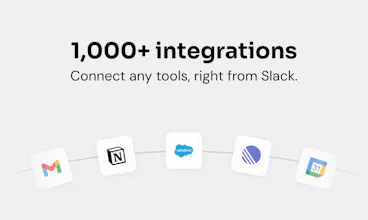
@O is the ultimate AI coworker that lives natively in Slack. Tag @O like a colleague, to ask anything or delegate daily tasks in plain English. It connects to 1,000+ tools, runs automations while you sleep, and shares memory and skills across your whole team right in Slack. One-click install, everyone AI-enabled in under 5min. Zero friction, maximum adoption.
This is the 2nd launch from @O - AI coworker in Slack. View more
Ogment AI
Launching today
@O is the ultimate AI coworker that lives natively in Slack.
Tag @O like a colleague, to ask anything or delegate daily tasks in plain English. It connects to 1,000+ tools your business runs on, does work while you sleep, and shares memory and skills across your whole team right in Slack, on any model you choose, including your own.
One-click install, and everyone is AI-enabled in under 5min, not just your power users. Zero friction, maximum adoption.


Free Options
Launch Team / Built With


@O - AI coworker in Slack
Hey Product Hunt 👋 I'm Teo, CEO and co-founder of Ogment.
Most companies are told to "adopt AI", but in practice that means asking non-technical people to learn new apps, prompt engineering, and workflow builders. There's one thing we've learned over the past two years offering AI to companies: any bit of friction kills adoption. A few power users push through, true, but everyone else gets left behind.
You've probably seen the wave of Slack-native agents shipping lately, Claude Tag included. They're strong for technical teams who want to own the setup. We went the other way: every employee gets their own AI coworker, on any model you choose (including your own local LLM), with zero setup.
We built @O to attack that friction head-on. The bar we set ourselves: using an AI agent should be as easy as tagging a colleague. So that's exactly how it works, you tag @O in Slack, in plain English, and it gets the work done. No new app, no prompt craft, no workflow builder. When the friction drops to zero, adoption is maximized, the whole team starts using AI super naturally, from day one.
@O - AI coworker in Slack
@O @teoborschberg
Teo, couldn't be more excited for this! 🚀
Proud to be part of the team, and I can't wait to see what @ O helps people accomplish.
answering KP's question - I don't think it migrates to a dedicated platform, because the cost being competed against isn't "install a new app," it's "change where my team already collaborates," and that's a much bigger ask than tagging a bot in a place they already live. Slack/Teams/wherever the conversation already happens has a huge structural advantage for that reason alone. the piece I'd push on is the org-level memory layer "curated by an admin" - that's the same promise every internal wiki and knowledge base makes, and those go stale the moment the admin stops actively curating. curious if there's anything automated nudging that curation along, or if it's fully on someone's plate to maintain
@O - AI coworker in Slack
@galdayan spot on re: the collab-surface point, "change where my team works" is a way bigger ask than "tag a bot," and that's exactly the bet.
Indeed, a static admin-curated layer does rot. Our take: personal memory is the engine (it accrues automatically from real work), and the org layer is meant to be the small, high-signal slice that's deliberate to be sharp on context size.
But we're building toward the agent pro-actively suggesting what's worth promoting from patterns it sees, so curation is a one-click yes/no rather than a blank page. Early days there though!
How have you seen this handled well else where? Curious.
@teoborschberg the closest good version I've seen is treating it more like a changelog than a wiki - append only, timestamped entries instead of a page someone edits in place. the wiki failure mode is always that an edit requires someone to notice it's wrong first. an append-only log at least tells you when something was last true, even if nobody's gone back to update it. doesn't solve staleness but it stops it from lying silently
Love how you've embedded the AI directly into Slack instead of asking teams to adopt another dashboard. 👏🏻
The ability to tag it like a teammate feels much more natural for day-to-day work. Curious, what's the most popular workflow users are automating with @O so far?
@O - AI coworker in Slack
Hi @worksforme - the 3 most used functions are CRM record updates for Sales, Social Media Ads management (I personally love this one!) for growth marketers and Document verification / management for Admins in real estate!
@teoborschberg Those are some solid use cases, especially CRM updates and document management ....saving people from repetitive work inside the tools they already use is a huge win. Thanks for sharing, and wishing you all the best with the launch! 🚀
@O - AI coworker in Slack
@worksforme - thanks for your support!
Skybridge
Exited for this! Congrats team on launching @O!
Tagging on Slack is definitely the best way to interact, that's where team already are. I've been playing quite a lot with ClaudeTag, could you share how you compare to it :)?
@O - AI coworker in Slack
@fredisterik thanks for your support! And one of the most important / difficult question. Honest take: Tag is a great product, and if you're all-in on Anthropic it's a strong choice. Where we differ is more in the design choices (which do matter):
Setup/adoption - @O is a one-click install anyone can use in plain English, no per-channel wiring or API keys. Tends to spread to the whole team, not just the technical folks.
Model choice - Tag runs on Claude only. @O is model-agnostic, you can even point it at your own local LLM for cost/privacy.
Agent design - Tag is one Claude per channel. @O is one coworker per user that remembers across channels, so context follows the person.
Connectors - 1,000+ out of the box, added right in Slack, vs a smaller admin-wired set.
Happy to go deeper on any of these. What's been your experience with Tag so far, curious what's working for you?
how does the shared memory actually work across teammates, like does it learn from what one person asks and apply that to someone else automatically, or does it stay siloed until you manually point it somewhere?
@O - AI coworker in Slack
@berfinmgf4- great question, and one of the trickiest design decisions. There are two layers of memory: (1) org-level, shared across all agents and curated by an admin, and (2) personal, learned from your own interactions. Your personal memory stays yours, it doesn't silently leak into a teammate's agent. Anything shared team-wide lives in the org layer, so knowledge spreads deliberately rather than automatically. We landed there as the right tradeoff between productivity and privacy.
Happy to go deeper on how the org layer gets curated if useful!
how does the shared memory actually work across team members, like does it learn from everyone's conversations or just store explicit info you tell it
@O - AI coworker in Slack
@furkan9mrg great q! It's not one big pool that silently learns from everyone. Two layers: org-level memory an admin curates (available for all agents across the org), and personal memory that learns just from your own chats and stays yours. So your agent gets smarter with you, while team-wide stuff is added on purpose, not by listening in. Good balance of productivity and privacy imo 🙂
"Any model you choose, including your own" is an interesting claim for a Slack app. If someone brings their own model, where does the conversation data go, does it still route through Ogment's infrastructure before hitting their model endpoint, or is there a deployment option where nothing touches your servers at all? For teams that care about data residency that's not a minor detail.
@O - AI coworker in Slack
@ansari_adin - a question we are actively thinking about!
Today: yes, the conversation routes through our agent system / harness before it hits any model endpoint. So "bring your own model" right now is about model privacy (your prompts/completions aren't going to a shared frontier provider) and, honestly, cost, that's the biggest driver we see, teams pointing at their own or cheaper endpoints to control spend.
What you're describing, nothing touching our servers at all, is a VPC/on-prem deployment, and it's on our longer term radar for teams with hard residency requirements.