
ModuleX
AI workspace that’s already connected to everything
288 followers
AI workspace that’s already connected to everything
288 followers
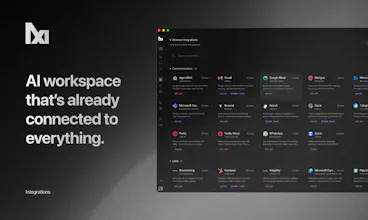
ModuleX is an AI workspace already connected to 200+ integrations. Describe what you want, and your assistant answers with your data, acts through your tools, and turns the work into a visual workflow your team can edit together. If you want, it pauses for your approval before a step touches a customer. No API-key hunting: for a set of premium tools we bring the keys, or bring your own at zero markup. No empty canvas, no setup tax.


Hey Product Hunt 👋
I'm Sezer, co-founder of ModuleX.
We're launching ModuleX today 🚀 It's an AI workspace that's already connected to your integrations, 200+ of them out of the box. You tell it what you want, and it works with your data, takes actions through your tools, and lays the work out as a visual workflow your team can edit. And if you want, it can pause for your approval before a step touches a customer, then carry on.
I work on the engine, so here's the part I find most interesting 🛠️ the hard problem wasn't getting an assistant to answer. It was getting one engine to behave the same way whether you're in chat, dragging nodes on the canvas, or calling the API, all reading from the same connected tools and credentials. That, plus the connection layer underneath, turned out to be most of the build.
If you're poking at it today, here's a little dare: take the task you keep meaning to automate and somehow never do, and just describe it to ModuleX. Watch it wire the whole thing up and run it. If it doesn't make you go "oh," tell me in the comments and I'll dig into it with you.
🎁 For Product Hunt: Get a free trial to start, then 50% off for 3 months.
One question for you: what's the most annoying setup step that stops you from putting AI to work across your real tools?
My co-founder Aykut will share the story behind it below. We'll both be in the comments all day, tell us what's working, what's missing, and what you'd want us to build next.👇
@sezerufukyavuz Aykut here 👋 the other half of ModuleX. Sezer told you what it does, so let me tell you why it exists.
ModuleX came out of pure frustration, honestly. Every time we had an AI idea worth building, the AI part took minutes. Then a day or two would vanish into the boring stuff: make an account, dig out the API key, connect the tool, and do the whole thing again for the next one. At some point it just clicked, the model was never what held us back. The wiring was. So we stopped treating all that connecting as the tax you pay before the real work, and made it the product.
A few things you can pull off on day one:
💬 just tell the assistant what you need and watch it actually do it, pulling your data and acting through your tools, not just chatting back
🪄 say what you want in a sentence and watch Composer build the whole thing, node by node
📥 wake up to yesterday's leads already enriched, a follow-up drafted for every single one
📊 that weekly report scattered across five tools? one ask, and it's pulled together for you
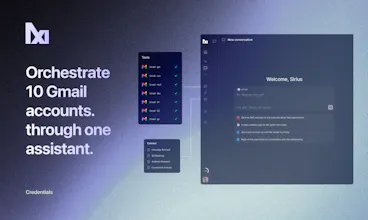
✉️ ten Gmail inboxes through one assistant, stop logging in and out like it's 2010
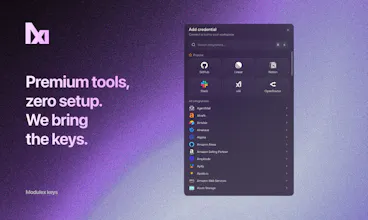
A couple of things we're quietly proud of: for a handful of premium tools we bring the keys ourselves so you skip the signup, and the list keeps growing. Want your own keys instead? Go ahead, no markup. And it's all one engine, whether you're in chat, on the canvas, or calling the API, so it starts as something your team runs internally, and the day you outgrow that, you build on the same engine through our API.
We made it for the people who feel the busywork most: founders, ops, growth, support, the small teams running on too many tools with not enough hands. If that's you, I'd love to hear how it lands.
We've been heads down on this for a long time, and getting it in front of you today feels surreal 🙌 I'm here all day with Sezer.
@sezerufukyavuz Congrats on the launch! 🎉 The visual workflow approach sounds much more approachable than starting from a blank canvas. Which integration ends up being the most popular with teams getting started?
@nicole_hynek Thanks, early days so this'll shift, but it's mostly the everyday tools, slack, gmail, hubspot, linear, notion +200 integration. People start where their work already lives.
@nicole_hynek Thanks!
Congrats on the launch. I am a bit concerned about drift in such apps. How do you prevent "workflow drift" over time as users keep editing and editing AI generated flows manually? FWIW, I liked the cost transparency with BOYD API keys :)
@gorkemcetin
Thanks 🙏 Good question, because "drift" is exactly the failure mode we designed against. Three things keep manually edited flows from rotting:
One ground truth. The visual canvas is the single source of truth. Whether you edit by hand or just describe the change, both land on the same graph. There's no hidden "AI version" quietly diverging from what you see.
Edit freely, ship deliberately. Editing happens on the canvas, but what actually runs is a deployed version. Each deploy is saved and one is marked live, so constant tinkering never silently changes what's in production. You decide when a change goes live, and you can look back at earlier versions.
The assistant validates, not just generates. Composer can run a flow in test mode to check its own edits (it does a quick credential check first), and when a run fails you can ask it to diagnose and propose a fix against the current graph. Correctness stays something you verify, not just hope holds.
And thank you on the cost transparency. That's deliberate: bring your own keys when you want full visibility, or use managed keys billed through credits when you'd rather skip setup. Glad it landed 🙌
@sezerufukyavuz Good to see the diversion doesnt exist. It's relieving :)
@gorkemcetin Exactly. You stay in control, ModuleX keeps it calm 😌🙌
Genuine question on differentiation: the "200+ integrations + AI workspace" pitch is essentially what Zapier AI, Make, and n8n are all converging on right now. What does ModuleX do in that space that they don't?
The visual workflow editing angle is interesting but Zapier and Make both have that now too. I'm curious whether there's a specific use case or user type where ModuleX is meaningfully better - rather than just another entry in an already crowded category. What's the wedge?
@galdayan
Fair challenge, and yeah, integration count is a commodity now, so I won't pitch that as the wedge.
The real difference is underneath. They hand you an empty canvas and make you bring an account and an API key for every tool. ModuleX provides managed keys for a number of integrations through a credit system, so you're not constantly roaming platforms to collect API keys or tracking usage across all of them. Everything sits in one place (and we keep expanding the set of integrations that ModuleX Key supports as far as our resources allow). That isn't a sprint feature, it's partner and billing infrastructure. We also run many accounts of the same tool at the same time inside one workflow or assistant.
And deeper than that, what you build is one primitive: a chat assistant grounded in your data, a workflow on the canvas, and an API you can put in front of your own customers. They build automations. We're the workspace you use and the runtime you build your product on.
That said, we'd rather hear a critique this sharp than stay attached to our own plan, so it genuinely landed well with us 🙌 Thanks for taking the time to think it through 🙏 Always open to a chat: sezer@modulex.dev
Congrats on the launch! Generating an editable graph directly from text makes setting up workflows a lot less tedious. I also really like the BYOK setup since it keeps API costs clear.
Just curious, how does it handle error recovery if a step fails while running?
@nucro Great question. A failed step never silently breaks the run: it stops right at that step and shows you the error. From there you choose the recovery in the graph itself (block, warn and continue, or route to your own error handler branch), a step that needs a human pauses and resumes instead of failing, and you can hand the failed run to Composer to diagnose and propose a fix before you run it again. Appreciate the BYOK love too 🙌
@nucro thanks! error recovery is honestly the part we sweated over the most.
small blips (a timeout, an API hiccup) it just retries on its own. if a step really fails, the run stops there and the node lights up with the actual error on the canvas, no log-digging. and Composer reads what broke and suggests a fix for you, you approve it and re-run.
@sezerufukyavuz @aykutseker That sounds incredibly well thought out. Having the error light up right on the canvas and letting the Composer suggest a fix is a huge time saver. Really great approach to handling the edge cases. Good luck with the rest of the launch!
Congrats on the launch. 200+ integrations already connected is wild, that's usually the part that kills adoption before anyone even tries the product.
Curious though, when a workflow breaks mid run, how does a non-technical user figure out which step failed and why? Because if the AI built it, they didn't - so debugging feels like opening a black box.
Is there a way to see what's actually happening inside?
@priyatharshini_c thanks, that's the whole reason it's a visible graph, not a black box. when a step breaks you see it on the canvas, and you can just tell the assistant in chat "this failed, fix it" and it sorts the step out. and if you want to go deeper, every step's logs are right there, fully transparent.
@accuto That's actually really well thought out "this failed, fix it" in plain chat is exactly the right UX for non-technical users. Most tools would make you dig through logs yourself.
The visible graph + transparent logs combo is smart.
Does it show you why it failed or just where?
@priyatharshini_c both. "where" is the step that broke; "why" comes in plain language, a missing permission, a bad input, a tool error, instead of a raw stack trace. and the assistant doesn't just leave you there, it suggests the fix: retry, reconnect, or edit the step. some of that's solid today, some we're still sharpening.
@accuto Okay that's actually really solid, plain language + suggested fix in the same breath is way better than what most tools do. Nobody wants to stare at a stack trace at 2am lol.
TBH "still sharpening" is refreshing too. Which part are you tackling first?
The managed keys feature is interesting but also a bit of a lock-in question. What happens to existing workflows if ModuleX loses a partnership or has to change pricing on one of those integrations mid-subscription? Is there any fallback path -- like automatically switching to BYOK -- or does the workflow just stop running?
@schott_taylor
Really good question, and exactly the right thing to stress test. 🙏
The core thing: managed keys aren't a separate, closed system you get locked into. They're just one credential type sitting in the same slot where your own keys go. Every node points at a credential, and that credential can be a ModuleX managed key or your own. So switching to BYOK isn't a special escape hatch, it's the same dropdown.
So in your scenarios. If we ever lose a partnership, that integration is still there with its normal auth. You add your own key for that one tool, point the node at it, and the workflow keeps running. Nothing else in the graph is touched.
On pricing, managed usage is metered through credits, so the cost stays visible rather than buried. If a managed rate ever stopped making sense for you, you switch that one node to your own key and pay the vendor directly. You always have that lever, per integration.
And it doesn't silently stop. A run does a credential check before it starts and surfaces issues at the exact step, so worst case one node flags that it needs a credential, which you fix by selecting your own. You're never rebuilding the workflow.
A couple of honest notes: today that swap is a deliberate action, not an automatic failover, though since managed and own keys are interchangeable by design, it's a quick change, not a migration. And we're very new, so ModuleX Key covers a limited set of integrations today and that list grows steadily. The goal is to bring managed keys to every integration where it makes sense, with BYOK available for everything either way. 🙌
The approval pause before a step touches a customer is the part that decides whether I'd let this run in a real support/community workflow. When it pauses, does the approval show the exact resolved payload — the actual message or record it's about to send — or just a description of the step? And can I scope which integrations always require approval versus run unattended, so the safe stuff doesn't bottleneck on me?
@hazy0
Great question — that pause is exactly the line we designed around, and you get to control both the what and the where. 🎯
In a workflow, you place an approval pause right before any step that touches a customer. The pause doesn't show a generic "about to send a message" — you template the resolved content into it, so the approver sees the actual record about to go out (e.g. Approve this reply: {{drafted_message}} renders the real drafted text at run time). ✅ And it's scoped per step, not all-or-nothing: gate the customer-facing send, and let the safe, read-only, and internal steps run unattended — so the safe stuff never bottlenecks on you.
In the assistant, write actions (sending a message, creating a record) pause for approval automatically while read-only lookups run unattended. When it pauses you see the exact tool being called — e.g. slack.send_message — and can expand the full resolved parameters, the literal payload, before you hit Run ▶️ or Cancel ✋.
One honest note: in the assistant today, that approve-vs-unattended line is driven by whether an action writes or just reads, rather than a per-integration on/off switch. If a per-integration "always require approval for X" policy is a must-have for you, tell us — that's exactly the kind of control we're shaping. 🚀