
AutoShelf
Auto-organize files on your Mac
107 followers
Auto-organize files on your Mac
107 followers
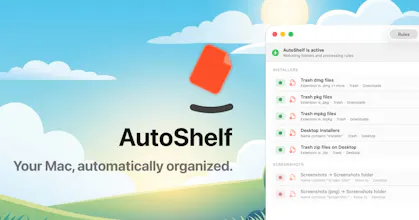
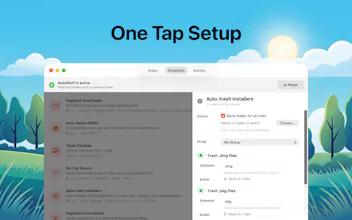
AutoShelf is a macOS app that watches your folders and auto-organizes files. Set a rule once and never think about it again. Free to try, unlock unlimited for $19.99.



AutoShelf
Hey @nucro
Before using it on my main Mac, I’d love to understand the privacy model better:
Your site says AutoShelf runs offline and makes no network calls. Does the app ever contact servers for licensing, updates, crash reports, telemetry, analytics, or rule templates?
Would you consider open-sourcing the core rule engine, publishing a technical privacy whitepaper, or allowing an independent audit?
How can users verify that file names, paths, metadata, rules, logs, and file contents never leave the device? Would you document app entitlements and any domains the app may contact?
Does AutoShelf require Full Disk Access, or can it work only with user-selected folders?
Does it only use metadata, or can it inspect file contents? If content matching exists, is it 100% local?
Can AutoShelf organize existing files already in a folder, or only new files added after rules are created?
What safety features exist — dry run, undo, activity log, or protection against bulk accidental moves/deletes?
If future AI, MCP, sync, or cloud features arrive, will they be strictly opt-in and separate from the current offline mode?
File organizers can access very sensitive data, so a clear technical answer would make it much easier to trust and recommend AutoShelf as a privacy-oriented tool...
AutoShelf
@milancheck Hey Great questions these are exactly the right ones to ask of a tool that touches your files. Let me go through them.
Networking - The app itself makes zero network calls. No telemetry, no analytics, no crash reporting, no auto updater, no licensing server, no template downloads. The only thing that ever talks to the internet is StoreKit 2, for the in app purchase and that traffic goes straight to Apple, not to us. You can verify this in Activity Monitor LittleSnitch with StoreKit out of the picture, AutoShelf is silent. Licensing is validated locally.
Open source audit whitepaper Appreciate you pushing on this. Im a solo dev shipping the MVP, so I cant commit to a full third party audit today but its on my radar as the app grows, and Im very open to documenting entitlements and the data model more formally. Ill share more on this soon. Happy to hear what level of proof would actually move the needle for you.
Verifying data stays local - AutoShelf is a sandboxed Mac App Store app. That sandboxing is enforced by macOS itself, not by me promising so the OS guarantees the app cant touch anything outside the folders you hand it, and cant reach the network except the StoreKit path above. Tools like LittleSnitch or a network monitor are a good way to watch it yourself.
Full Disk Access - No. AutoShelf never asks for Full Disk Access. You grant it specific folders through the standard macOS folder picker, and access is limited to exactly those. Nothing more.
Metadata vs. contents - Rules are metadata only file type, extension, name, size, dates, and Spotlight download metadata like where a file came from. The engine does not read your file contents to make decisions. Two optional actions do touch bytes image optimization and importing into Photos and both run entirely on your machine.
Existing vs. new files - Both. AutoShelf watches for new files automatically, and theres a Run now action to organize files already sitting in a folder.
Safety features - Every delete goes to Trash recoverable theres no permanent delete action. Theres a full activity log of everything the app does, per rule confirmation you can turn on, optional delays before actions run, and a free tier capped at a single rule so nothing happens at scale by accident.
Future features AI, MCP, cloud - The MCP integration you may have seen is 100 local it talks over a Unix socket on your machine, no network. Any cloud or AI features in the future will be strictly opt in and clearly separated from the offline by default experience. I have no cloud sync shipped today.
Hope that helps and genuinely, if anythings still unclear, ask away.
Best, Orçun.
Folder chaos on my Mac has been a constant battle. Does it handle nested folder structures or just top-level organization?
AutoShelf
@rich_nashawaty Good question! Right now AutoShelf only handles top level files within watched folders, so files inside subfolders aren't picked up. Nested folder support is definitely something I'm tracking though. I'm actively collecting feature requests and will be working on them for the upcoming version in next weeks. I'll share updates as things progress on my X acount. LMK if you have any other feature requests. Thanks for asking!
That's really helpful context — good to know top-level for now. Nested folder support would be a big unlock for messy project directories. Will follow on X for updates!
Does AutoShelf support different rules per watched folder, or is it one global ruleset? My use case is Figma exports landing in Downloads alongside PDF invoices — ideally I’d route each file type to a completely different destination without them conflicting.
AutoShelf
@sunnyallan Yep, each rule is tied to a specific watched folder, so you can absolutely do that! You'd set up one rule on your Downloads folder for Figma exports routing them to your design folder, and another rule on the same Downloads folder for PDF invoices routing them elsewhere. They won't conflict because each rule has its own condition and destination.
So in your case: Downloads + condition "file extension is .fig" → move to Design/, and Downloads + condition "file extension is .pdf" → move to Invoices/. Works exactly how you'd expect.
Let me know if you need help setting it up!
Sipcode
Hey Orçun, was on AutoShelf's page just now and the menu-bar-watcher approach to file org is what pulled me in honestly. one thing on my mind, when two rules conflict on the same file, what wins, is it order of rule creation or a priority system? in my Downloads folder almost every file matches three rules at once.
AutoShelf
@axlerodd Great question! Right now it's order of creation, first match wins. So if a file matches multiple rules, the rule that was created earliest gets priority and the others are skipped for that file.
That said, a priority system is something I'm looking into for the next version. Especially for cases like yours where a lot of rules overlap on the same folder. I'm collecting feedback like this to figure out the best approach, so I appreciate you bringing it up.
What would your ideal behavior be? A numbered priority you can set manually, or something more like drag to reorder rules?
Always think if I'm bad with Mac files or if it's a disaster haha. This is a great idea to manage everything as you want.
does it work with cloud drives like Dropbox/iCloud too? BTW, Congratz for the launch
AutoShelf
@damian_forzani Right now AutoShelf works with local folders. Cloud drives like Dropbox and iCloud are already on the roadmap, I'm currently figuring out the best way to handle them. Remote downloads and uploads are definitely part of that plan. Appreciate you bringing it up, helps me prioritize!
Thanks for the congrats!
@nucro Yes, localhost make sense to the first launch :) Pleasure to help, thank you for your response. Have a nice day.
Mailwarm
Do you have a safe mode or undo history in case it moves something important?
AutoShelf
@karimbenkeroum Good question! There are two layers to this.
First, AutoShelf has a confirmation mode you can toggle per rule. When it's on, you get a notification before anything happens and can approve or deny each action individually. So if something looks off you catch it before it runs.
For trash actions specifically, files go to your Mac's Trash so you can pull them back from there. For things like move, rename, and copy, the original file is never destroyed so you're safe.
That said, there are a couple actions that are truly irreversible right now. Image optimization overwrites the original file (lossy compression, and it strips metadata by default), and archive to zip permanently deletes the original after zipping it. I'd strongly recommend using confirmation mode with those. I'm also working on making the activity log track enough info to enable a proper undo for the next version.
Appreciate you asking, this kind of feedback is exactly what I need to hear!