

Weather mini 3.6: Local weather sources and a much smaller app

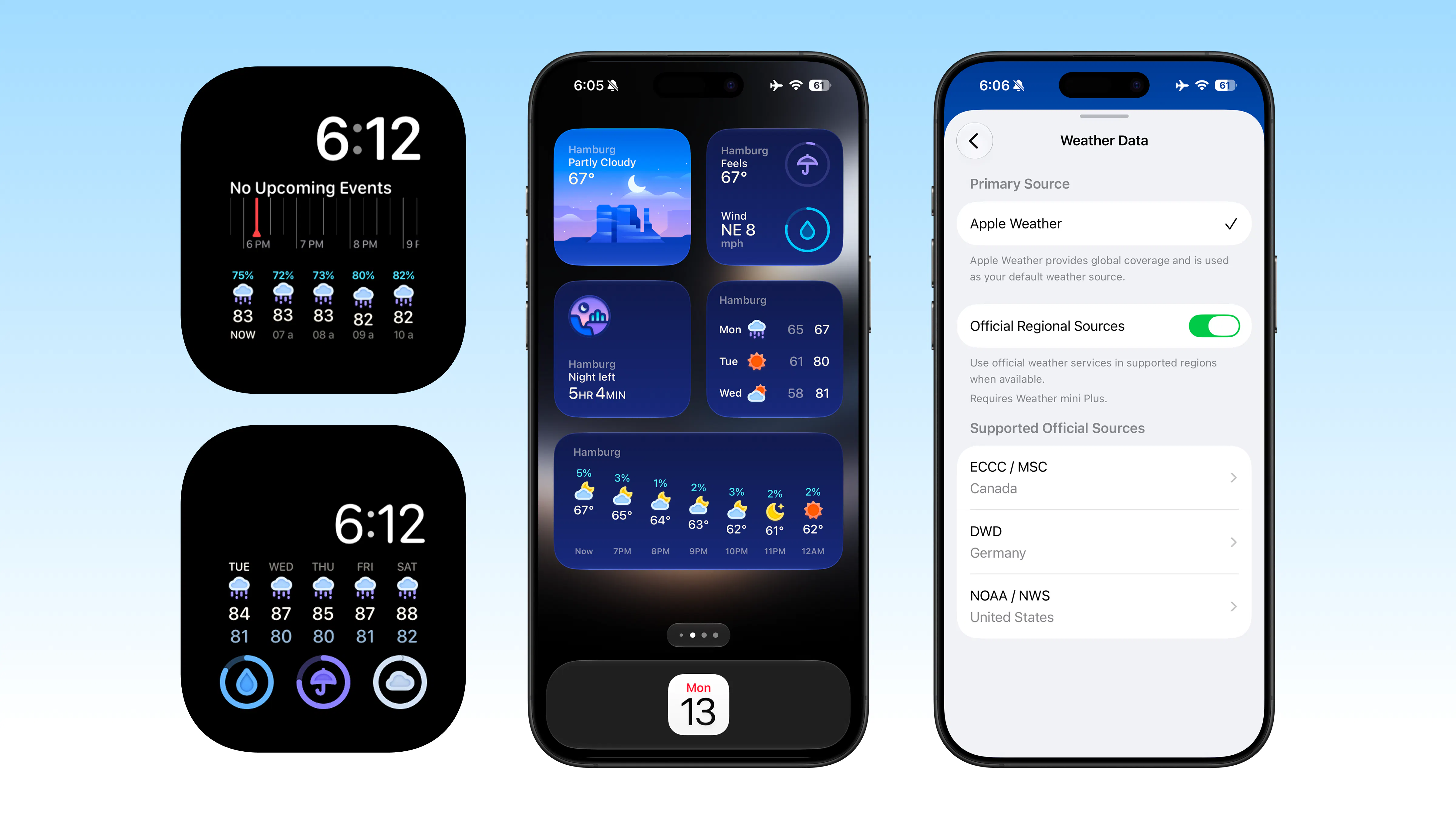
Weather mini 3.6 is now available. This update adds local weather sources in supported regions, makes the app nearly half the size, and brings a series of improvements across Weather mini.
Regional Weather, Closer to Home
Sometimes the weather source you know best is the one closest to home. Weather mini 3.6 can now add data from local weather agencies to your forecast:
Canada: Environment and Climate Change Canada / Meteorological Service of Canada
Germany: Deutscher Wetterdienst
United States: NOAA / National Weather Service
Turn on Regional Weather in settings, and Weather mini automatically matches each location with an available local source. There is nothing else to set up, even when you travel.
Turn it on once, and Weather mini takes care of the rest.
It works everywhere you use Weather mini: cities, Trip Forecasts, widgets, Apple Watch, notifications, Morning Brief, and Evening Forecast.
Apple Weather remains the main source. When local data is not available, Weather mini simply continues with Apple Weather as usual.
Regional Weather is included with Weather mini Plus.
A Smaller App, with Smarter City Search
Weather mini has its own city search. Until now, its large catalog of places lived mostly inside the app, adding weight to every download and update.
In 3.6, common searches still happen locally. Wider searches automatically continue through our cloud search on Cloudflare’s global CDN. You search exactly as before, but Weather mini is now nearly half the size.
City matching is also more consistent for places with similar names or nearby locations.
Better Trip Planning
Trip Forecasts are easier to update. Change a destination or date, and Weather mini refreshes the plan more reliably while keeping the existing forecast visible.
Apple Intelligence also understands dates and trip lengths more reliably. If you do not mention a duration, Weather mini starts with a three-day plan that you can adjust.
More Reliable on Apple Watch
Weather mini 3.6 makes the Watch app, widgets, and complications more dependable. They stay in step more consistently and can keep showing recent weather when a new update takes longer than expected.
When you raise your wrist, the weather should simply be there.
Weather That Stays in Sync
We also improved background updates, helping notifications and daily summaries stay with the right city and keeping weather more consistent across the app, widgets, notifications, and Apple Watch.
It is the kind of change you should not need to notice. The right forecast should simply be ready where you expect it.
Thank you!
Kai & Ann
Replies
I like the balance you've chosen here. I've noticed many weather apps become bloated over time, so a smaller app backed by local weather sources feels refreshing
For me, weather accuracy depends a lot on local forecasting rather than global averages, so this update immediately caught my attention.
pulling from the actual national met services instead of one aggregated API is a nice touch, those regional agencies usually have better short-term accuracy for their own country than the global providers do. does the app let you pick which source wins when regional data disagrees with the default one, or does it just silently prefer local whenever it's available?
@omri_ben_shoham1 It’s automatic. Because forecasts appear in several places—the main app, widgets, watch complications, trip plans, and push notifications: we use one setting to keep the behavior consistent. When enabled, the apps and servers prefer regional data whenever it’s available; otherwise, they fall back to the default provider.