

Vitals 1.2 is out: see inside your browsers and Docker 🔥

Hi everyone,
Vitals 1.2 is out. Most of it came from what you asked for here and by email after the launch.
Vitals also passed 1,000 licenses this week. Thank you to everyone who bought it and wrote in. 🥳
What's new:
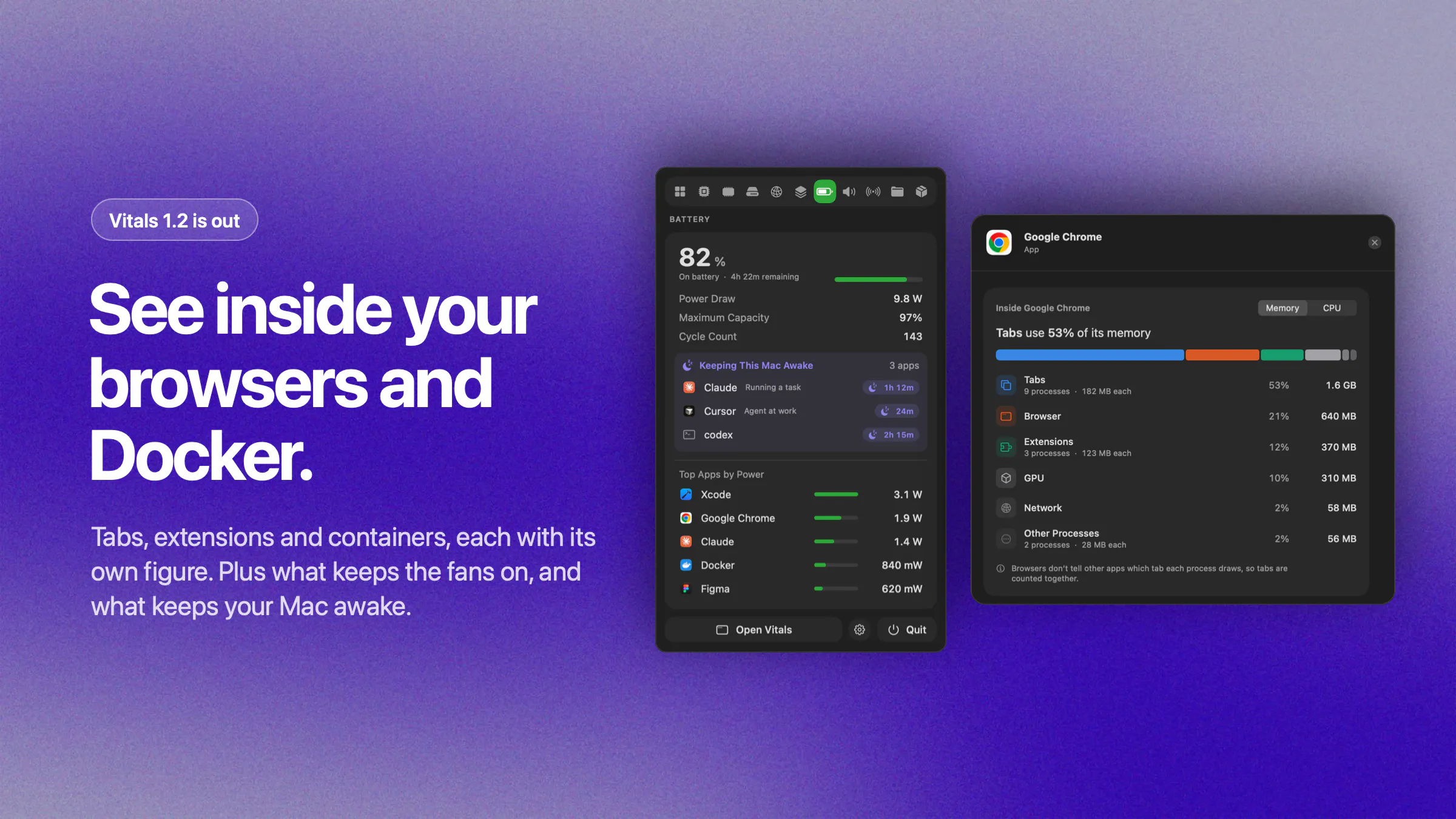
Inside your browser. Click Chrome, Safari, Firefox, Edge, Brave, Arc, or Dia and see how much memory and CPU go to tabs, extensions, and the rest.
A Containers tab. Every Docker container with its memory, CPU, network, and ports.
What's keeping the fans on. When your Mac runs hot, Vitals names the apps behind it, with Quit next to each.
What's keeping your Mac awake. The Battery tab lists the apps that stop it from sleeping, and for how long.
Keyboard shortcuts. Open Vitals from any app.
What's better:
Vitals is lighter. A few of you said it used too much for a monitoring tool, and you were right. In the menu bar it now uses less than half the CPU it did.
One thing I need help with: Intel Macs now show power per app, as an estimate. I don't have an Intel Mac to test on. If you do, tell me whether the numbers look right.
It's a free update and installs from inside the app. The full list is at vitalsmac.com/changelog.
What should I build next?
Replies
Seeing CPU and memory usage by individual browser tabs is really useful. It makes it much easier to find what’s slowing things down.
Vitals
@james_kerr2 that one saves me every day too.
one tab is always the culprit.