

How do you keep track of your Claude, Codex, and Cursor limits?

I kept hitting my Claude limit when Claude stopped answering, usually mid-task.
So Vitals 1.7 shows what's left of every AI plan on your Mac, in the menu bar and in its own Agents tab:
- how much of the week and the 5-hour session is left
- when each one resets
- whether you're on pace, or will run out before the reset
It works with Claude, Codex, GitHub Copilot, Cursor, Antigravity, Grok, Ollama, and OpenCode, for every account signed in on the Mac, including several Claude Code profiles.
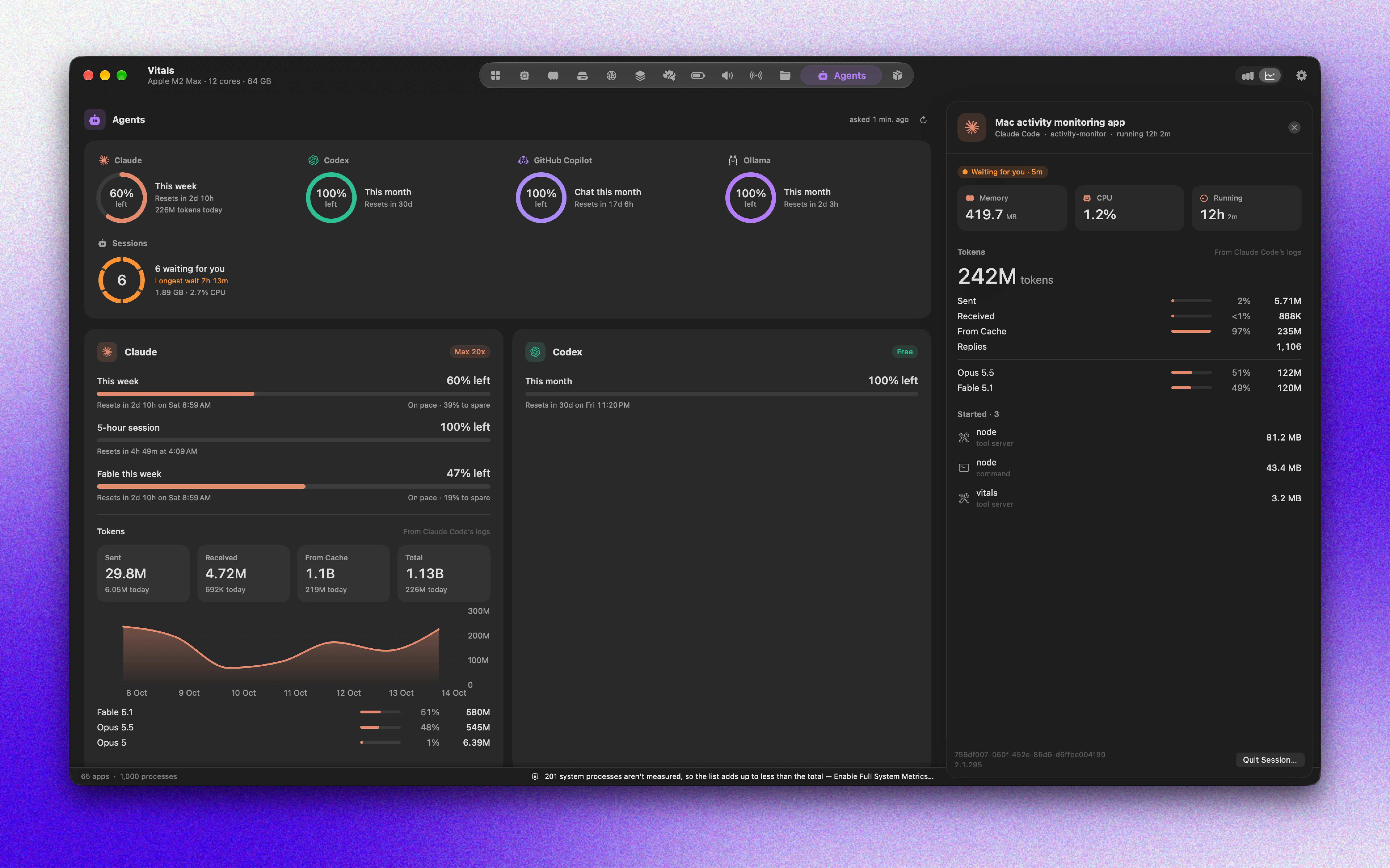
The Agents tab also lists every coding agent running, what each one started (dev servers, tests, browsers), and the tokens Claude Code and Codex used today and this week.
Vitals is a Mac activity monitor, $9 once during launch: vitalsmac.com
How do you track your limits today? And which tool should it read next?
Replies
Honestly mine is pretty low-tech: I notice the pace of a session more than the number. If I'm about to start something long (a big refactor, a multi-file migration), I check the usage screen first and decide whether to split it into smaller chunks so a cutoff doesn't land mid-edit. I also commit before every long agent run, so hitting a limit just means "pick up from the last commit" instead of untangling half-finished changes. The "on pace vs. will run out before reset" idea is the part I'd find most useful, since a raw percentage doesn't tell you much when your usage is bursty. For the next tool to read, I'd say anything that exposes per-project or per-session burn, because the real question is usually "which task ate my budget?" rather than "how much is left?"
Since the app already suppports so many coding tools could you add notifications when one account is close to its weekly limit ? That seems like a practical next step.