

Don't know when you'll hit your 5-hour claude limit? This solves it 💪

Hey everyone. I use Claude for everything. I'm sure you too.
My biggest pain with it? Not knowing when I'll hit the 5-hour window limit.
Turns out, you can use Claude, to update Claude's UI and show you your current usage.
And you don't really need to code anything, it's purely vibe coding. Here's how to:
Go to Claude Code
Paste this prompt (or use the full one from the screenshot):
"Using the plugin-authoring skill, make a mod called "usage-band":
a band above the prompt showing my usage limits, like
5h ███░░░░░░░ 31% · resets in 2h 14m Week █░░░░░░░░░ 12% · resets in 4d 3h"
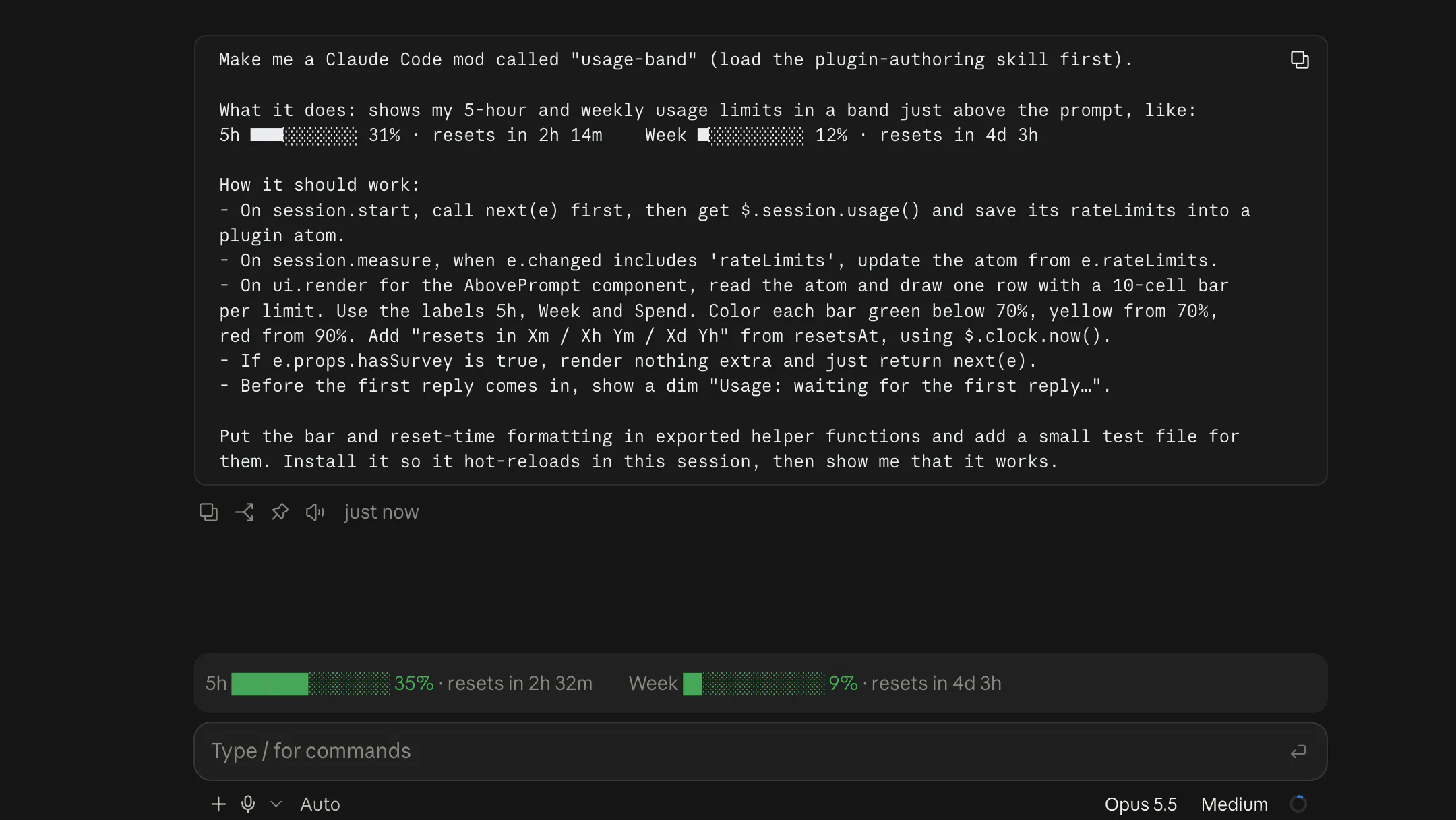
Done! Now you get on every session, a live update of your usage.
I thought it would be helpful for others here!
Ilai from @Pretty Prompt
6 views
Replies
Nice one. For me the 5h limit is actually the smaller worry, context is the bigger one. I used to run a context counter in my terminal status line so I'd know when auto-compact was coming. Now I'm mostly on Claude desktop, which shows context usage out of the box, so that part's covered for me.
One idea for your mod: show a projection based on burn rate, like 5h 31% · ~1h 40m left at this pace. The percentage tells you where you are, but the projection tells you whether you'll make it to the reset. It's just the delta between two usage snapshots divided by the time between them, so it should work with the same data you're already pulling.