

Version 5 is live, here's what's changed 🗞️

I know you don't like reading so here's TL;DR:
Free usage even for un-signed users
Even more usage when user signs up (still free, no credit card info required)
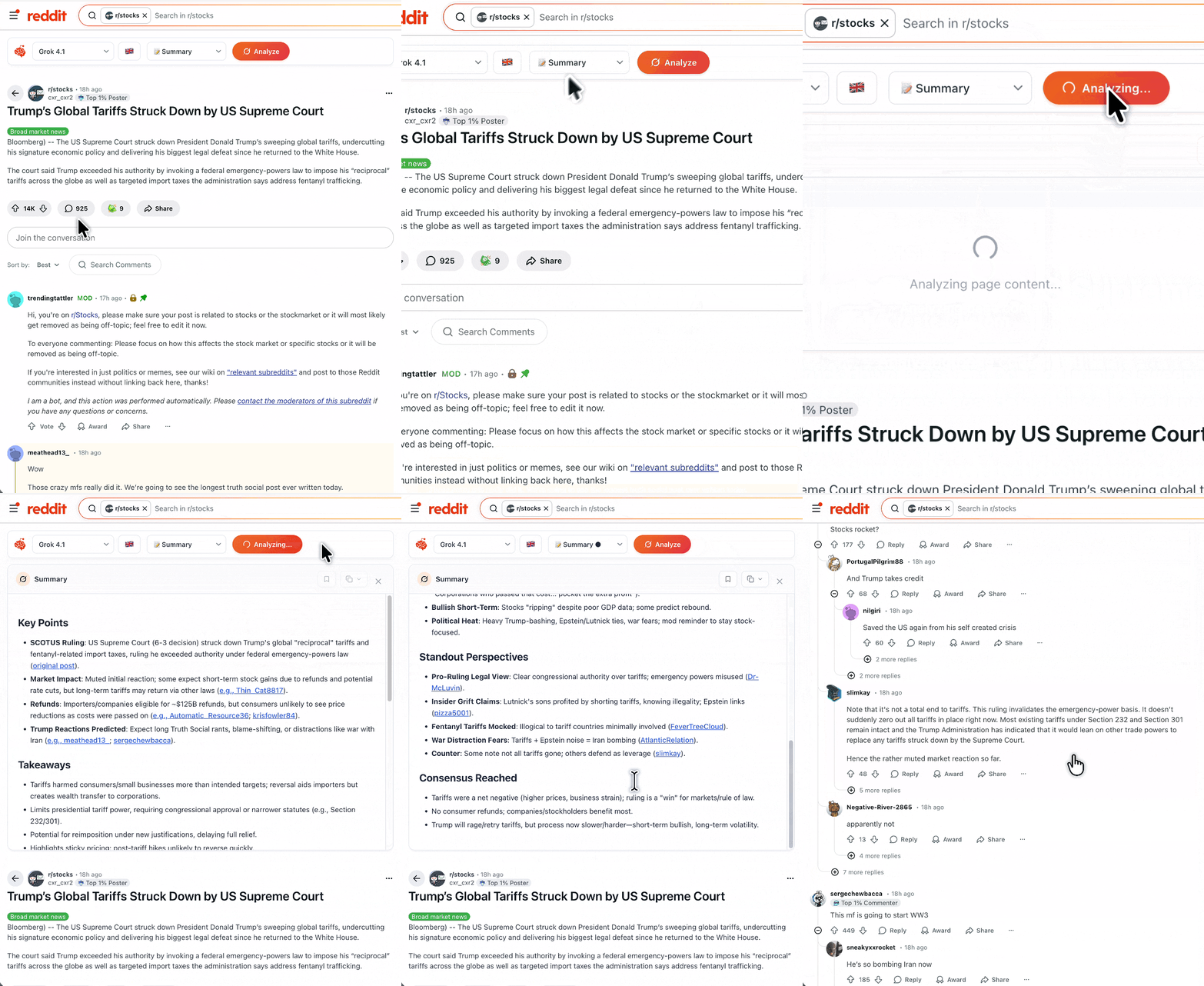
Copy response button — copy analysis results to clipboard in one click
Added new native mode to detect AI slop
TL;DR merged into Summary — one streamlined mode instead of two
Create Custom modes from Toolbar — no need to open the popup
Mode history indicators — see which modes you've already used (colored dots) and instantly restore prior results (in Toolbar)
Reliable toolbar on SPA navigation — toolbar now appears when navigating Reddit links without needing a page refresh
In overall I'm constantly doing small tweaks and changes to improve user's experience (UX) but not all is worth mentioning. Lot of changes are "invisible" and "it just works" until it doesn't. Then the issues become visible and I'm doing my best to make this plugin "just work". Without issues. Catching all edge-cases.
I'm still sticking to "Do one thing and do it right" rule.
Replies
The copy button is exactly the kind of small improvement that makes a workflow much smoother. Manually highlighting text every time is annoying, so having it in one click is great. Are you planning to expand the dot-based mode history, or is this the final version? It looks like a handy visual cue. Overall, great update pace. Keep it up!
Reddit Summarizer
@igorkovalchuk the copy feature was actually requested by a user, he sent me an email. I like how Grok gives me option to copy it as text or markdown with formatting so I implemented it the same way.
Well I'm not sure about history. At first Toolbar was meant to offer just simple quick actions and primary/full functionality was supposed to be in Popup, but because it's so easy to use, it's expanding. I might add arrow-based history for each mode. Actually let me put that into my todo list.