

How to Turn a YouTube Tutorial Into an Editable Mind Map
YouTube is one of the best places to learn almost anything.
Coding, design, marketing, AI tools, video editing—you can usually find a detailed tutorial for free.
But there is one problem:
You often have to watch the entire video before you can understand its structure.
A 30-minute tutorial may only contain five or six key ideas. However, those ideas are scattered throughout the video.
You watch the introduction, pause to take notes, go back to check something you missed, and then try to organize everything into a clear structure.
After finishing the video, you may still need another 20 minutes to turn your notes into a mind map.
That is a lot of work, especially when you are learning from several videos.
The problem with watching tutorials from beginning to end
Most of us watch YouTube tutorials in a linear way.
We start at the beginning and continue until the end because we do not know which sections are important yet.
Sometimes the creator spends several minutes introducing the topic. Sometimes a section explains something we already know. The information we actually need may only appear somewhere in the middle of the video.
Without a clear overview, it is difficult to decide:
Which parts should I focus on?
Which parts can I skip?
How are the different ideas connected?
What is the overall structure of the tutorial?
A mind map can solve this problem, but manually creating one still takes time.
You need to finish the video, review your notes, identify the main topics, create branches, and reorganize the information.
That is why I built a simpler workflow with TubeTutor.
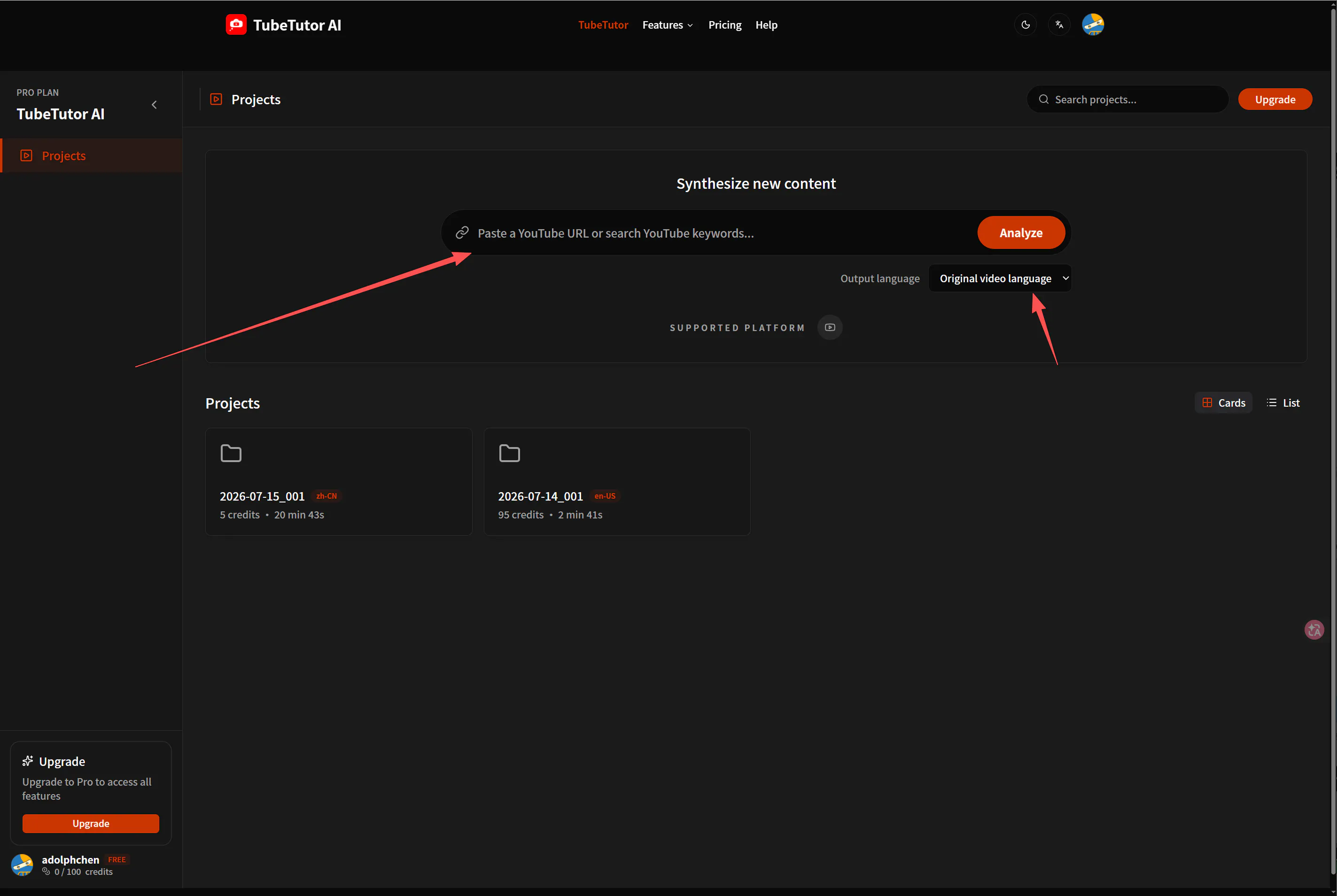
Generate a mind map from a YouTube video
With TubeTutor, you can paste a YouTube tutorial link and generate a structured mind map automatically.
Instead of starting with a blank page, you immediately get an overview of the video’s main topic, key sections, and supporting ideas.
The mind map helps you understand the structure of the tutorial before you spend time watching every minute.
For example, a long tutorial might include:
Basic concepts
Required tools
Step-by-step instructions
Common mistakes
Advanced techniques
Final recommendations
TubeTutor organizes these points into different branches, making the entire video easier to understand.
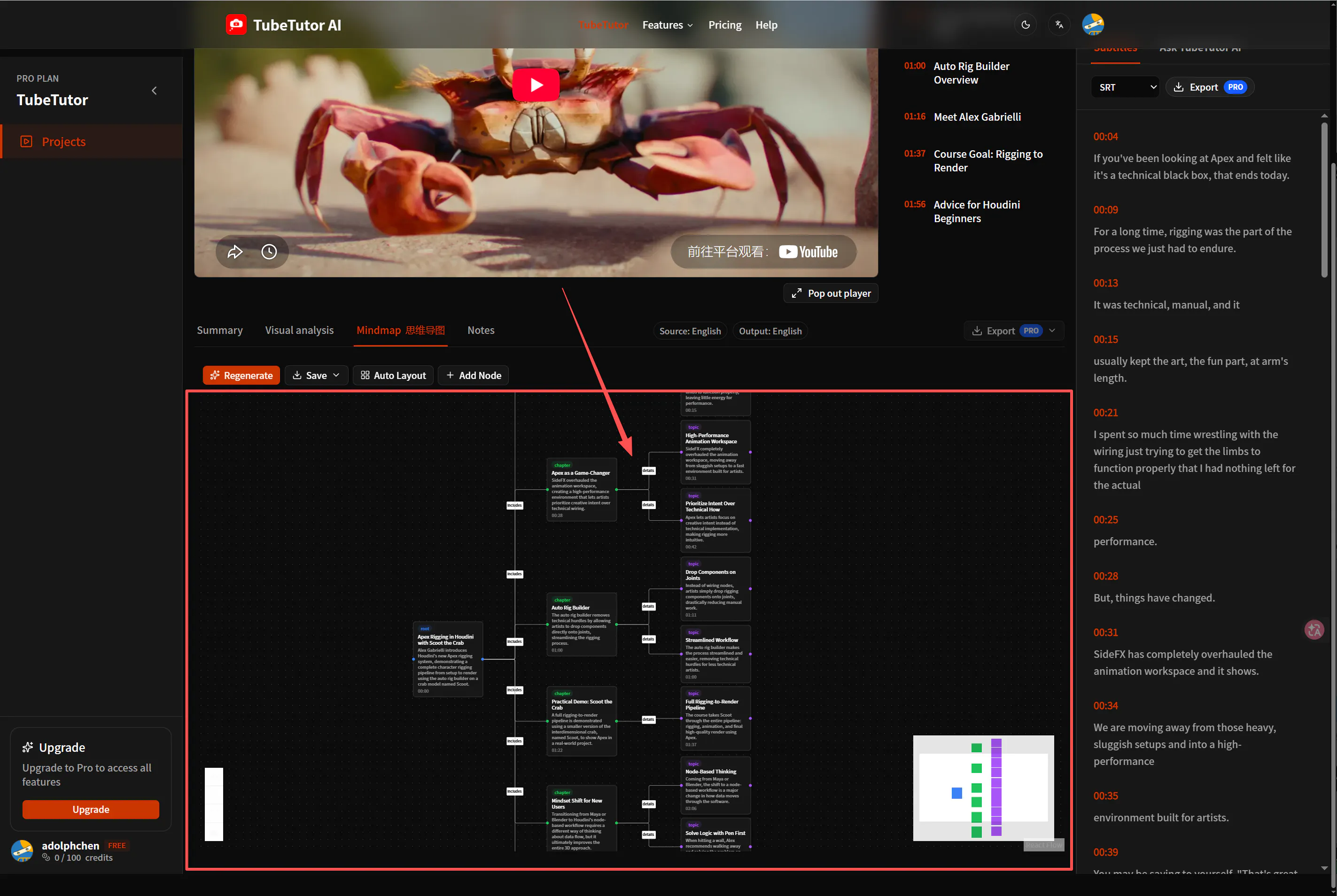
Learn the video more efficiently
Once you have the mind map, you no longer need to watch the video blindly from beginning to end.
You can first look through the branches and decide what you actually want to learn.
Maybe you already understand the basic concepts, so you can focus on the practical steps.
Maybe you only want to learn one specific feature, so you can go directly to that section.
Maybe one branch looks especially important, so you can spend more time studying it.
This changes the learning process from:
Watch everything first, then try to understand the structure.
To:
Understand the structure first, then watch the parts that matter.
This makes learning from long YouTube tutorials much more focused.
The mind map is editable
An automatically generated mind map should not be the final answer.
Everyone understands and organizes information differently. That is why the mind map generated by TubeTutor can be edited.
You can:
Rename a topic
Add your own notes
Create new branches
Remove information you do not need
Reorganize the structure
Turn the generated map into your own study notes
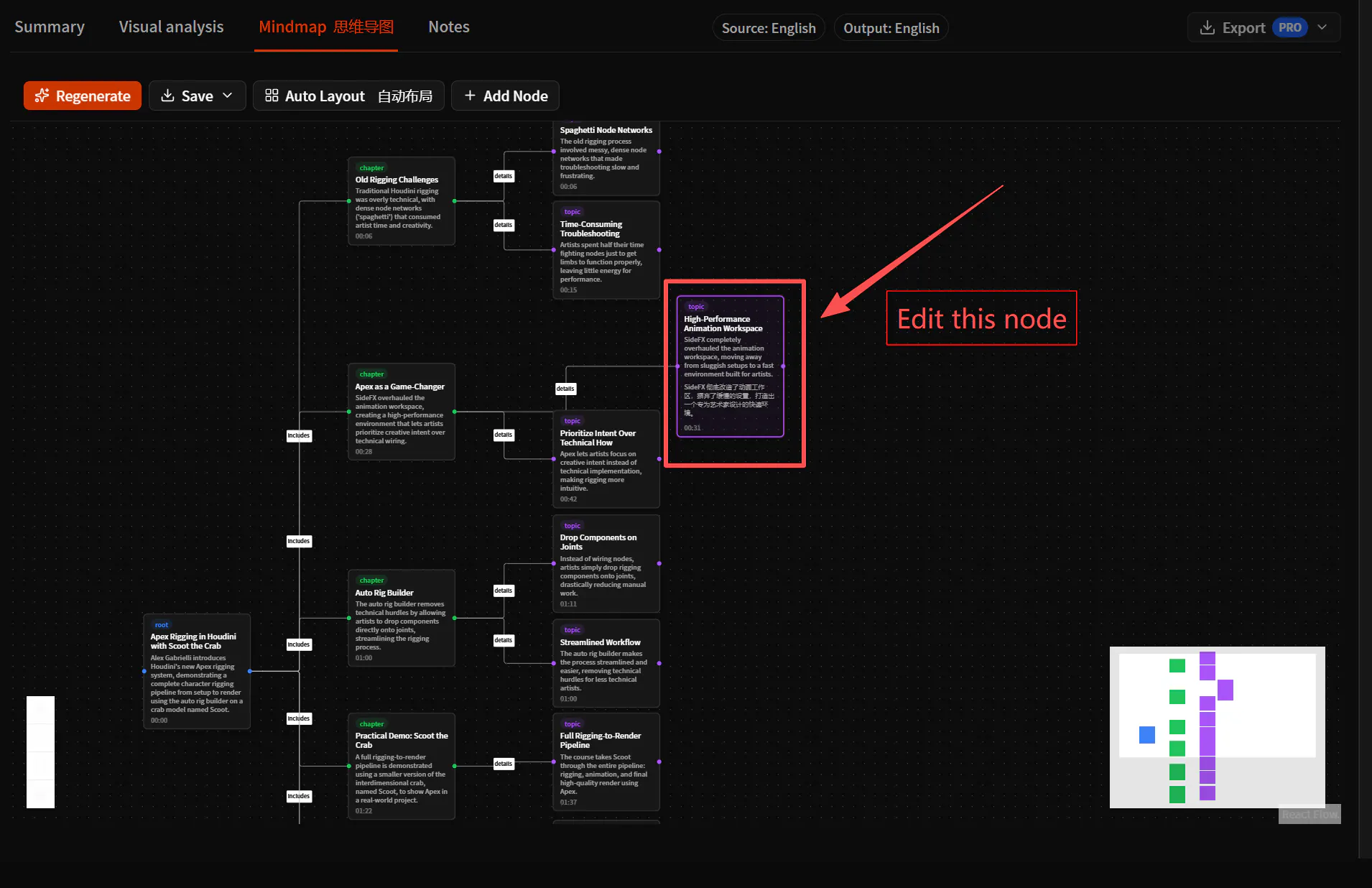
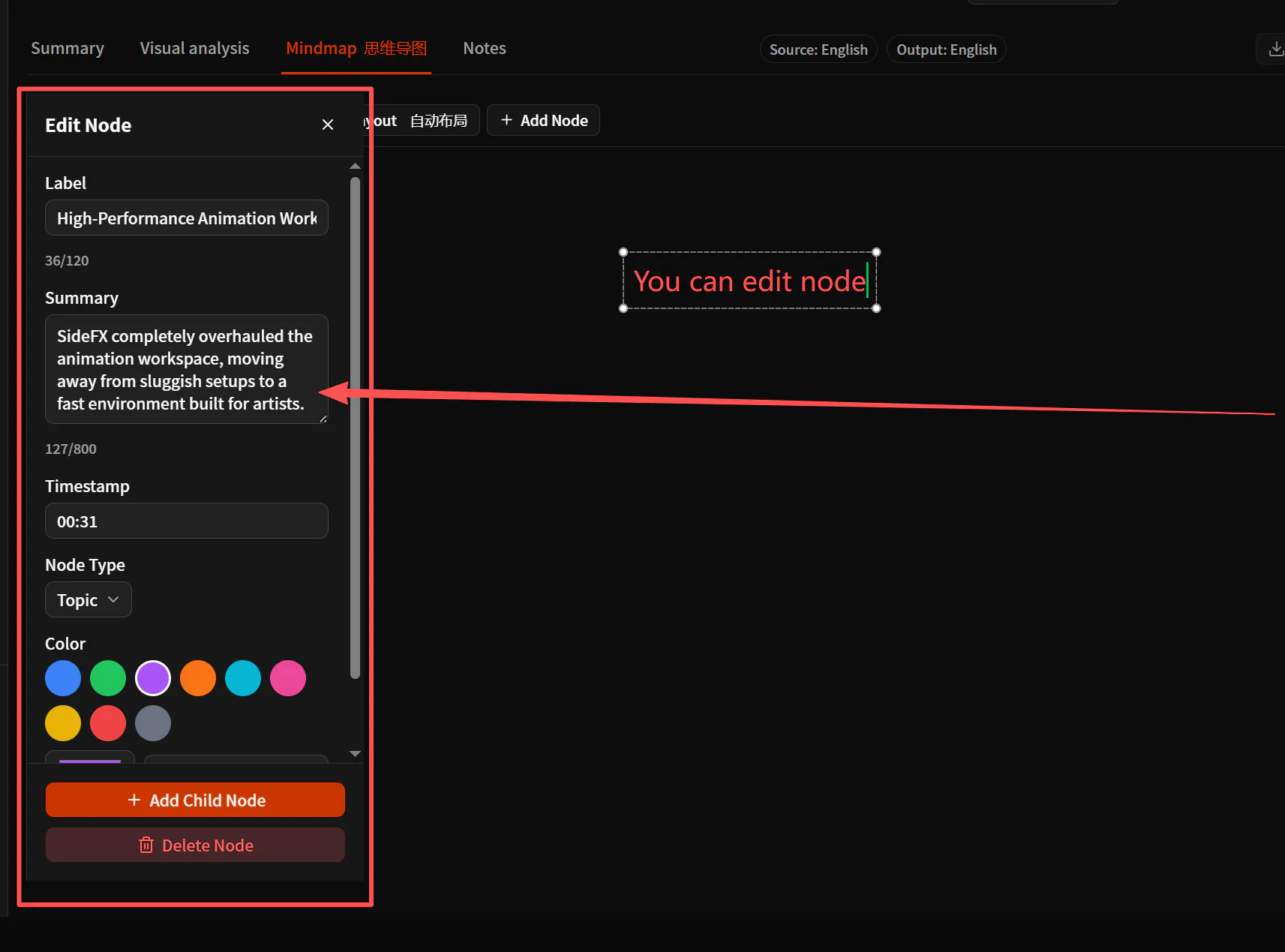
For me, this is an important part of the workflow.
AI can help create the first structure, but the user should still be able to adjust it based on their own understanding.
The generated mind map gives you a useful starting point. You can then turn it into something that matches your own learning process.
From passive watching to active learning
Watching a tutorial is often passive.
You follow the video, understand something in the moment, and then forget most of it a few days later.
A mind map encourages you to look at the relationships between different ideas.
When you edit the map, add notes, or reorganize branches, you are no longer simply watching a video. You are actively processing the information.
That makes the tutorial easier to review later.
Instead of opening the same video again and searching through the timeline, you can open the mind map and quickly see what the video covered.
A simpler YouTube learning workflow
My current workflow looks like this:
Find a useful YouTube tutorial.
Paste the video link into TubeTutor.
Generate an editable mind map.
Review the main topics and choose the sections I want to study.
Watch those sections more carefully.
Edit the mind map and add my own notes.
This saves time, but more importantly, it gives every tutorial a clear structure.
YouTube videos are great learning resources, but they were designed primarily for watching—not for organizing knowledge.
Turning a video into an editable mind map makes the content easier to understand, study, and review.
You can try this workflow with your own YouTube tutorial at:
I would also love to know how you currently take notes from YouTube videos. Do you use mind maps, written notes, timestamps, or something else?
Replies
Be the first to reply
Have a question or a thought to share? Add a comment above to start the conversation.