

8 Days After Launch: Major Termi Protocol Update

Eight days after launching Termi Protocol on Product Hunt, we have completed a major round of improvements based on early user feedback.
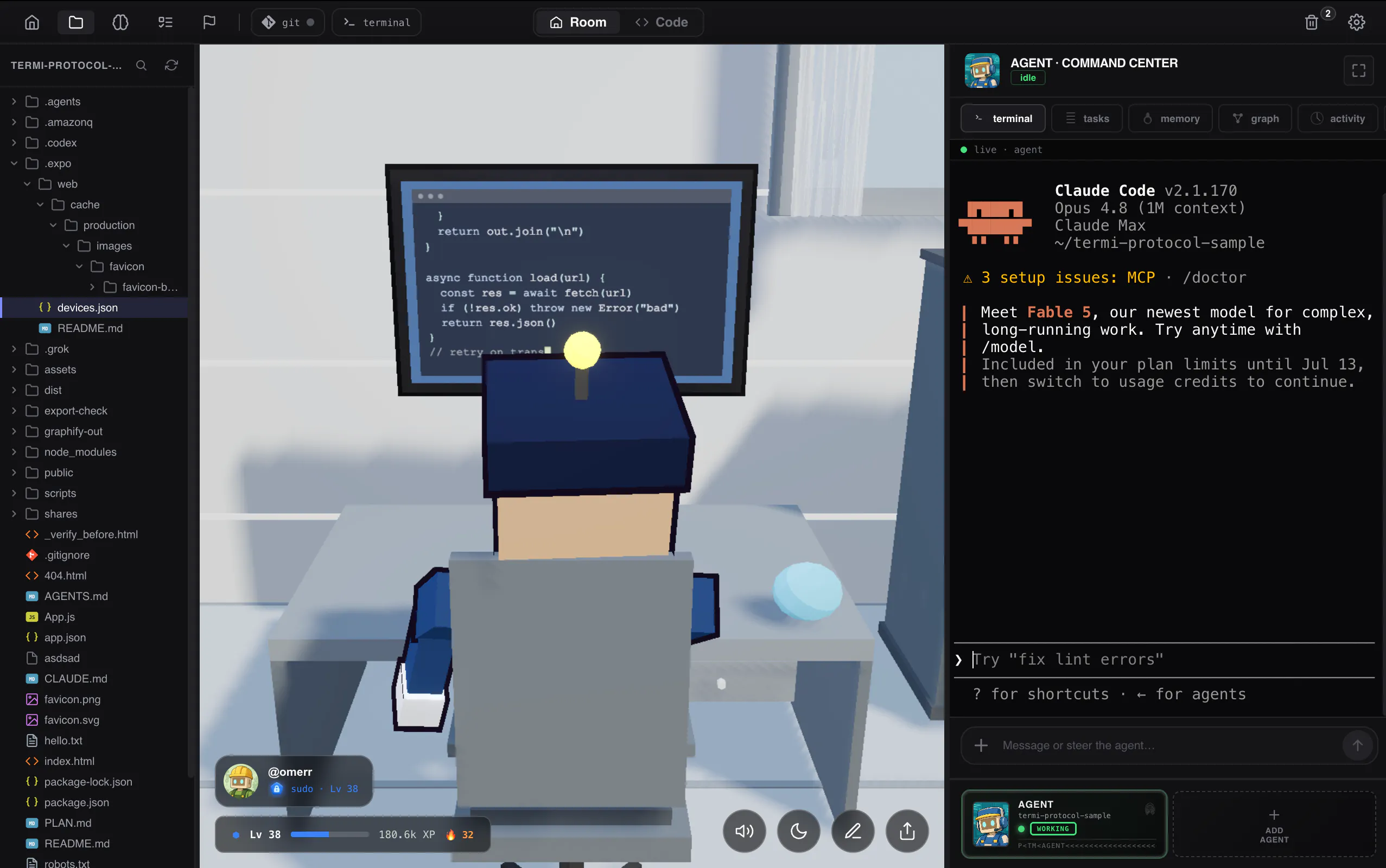
Termi is evolving into a visual workspace for managing AI coding agents, CLI development tools, agent memory, tasks, and multi-agent workflows from one place.
1. Agent Handoff
Your AI coding agent no longer loses all progress when it reaches a usage, rate, token, or context limit.
Termi detects the interruption, captures the current session, and creates a handoff capsule containing the task context, previous decisions, and recent progress.
From the recovery panel, you can continue with a fresh AI agent, begin a new session, copy a prepared recovery prompt, or preserve the current work for later.
The goal is simple: your coding workflow should not disappear just because an agent reaches its limit.
2. Support for More AI Coding Agents
Termi is no longer limited to Claude Code.
We added support for Cursor CLI model
3. Visual Agent Memory Graph
We added a new memory view that transforms everything your agents have read, written, and learned into an interactive 3D knowledge graph.
The graph helps you explore files, previous decisions, development sessions, task relationships, and knowledge created by different AI coding agents.
You can inspect connections, download important information, and reuse memory across agents instead of starting every session from zero.
4. Focus Mode and Break Games
The Pomodoro timer inside Termi is now a complete focus tool.
You can choose a session length, work inside the visual workspace, and take a structured break when the timer ends.
Short mini-games are available during breaks, helping you reset before returning to your coding session.
5. Private To-Do Board and Agent Recovery
Termi now includes a private to-do board created specifically for the human operator.
Your personal tasks remain separate from the AI agent Kanban board, so your priorities do not get mixed with tasks created or managed by agents.
We also redesigned agent controls. You can pause, remove, relaunch, and restore agents from the trash without losing the structure of your workspace.
Also Shipped This Week
Session notifications now alert you only when an AI agent actually needs your attention.
We also added a 30% referral affiliate program, public profile pages, custom avatars, leaderboard tiers, account improvements, reliability tests, performance improvements, and several interface refinements.
We are completing the final checks and plan to release this update within the next 24 hours.
Our goal is to make Termi Protocol a complete visual operating system for AI coding agents, multi-agent development, CLI automation, persistent agent memory, and human-AI collaboration.
Which of these updates would be most useful in your development workflow?
What should we build next?
Replies
me finding the Visual Agent Memory Graph interesting because it could simplify long projects. how will search work with large memory collections? Adding filters by project and date could help.
@darly_selby
Absolutely. This kind of functionality will be available both inside Project Memory and in the agent’s own Command Center.
For example, if you write a series of prompts to research a specific topic, the Memory view will organize everything under that research thread. You’ll be able to see what the agent searched for, which files it opened or edited, what steps it took, and which websites or sources it visited.
The goal is to make the agent’s work fully traceable, so even in long projects you can quickly search by project, date, topic, file, or action and understand exactly how the work progressed.
A timeline showing every interruption with recovery suggestions would make complex projects easier to organize and continue.
@hana_salazars
Absolutely. We already store this information in the History section and Project Brain. The system shows why the agent stopped, what was completed before the interruption, and the best recovery options. It is not live yet, as we are still testing it.