

1.9.1 Release is out!
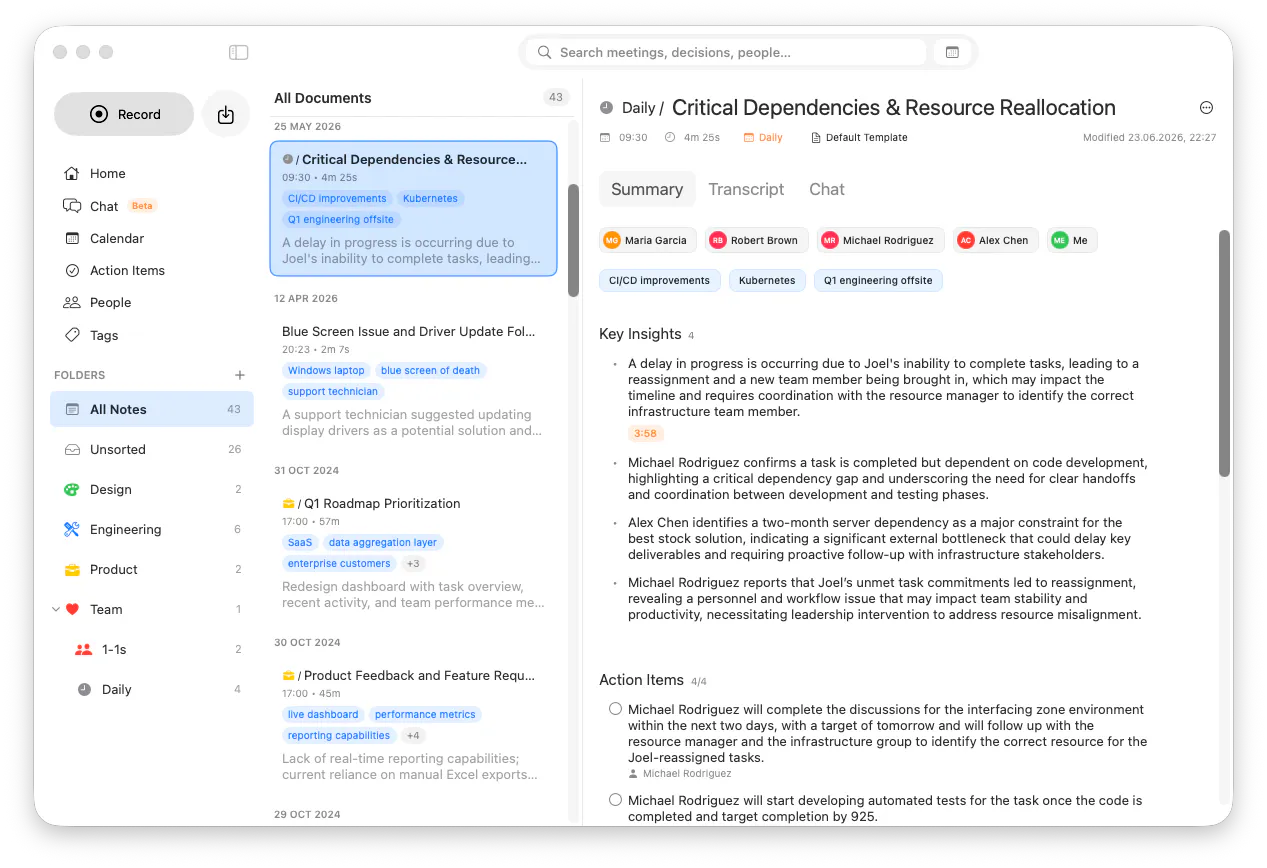
New Features
Record your screen alongside audio, with a pinned video player you can follow while reviewing notes.
Screenshots now appear inline in the transcript with timestamps, and you can open any screenshot directly from a transcript bubble.
Send action items straight to Apple Reminders, with assignee suggestions pre-filled from the people in your meeting.
Organize with nested folders: create subfolders, drag folders to reparent them, and manage everything from a dedicated Folders section in the sidebar with inline create and context menus.
Choose how your document list looks with new view modes: Default, Comfortable, and Compact.
Redeem offer codes directly inside the app through the App Store.
Added OpenRouter as a cloud AI provider.
Document chats now live in the main Chat menu, with streamlined session controls.
Beta: Live speaker recognition during recording — Summit now identifies known speakers in real time and can match them as they talk.
Improvements
Recording auto-stop is smarter.
Call detection lets you ignore specific apps.
Auto-summarization can now be skipped when your battery is low to save power.
Calendar events can be assigned a default recording folder, and calendar dates and times are now properly localized.
Filter markdown auto-export by folder, with export settings moved into their own dedicated tab.
Summit now warns you if your selected microphone is also your system output device.
Improved chat answers for follow-up questions and when no relevant content is found.
Bug Fixes
Summit now alerts you when the microphone captures no audio during a recording.
Storage safety: you’re warned when choosing a non-empty storage folder, and moving your storage location no longer pulls in unrelated files.
Onboarding now requires choosing a storage folder before you can finish.
Fixed corrupted AI model downloads.
Summarization errors are now surfaced instead of silently failing.
Replies
Be the first to reply
Have a question or a thought to share? Add a comment above to start the conversation.