
 •
•2mo ago
Summit: AI Notetaker 1.10 Huge Update! 🙌
New Features
Connect Summit to Claude Code and other AI tools your notes, transcripts and search are now available to external assistants, with a secure sign-in flow and connection status shown in Settings.
Live Queries: save a chat as a standing question over your notes and get recurring recaps. Pick the scope right in the editor, and see them front and centre on Home.
Chat now uses tools by default, so it can search, open and cross-reference your notes while answering. It shows what it s doing as it works, and every answer links back to the sources it used. Mention a document with @ to pull it into the conversation.
Tiered local chat: Summit picks a fast local model for everyday questions and automatically steps up to a more capable one for harder reasoning. Configurable in Settings.
Always-on-top meeting overlay a compact pill that stays visible during calls, remembers where you left it, and includes an interactive meeting prep tab.
Split transcript blocks and reassign speakers for part of a conversation, and copy the full transcript from the transcript menu.
App-wide back and forward navigation history.
Added OpenRouter as a cloud AI provider.
It is now possible to use NAS or any external drive as a storage folder.
Improvements
Calendar: skip recording an entire recurring series with one setting, set a default folder per series, start recordings inline from the Upcoming Meetings widget, and roll unanswered invitations into the tentative auto-record option.
Recordings started from a calendar invite or by hand now stop automatically when the meeting ends, including Google Meet.
Recordings are written to local storage first and synced forward to your storage folder afterwards, so a slow or network drive never slows down a recording. Your database and media can now live in separate locations.
Search moved from inline filter chips to a dedicated advanced search sheet faster, less cluttered, and easier to filter by people, tags and dates.
Document list gets Default, Comfortable and Compact view modes, day grouping, and duration in the subtitle.
Model recommendations are now more conservative and tell you plainly when a model is too large for your Mac.
AI summaries render as a styled block with better formatting.
Cloud provider API keys are now stored in the macOS Keychain.
•2mo ago
Getting ready for new Launch!
I've been working hard since the last launch to deliver a massive upgrade. All included in the lifetime if you chose that option ;-) Currently, I'm wrapping up and preparing for a big relaunch!
•5mo ago
Post launch welcome!
Wanted to take a moment and welcome everyone who joined and upvoted during the launch!
We already plan the next launch and hope it will delight you! For the time being, we would ask you to leave a review for Summit https://www.producthunt.com/prod... or just share what feature you miss the most!
•4mo ago
1.9.1 Release is out!
New Features
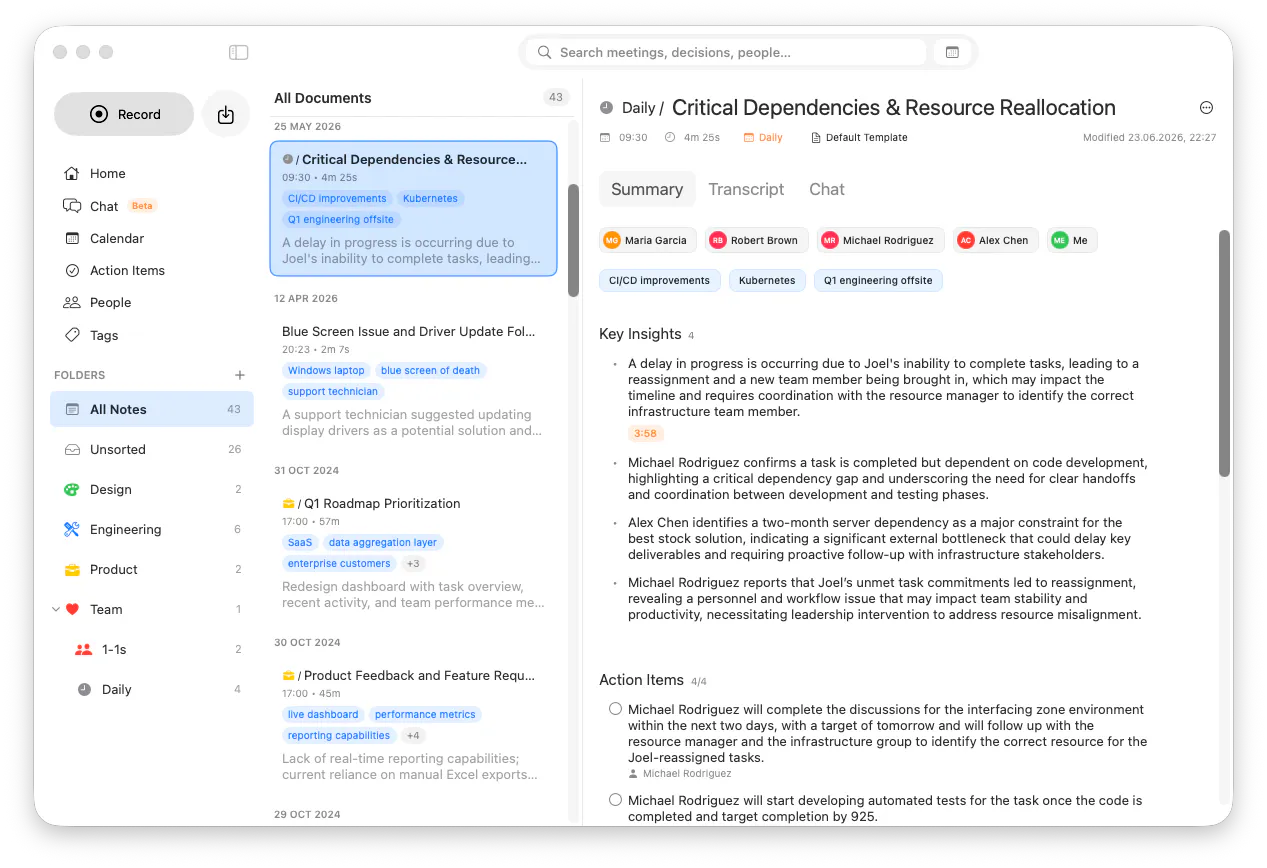
Record your screen alongside audio, with a pinned video player you can follow while reviewing notes.
Screenshots now appear inline in the transcript with timestamps, and you can open any screenshot directly from a transcript bubble.
Send action items straight to Apple Reminders, with assignee suggestions pre-filled from the people in your meeting.
Organize with nested folders: create subfolders, drag folders to reparent them, and manage everything from a dedicated Folders section in the sidebar with inline create and context menus.
Choose how your document list looks with new view modes: Default, Comfortable, and Compact.
Redeem offer codes directly inside the app through the App Store.
Added OpenRouter as a cloud AI provider.
Document chats now live in the main Chat menu, with streamlined session controls.
Beta: Live speaker recognition during recording Summit now identifies known speakers in real time and can match them as they talk.
Improvements
•5mo ago
Anticipating the launch!
The 1st launch is couple weeks away. I would like to kick off the forum to get the community conversations going!
Do you use Summit already? Tried in the past and dropped? What do you like the most? What drives you crazy? What feature shall I build next?
 •
•5mo ago