

I built a Vite plugin that saves CSS changes directly to your source files
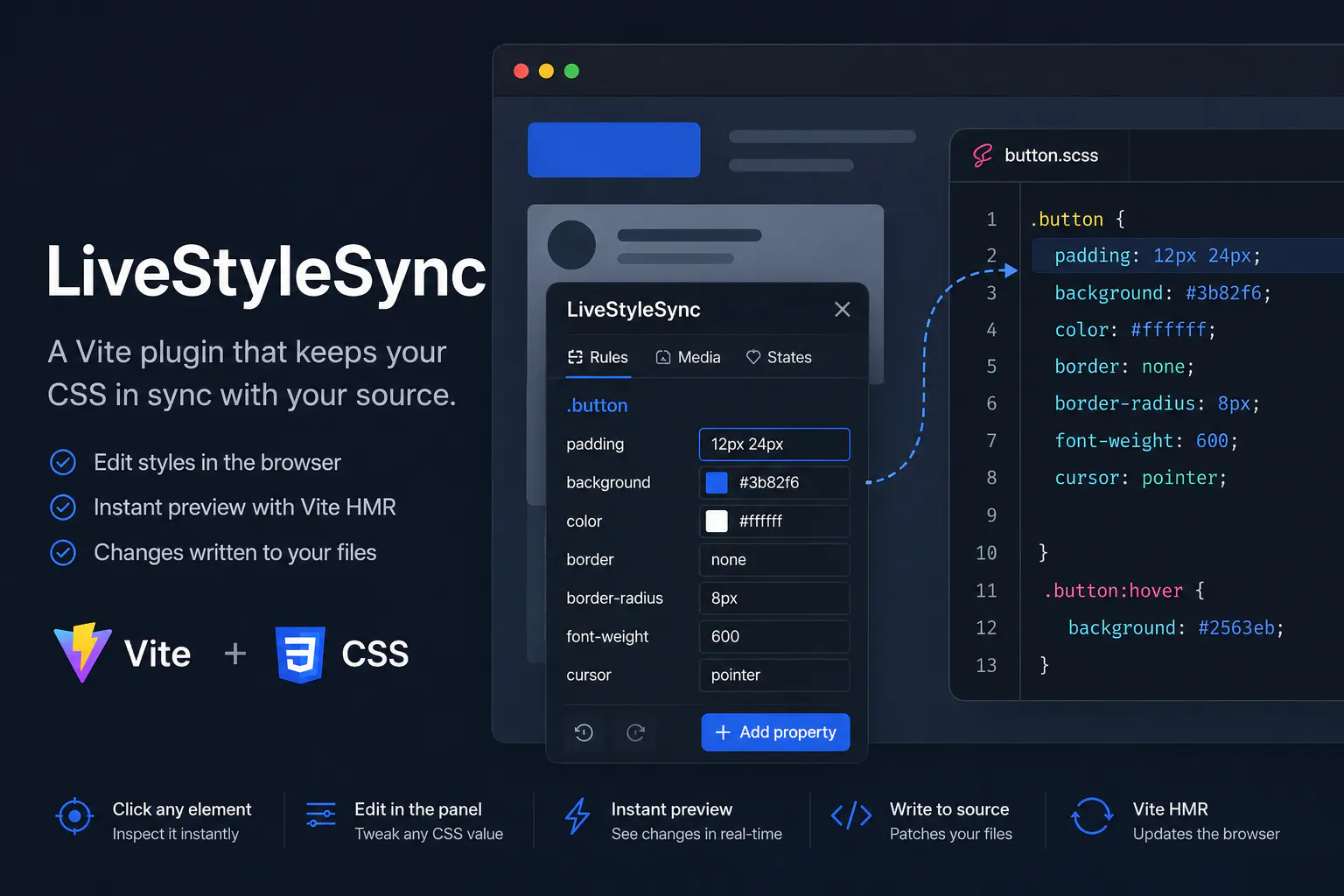
Every time I wanted to tweak a margin or color during development, I did the same thing:
open DevTools → find the element → change the value → like it → copy it → switch to editor → find the file → paste it.
Seven steps for a one-line change. I built LiveStyleSync to make it one step.
What it is
LiveStyleSync adds a small panel on top of your Vite app in dev mode. You click any element, edit CSS properties directly in the panel, and the change is written to your source file. Vite HMR picks it up instantly — no page reload.
Click element → edit value → Vite HMR updates browser → source file updated
No copy-pasting. No tab switching.
Quick start
npm install livestylesync-overlay livestylesync-vite-plugin
// vite.config.ts
import { liveStyleSync } from "livestylesync-vite-plugin";

export default defineConfig({
  plugins: [liveStyleSync()],
});
// main.ts
import { mount } from "livestylesync-overlay";

if (import.meta.env.DEV) {
  mount();
}
That's it. The panel appears in the corner of your app.
How it works under the hood
Bridging CSSOM and source files
This is the main technical challenge. The browser knows a CSS rule but doesn't know which line of which file it came from. We need to connect document.styleSheets to a specific .css or .scss file on disk.
CSSStyleSheet has two ways to get its source:
Case 1 — external file. If CSS is loaded via <link>, the sheet has sheet.href like http://localhost:5173/src/styles.css. We can extract the path from this URL.
Case 2 — <style> tag. SCSS, CSS Modules, Vue scoped — Vite compiles them and injects them as <style> tags in <head>. These have href = null. But Vite adds a data-vite-dev-id attribute with the absolute path to the source:
<style type="text/css" data-vite-dev-id="/home/user/project/src/styles.scss">
  .card { background: #1a1a2e; }
</style>
The overlay reads this attribute:
for (const sheet of Array.from(document.styleSheets)) {
  let fileUrl = sheet.href;

  if (!fileUrl && sheet.ownerNode instanceof HTMLElement) {
    fileUrl = sheet.ownerNode.getAttribute("data-vite-dev-id");
  }

  if (!fileUrl) continue;
}
Once we have fileUrl, we know two of three coordinates: the file and the CSS rule (from CSSOM). The third — the exact line in the file — is PostCSS's job on the server.
Why PostCSS instead of regex
The first instinct is to find the line with a regex or string.replace. This doesn't work for several reasons.
Problem 1: colons in different contexts. CSS uses : in three unrelated places: selectors (.foo:hover), values (content: "a: b"), and declarations (color: red). A regex for color: will hit the wrong place.
Problem 2: formatting. Real CSS comes in many formats — different indentation, inline comments, single-line rules. Supporting all variants with regex means either covering every case or normalizing the file, which destroys formatting.
Problem 3: SCSS nesting and @media inside rules.
.card {
  background: #fff;

  @media (max-width: 768px) {
    background: #000;
  }

  &:hover {
    background: #eee;
  }
}
Finding the right declaration in this structure with regex is non-trivial. You need to know the nesting level.
PostCSS parses the file into an AST. Each node has a type: Rule (selector), Declaration (property: value), AtRule (@media, @container). We find the Rule with the right selector, find the Declaration with the right prop, replace value. Everything else — indentation, comments, line breaks — PostCSS stores in raws and reproduces on toString().
root.walkRules((rule) => {
  if (rule.selector !== targetSelector) return;

  rule.walkDecls(prop, (decl) => {
    decl.value = newValue;
  });
});

writeFileSync(filePath, root.toString()); // formatting preserved
For SCSS, postcss-scss is used — it understands SCSS syntax including $variables, nesting, and mixins that standard PostCSS doesn't parse.
HMR: from setTimeout to confirmation
The first version looked like this: after sending the patch over WebSocket, wait 400ms, then re-read the CSSOM.
send({ fileUrl, selector, prop, value });

setTimeout(() => {
  editor.refresh();
}, 400); // fixed wait
The problem: after writing the file, Vite goes through several steps — the file watcher detects the change, Vite recompiles the module, sends the HMR update to the client via its own WebSocket, the browser applies the new CSS. This takes different amounts of time depending on file size and load. On slow machines 400ms wasn't enough. On fast ones — wasted time.
The fix: the server sends a confirmation only after writing the file. The client waits for this signal, not a timer.
// server — after writeFileSync:
socket.send(JSON.stringify({ type: "patched" }));

// client:
if (msg.type === "patched") {
  setTimeout(() => {
    editor.refresh();
  }, 300); // small buffer for HMR
}
Now the 300ms starts from when the file is already written — not from when the request was sent. The difference matters on a slow disk or a complex SCSS file.
Pseudo-states: editing :hover when it's not active
The browser applies .button:hover { color: red } only when the user hovers over the element. So el.matches(".button:hover") returns false for an element you just clicked.
If you collect rules only via matches, all pseudo-states will be missing — the user won't see any hover/focus/active rules in the panel.
The fix — two-step matching. First try matching as-is. If it fails and the selector contains an interactive pseudo-class — strip it and try again:
const INTERACTIVE_PSEUDOS = [":hover", ":focus", ":active", ":checked"];

function stripInteractivePseudos(selector: string): string {
  let s = selector;
  for (const p of INTERACTIVE_PSEUDOS) {
    s = s.split(p).join("");
  }
  return s.trim();
}

let matches = el.matches(effectiveSelector);

if (!matches && isPseudoRule) {
  matches = el.matches(stripInteractivePseudos(effectiveSelector));
}
.button:hover → strip → .button → match. The rule appears in the panel marked as a :hover state.
For visual preview, the value is set via element.style.setProperty() — an inline style that's always visible, not just on hover. This is a dev-mode compromise: you can see what the value will look like, even without the pseudo-class condition.
Vue scoped: hashes in selectors
Vue <style scoped> adds a unique attribute to each component element (data-v-3f7bd2) and rewrites all CSS selectors with this attribute:
/* source in .vue file */
.card { background: #fff; }

/* in browser after compilation */
.card[data-v-3f7bd2] { background: #fff; }
This creates two mismatches between what the browser sees and what's in the source:
Selector. CSSOM shows .card[data-v-3f7bd2], but the file just has .card. Sending .card[data-v-3f7bd2] to the server — PostCSS won't find it.
File URL. Vite serves Vue styles under URLs like main.vue?vue&type=style&index=0&scoped=7bd2. The real file is main.vue.
Both are solved by normalizing before sending:
// strip hash from selector
const selector = effectiveSelector
  .replace(/\[data-v-[a-f0-9]+\]/g, "")
  .trim();
// ".card[data-v-3f7bd2]" → ".card"

// strip query params from URL
const isVue = fileUrl.includes("?vue&type=style");
const cleanUrl = isVue ? fileUrl.split("?")[0] : fileUrl;
// → "main.vue"
On the server, patchVue parses the .vue file as text, extracts the <style> block content, runs it through PostCSS, finds .card, and writes back only the <style> block — not touching <template> or <script>.
Gotchas I ran into
Universal selector *
document.styleSheets contains rules like , ::before, ::after { box-sizing: border-box }. Without filtering, these appeared in the panel for every element on the page. Fix — skip rules where any comma-separated part equals or starts with *::
const selParts = selector.split(",").map((s) => s.trim());

if (selParts.some((p) => p === "*" || p.startsWith("*:"))) {
  continue;
}
CSSContainerRule missing from TypeScript lib
@container rules aren't typed in the standard TypeScript library. instanceof CSSContainerRule doesn't compile. Had to use duck-typing — @container has conditionText but isn't a CSSMediaRule:
if (
  !(rule instanceof CSSMediaRule) &&
  !(rule instanceof CSSSupportsRule) &&
  (rule as any).conditionText !== undefined
) {
  // this is @container
}
Inline styles override rollback
When rolling back changes via history, styles returned to the file, but (element as HTMLElement).style kept the overwritten inline values, which overrode the restored styles from the file. CSS specificity: inline styles always win over stylesheet rules.
Fix — explicitly clear the inline property on rollback:
(selected as HTMLElement).style.setProperty(prop, oldValue);

// or if oldValue is empty:
(selected as HTMLElement).style.removeProperty(prop);
Two undo mechanisms diverged
At some point I ended up with two independent undo stacks: one inside useStyleEditor (CSS only), another in the general session history (CSS + SCSS variables + CSS custom properties). In a mixed session they showed different states. This is an open bug — refactoring to a single stack.
Features
Feature | Description |
|---|---|
Element picker | Click any element to inspect it |
Element search | Find by .class, #id, CSS selector with live highlight |
DOM breadcrumbs | Navigate parent elements |
@media and @container | Separate tabs for each breakpoint/container |
Pseudo-states | Edit :hover, :focus, :active |
CSS custom properties | Browse and edit :root variables |
SCSS $variables | Server-side scan of all .scss files, edit $var |
Create new rules | Add CSS to elements with no source |
Session history | Git-style diffs of all changes, undo by batch |
Tailwind detection | Warning instead of trying to patch utilities |
CSS format support
Format | Read | Patch |
|---|---|---|
Plain .css | ✅ | ✅ |
.scss | ✅ | ✅ |
CSS Modules .module.css | ✅ | ✅ |
Vue <style scoped> | ✅ | ✅ |
Tailwind utilities | ⚠️ detected, warns | — |
Inline styles | ❌ | — |
Works with any Vite framework
React, Vue, Nuxt, SvelteKit, Astro, Solid — anything using Vite as a dev server. The overlay has no React peer dependency: Preact is bundled inside and isolated from your app.
Stack
Monorepo with pnpm workspaces
Overlay — Preact + TypeScript, bundled with tsup into a single file with no external dependencies
Vite plugin — Node.js + ws (WebSocket) + PostCSS + postcss-scss
Tests — Vitest for patchers (CSS/SCSS/Vue)
Try it
GitHub: https://github.com/Artyx71/livestylesync
npm install livestylesync-overlay livestylesync-vite-pluginFeedback welcome — especially if you try it on a non-React project or hit a case with unusual CSS structure. Open an issue or drop a comment.
Replies
Be the first to reply
Have a question or a thought to share? Add a comment above to start the conversation.