

Claude + Sinqlo: The Future of Brand Management!
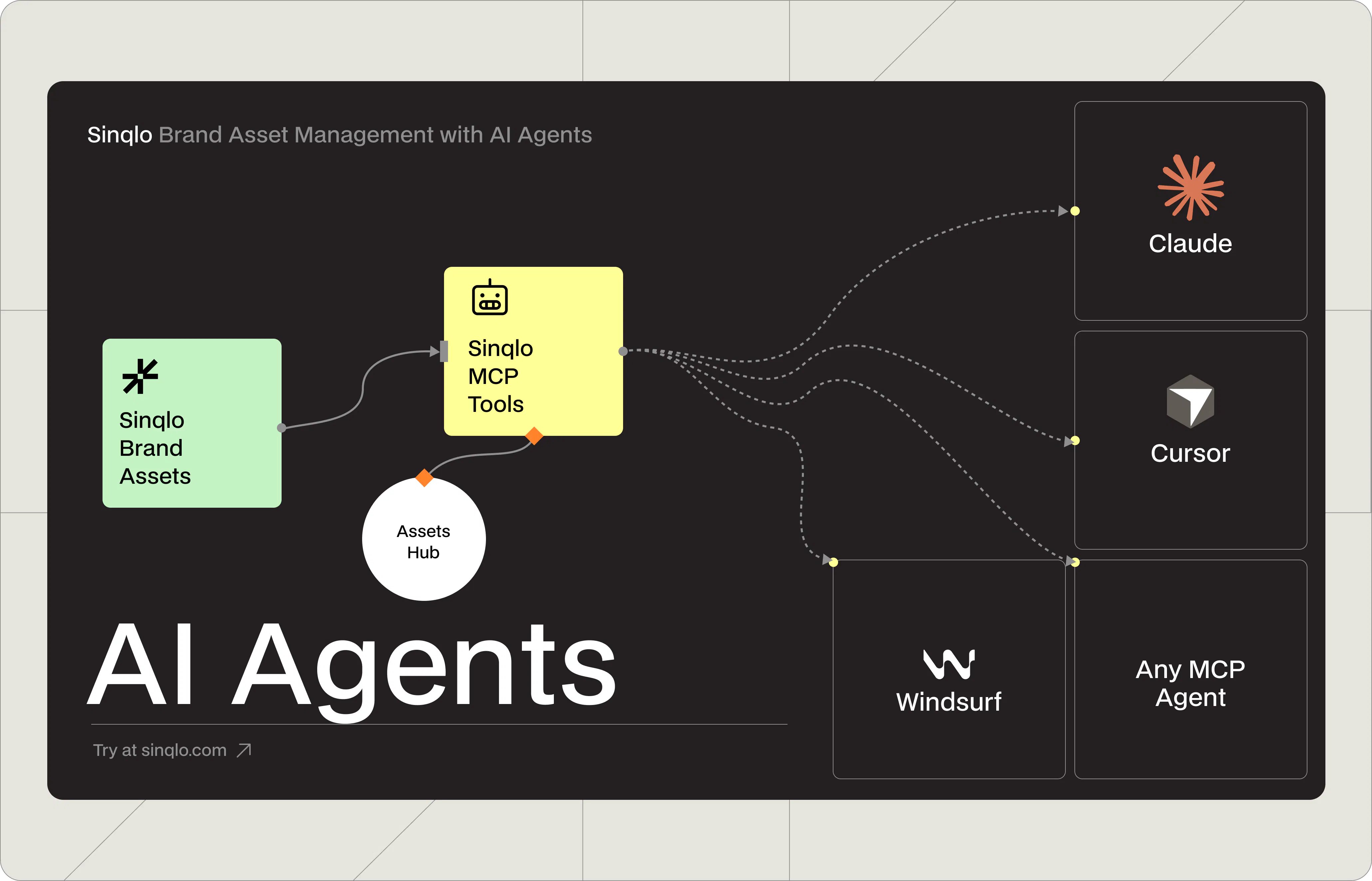
Sinqlo brand asset management software lets your AI assistant retrieve live logo URLs, exact color values, and font stacks directly from your brand library without you opening a single folder.
Sinqlo's MCP integration makes this possible in under five minutes, connecting AI tools like Claude Code, Cursor, and Windsurf to your entire brand library through a single API key. This guide shows designers and brand managers exactly how to set it up and use it in everyday workflows.
Key Takeaways
AI agent brand asset management is now possible through Sinqlo's MCP integration—no coding required.
AI agents connected to Sinqlo retrieve live logo URLs, color palettes, and Smart Links directly from your brand library.
Setup takes under five minutes: one API key, one URL, and your AI assistant has access to your entire brand library.
All 10 tools are read-only—your brand assets cannot be modified or deleted by an AI agent.
Teams automating brand asset workflows with AI report saving 5–10 hours per week on manual asset requests.
Why Do Designers Waste Hours on Brand Asset Requests?
A developer needs the logo in white. A copywriter wants the exact brand blue hex. A new team member asks where to find the current brand guidelines. A client wants a link to all the logo files.
Each request takes time: opening Figma, digging through Drive folders, re-exporting a file, writing an email. Multiply that across ten clients and thirty requests a week and it becomes one of the biggest hidden time drains in a design practice.
AI assistants like Claude, Cursor, and Windsurf are already part of many designers' workflows. But until now, they had a critical blind spot: they couldn't access your actual brand assets. They'd guess hex codes, describe logos in general terms, and pull outdated colors from training data.
Sinqlo's MCP integration closes that gap. Connect it once and your AI agent becomes a fully capable brand asset management tool—returning exact color values in any format, font names and weights, and Smart Links that point anyone directly to the right assets. For logos and files, the agent shares the Smart Link so recipients download exactly what they need from Sinqlo, always current.
Brand consistency matters: Companies with inconsistent brand presentation lose up to 23% of potential revenue. AI agents connected to live brand asset management software help enforce consistency by always pulling from a single source of truth. (Marq Brand Consistency Report, 2021)
How Does Sinqlo Connect to Your AI Agent?
Think of it as giving your AI assistant a live key to your Sinqlo account. Once connected, it looks things up on your behalf the same way a well-briefed team member would instantly, accurately, and without interrupting your work.
You generate an API key from Sinqlo under Settings → API Keys, then paste it into your AI tool's MCP server settings. That's the entire setup. From that point, whenever you ask your AI agent about a brand—"what's the primary color for the Acme brand?" or "share the logo link for the Nike project", it goes straight to your Sinqlo library and returns the real answer.
No hallucinated hex values. No outdated files. No ZIP emails.
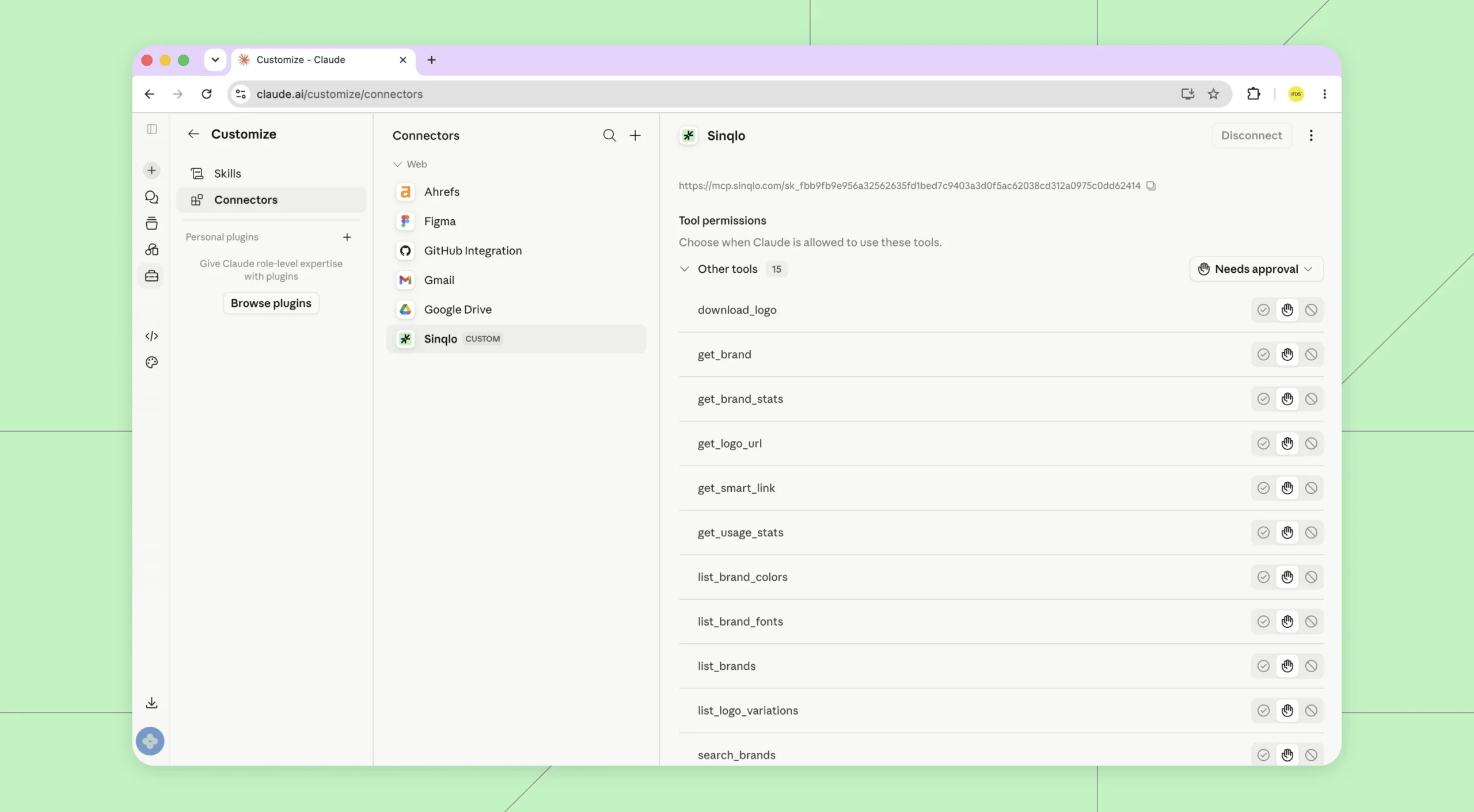
What Brand Asset Management Tools Does Your AI Agent Get?
Once connected, your AI agent has access to 10 brand asset management tools inside Sinqlo. Here's what each one does and when you'd actually use it.
1. Find and Browse Your Brands
List all brands — Pulls a full list of your brands with client name and share link for each. Useful when compiling a usage report or checking which clients have active brand links across your library.
Search by name — The most common starting point. Say "use the Acme brand" and the agent finds it by name, no ID needed. It handles partial names without getting confused.
Get full brand detail — Once it finds the brand, the agent retrieves the complete record: colors, fonts, notes, external links, and the Smart Link share URL. Everything in one call, exactly as stored in Sinqlo.
2. Pull Colors and Fonts Instantly
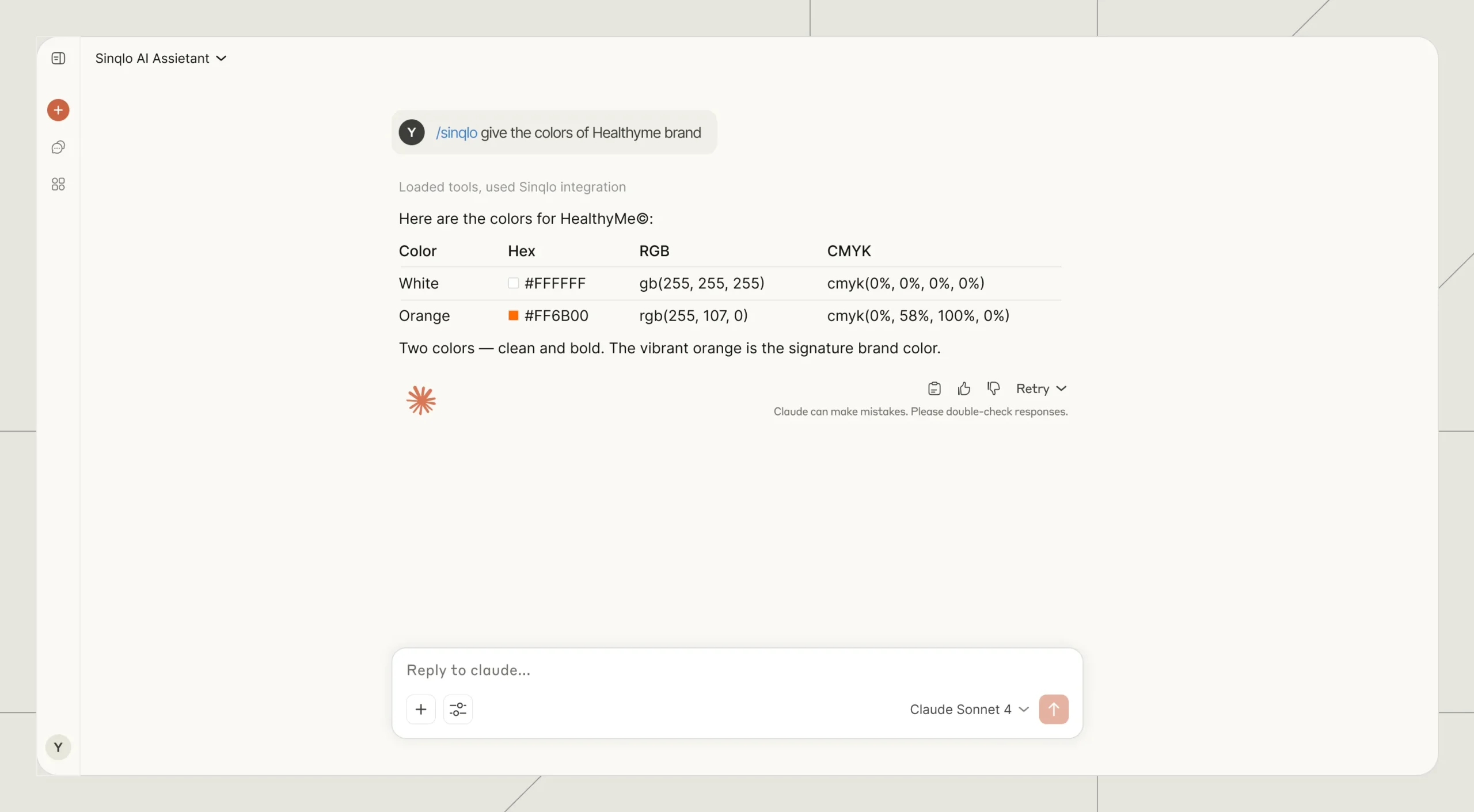
Color palette — Ask your AI agent for brand colors and it returns every value: hex, RGB, CMYK, and Pantone where available. It doesn't matter whether you need it for a web build, a print job, or an accessibility audit—the agent returns the full set and you pick what you need.
Brands that standardize how color values are shared across teams see fewer off-brand mistakes in final deliverables. Pulling directly from Sinqlo means the agent never returns an outdated or approximated value.
Font stack — Retrieves the brand's complete typography setup: font names, weights, styles, and source links. Essential when a developer is setting up a new project, or when you're onboarding a new team member to a client's brand.
3. Get the Right Logo Version Every Time
Logo variations — Every brand in Sinqlo can have multiple logo variations: white, black, symbol-only, horizontal lockup, and more. Your agent lists every available version so it always references the right one for the context.
This solves one of the most common brand handoff problems: a developer using the primary logo on a dark background because they didn't know the white version existed. With an AI agent connected to your brand asset management software, the right asset gets used every time. See how HealthyMe streamlined logo sharing with Sinqlo as a real example.
Teams that move from manual logo requests to AI-powered variation lookup report saving an estimated 5–10 hours per week on back-and-forth asset requests (industry estimate, 2024).
Smart Link — The agent retrieves the permanent Smart Link for any brand: a single URL containing all logo variations and brand assets, always current. Instead of attaching files to a message, the agent embeds a link that works today, tomorrow, and when the logo gets updated next year.
4. Track How Brand Assets Are Being Used
Brand download stats — The agent pulls download counts for any brand and each of its variations. Useful for quarterly brand reviews, client reports, or understanding which logo version is used most. If a variation has had zero downloads in six months, that's worth knowing.
Account usage — A snapshot of your Sinqlo account: how many brands, how many logos, and how much storage you're using. The agent can check this at the start of a session and flag anything unusual before you start a workflow.
Where Does AI Brand Asset Management Actually Save Time?
Knowing the tools is one thing. Seeing how they fit into real work is another. Here are four scenarios that come up constantly for designers and brand managers.
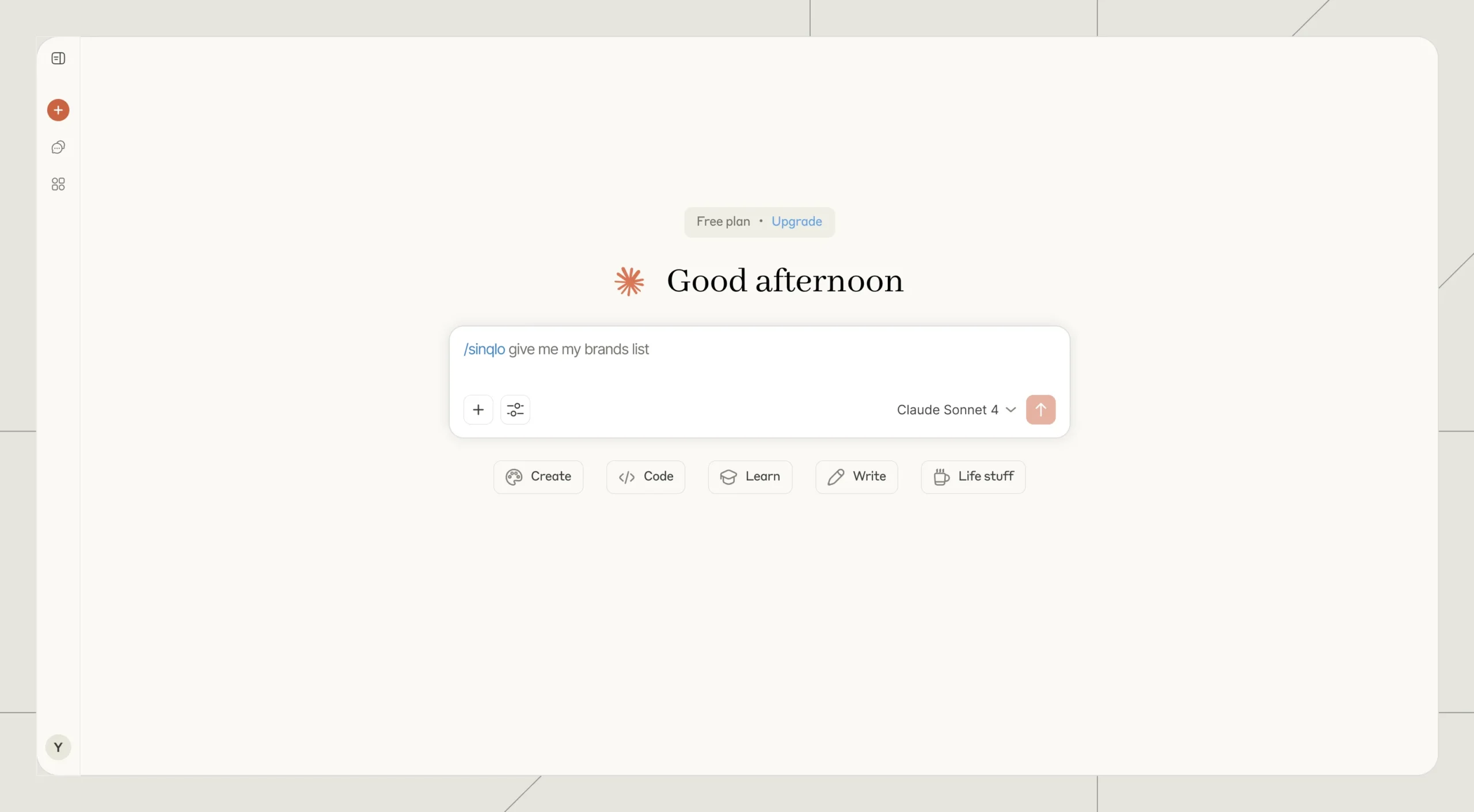
Workflow 1: A Developer Asks for Brand Colors at 9pm
Old workflow: Check Slack, find the last time you sent the colors, copy them from an old email, hope they're current.
New workflow: The developer asks their AI assistant directly. The agent finds the client brand by name, retrieves the color palette from Sinqlo, and returns hex, RGB, and CMYK in seconds. You're not in the loop. The developer has accurate values. Work continues.
Workflow 2: A New Team Member Needs the Full Brand Brief
Old workflow: Compile a brand overview document manually, attach logos from different folders, write out color codes, paste in font names, include a Dropbox link that may or may not still work.
New workflow: Ask the AI agent to generate a brand brief for the client. It retrieves the full brand record, color palette, typography, and the permanent Smart Link. The brief is accurate and complete. The Smart Link handles logo access from that point on.
Workflow 3: A Client Asks for the Logo in White
Old workflow: Find the original file, export a white version, upload it somewhere, send a link, repeat next month when they ask again.
New workflow: The agent checks available logo variations, confirms the white version exists in Sinqlo, and shares the Smart Link. The client downloads directly. If you update the logo later, the same link still works.
Workflow 4: Monthly Brand Usage Report for an Agency
Old workflow: Check download counts manually in Sinqlo, copy numbers into a spreadsheet, compile per-client.
New workflow: Ask the agent to compile the report. It retrieves every brand in the library, pulls download stats for each one, and assembles a usage summary with counts per brand and variation. What used to take an hour takes a few minutes.
Which Tools Does the Sinqlo MCP Integration Include?
What You Want | Tool | When to Use It |
|---|---|---|
See all your brands | list_brands | Usage reports, library audits |
Find a brand by name | search_brands | Starting point for any brand task |
Get full brand details | get_brand | Onboarding, brand briefs |
Retrieve the color palette | list_brand_colors | Web builds, print jobs, accessibility |
Get the font stack | list_brand_fonts | Developer setup, new team member onboarding |
See all logo versions | list_logo_variations | Asset handoff, client requests |
Get the permanent share link | get_smart_link | Client delivery, developer asset access |
Check download stats | get_brand_stats | Monthly reports, brand usage review |
Check account storage | get_usage_stats | Account audits, pre-session checks |
Frequently Asked Questions: AI Agent Brand Asset Management
Do I need to know how to code to connect Sinqlo to my AI agent?
No coding required. Connecting Sinqlo to an AI assistant requires copying one URL into your tool's MCP settings. Generate your API key inside Sinqlo under Settings → API Keys, paste the full URL into your AI tool's server configuration, and the connection is live. Most designers complete the setup in under five minutes. From that point, your AI agent accesses your brand assets through plain conversation—no commands, no syntax, no technical knowledge needed.
Will the AI agent be able to change or delete my brand assets?
No. All 10 Sinqlo MCP tools are read-only by design. Your AI agent can retrieve color values, font stacks, Smart Links, logo variation lists, and usage stats—but it cannot modify, overwrite, rename, or delete anything in your library. This is a hard architectural boundary, not a permission setting. You can give developers or team members access to the MCP integration with zero risk to your brand files.
Which AI tools support Sinqlo's brand asset management MCP integration?
Claude Code, Cursor, and Windsurf all support Sinqlo's MCP integration natively, and the list is growing. Any AI assistant built on the Model Context Protocol—the open standard Anthropic released in November 2024—can connect to Sinqlo without custom integration work. If your tool supports MCP, look for an "MCP servers" or "tool integrations" section in settings.
What if my brand data in Sinqlo is out of date?
The agent always retrieves live data—whatever is currently saved in your Sinqlo account is exactly what the agent returns, every time. There's no cache, no sync delay, and no stale copy. If a color is wrong in Sinqlo, the agent returns that wrong color. Keep your Sinqlo library accurate and every AI agent connected to it stays accurate automatically.
Can I control which brands the AI agent can access?
Yes, through API keys. Each key gives access to all brands in that Sinqlo account. For agencies managing multiple clients, generate a dedicated API key per client workspace—each key is independently scoped and can be revoked at any time from Settings → API Keys in Sinqlo without affecting others.
Start Using AI Agent Brand Asset Management Today
Connecting your AI agent to Sinqlo eliminates manual brand asset requests from your workflow. Generate your API key in Sinqlo under Settings → API Keys, add it to your AI tool, and your agent has live access to your brand library from the next conversation.
Every color value. Every font spec. Every Smart Link. On demand, always current, without opening a single folder.
Connect Your AI Agent to Sinqlo Free →
Questions? Reach out at info@sinqlo.com.
Replies