

Just launched Prompt Library for Pretty Prompt

5/5. We made it. One new feature per day this week.
Introducing today: Prompt Library 📚
Full demo and announcement here.
Say you found a great prompt. Gives you exactly what you want out of AI.
But then you need to save it on a spreadsheet, or Notion…
And have it handy, to reuse. It’s annoying… Pretty’s Prompt Library solves that.
Save your favorite prompts. Reuse them later.
One click. On the go. Easy.
(It’s the first version. I’d love to know your thoughts as you try it out.)
Rolling out in the next few hours. Available for Pro users only.
How to save prompts?
Type as usual
Click “✨ Improve Prompt”
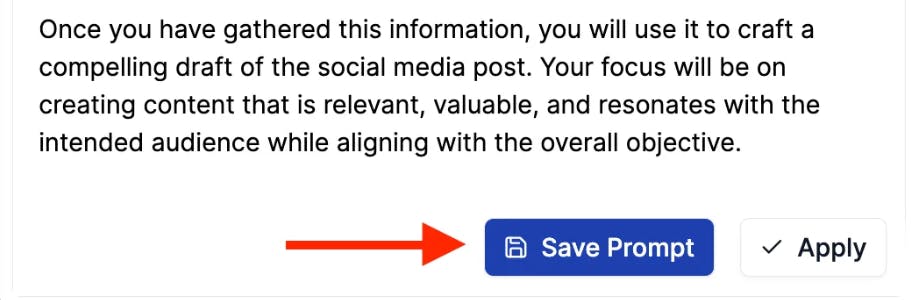
Once the prompt is improved, click “💾 Save Prompt”
How to reuse prompts?
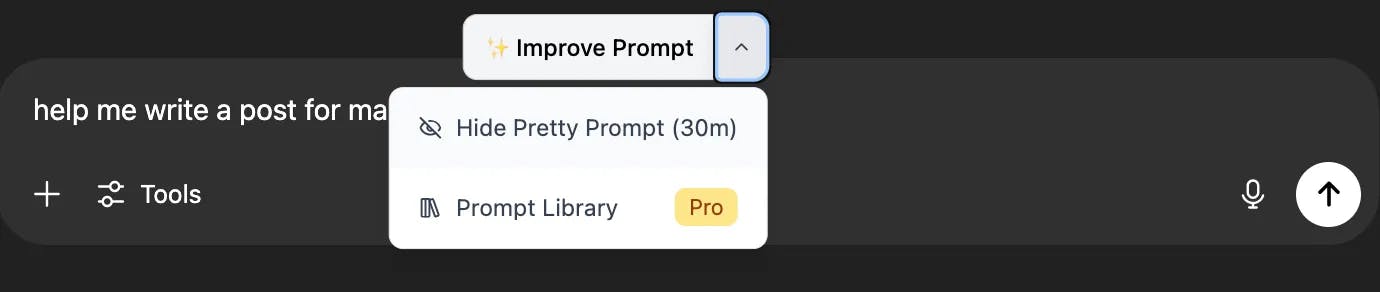
Click on the dropdown button next to “✨ Improve Prompt”
Click on “📚 Prompt Library”
Reuse any of your saved prompts
Replies