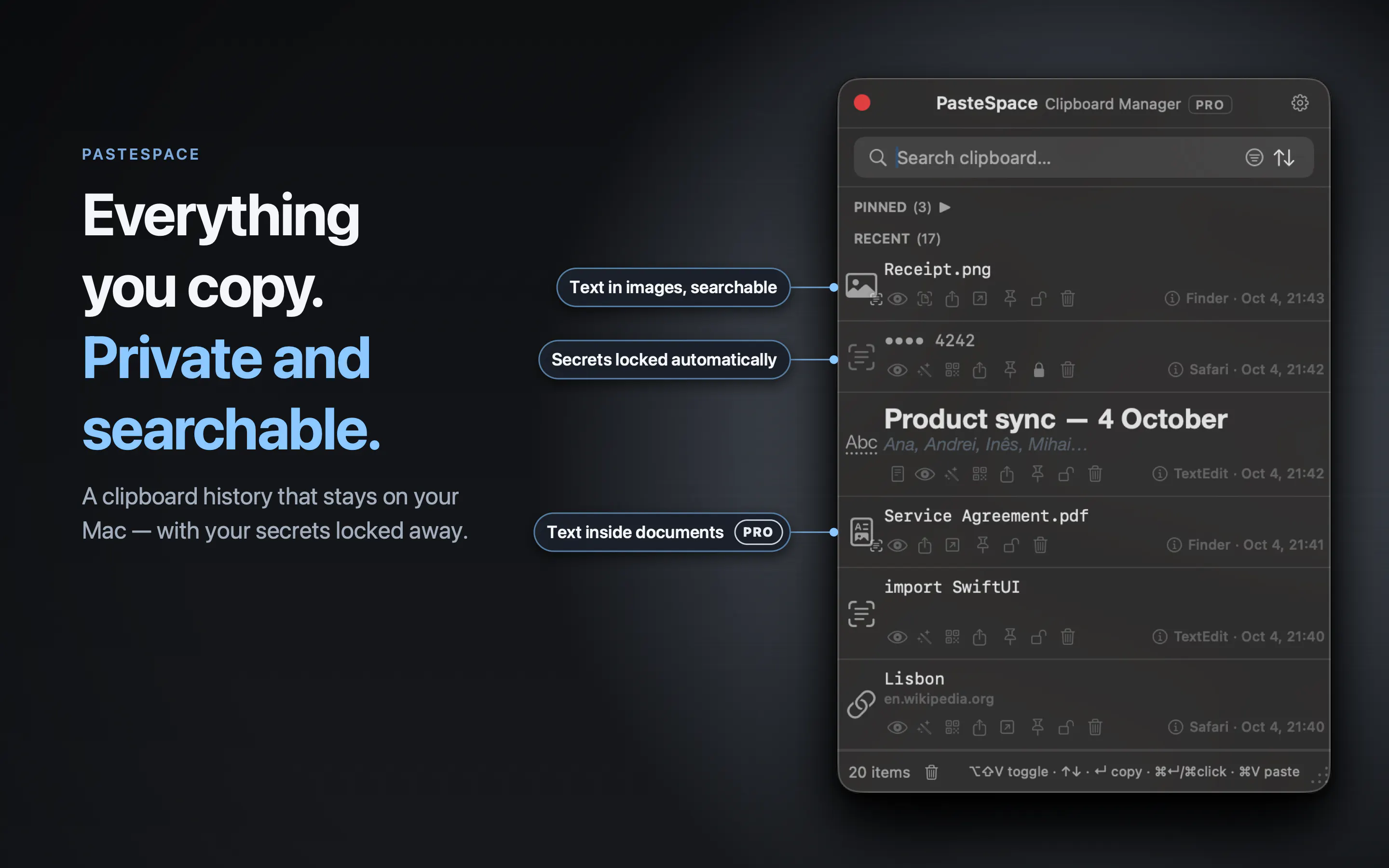
PasteSpace 3.0 is a big update to the private clipboard manager for Mac. Find a screenshot by any word in it, with text recognition in up to 30 languages. With Pro, search inside PDFs, Word and Excel files, scans included, and you can edit their text. New filters and sorting find anything in seconds, the Vault now hides passwords and card numbers even from search, and a redesigned window shows more of what you copy. Everything stays on your Mac: no account, no cloud. Free; Pro is $19.99 once.
Quick Look is now a text editor — edit, format, highlight, and save clipboard text directly in the app. Formatted text is now captured and pasted exactly as it appeared at the source. "Always copy as plain text" and "Always paste as plain text" options added. QR Code generator added. Drag & Drop copy. macOS 27 compatibility. Redesigned interface. Ephemeral Mode — history is wiped when you quit PasteSpace, not only on macOS restart or shutdown.
PasteSpace is a native macOS clipboard manager built for people who want fast clipboard history without subscriptions, tracking, or cloud lock-in. It remembers everything you copy, supports local OCR for images, drag and drop copy directly from your history into any app, includes a secure encrypted Vault for sensitive items, and offers powerful text/data transformations, text editor, QR code generator — all while keeping everything on your Mac.