

📋 Your MacBook notch now has a full fledged Clipboard Manager

Copy something, copy something else, and the first thing is gone. In the new update, the Clipboard in your notch is a full clipboard manager. It sorts what you copy, finds it again, and pastes it with one shortcut.
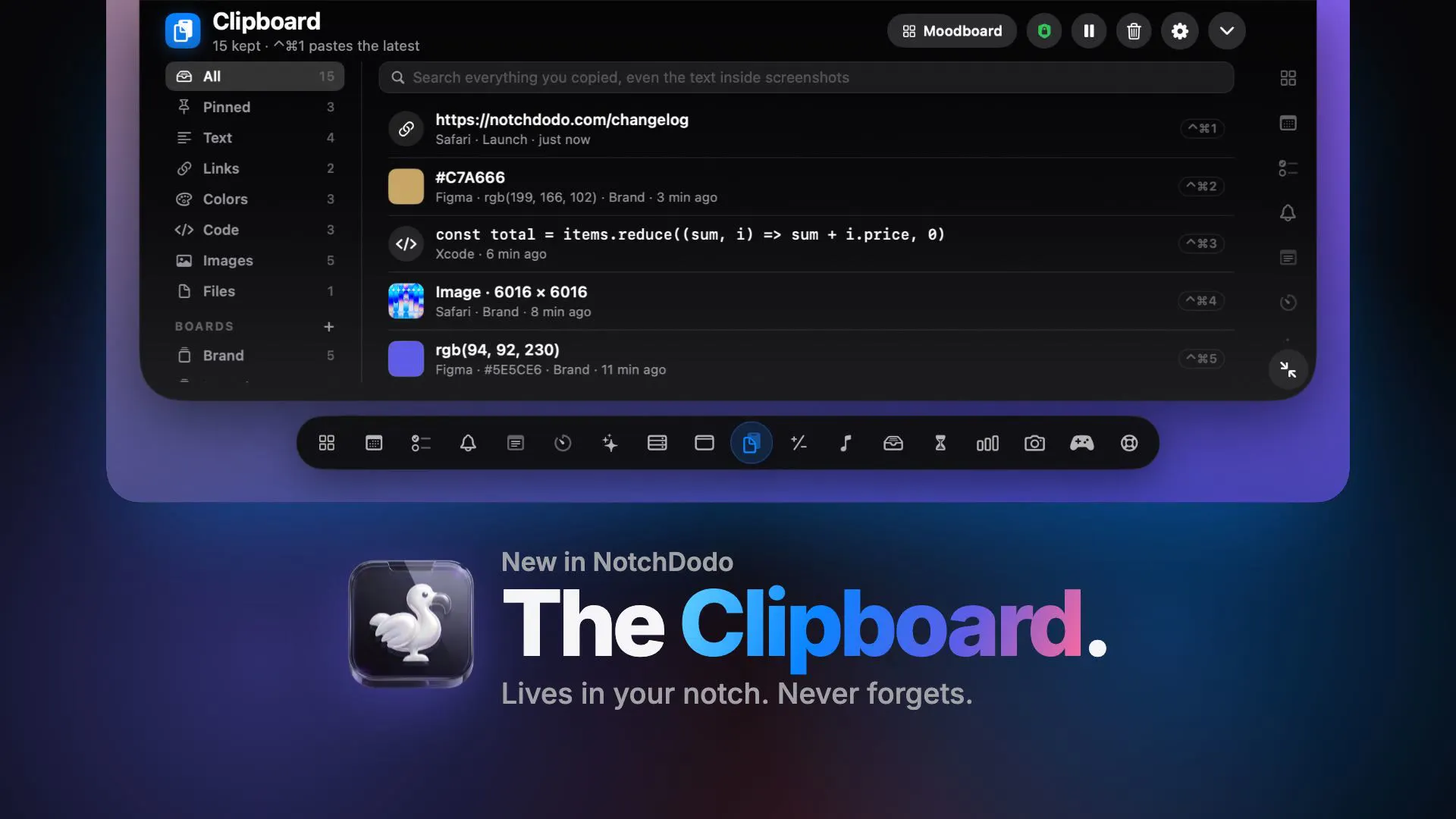
What it does now:
Copy anything → it sorts itself into Text, Links, Colors, Code, Images or Files
Search "invoice" → finds the screenshot with that word inside the picture
Working on a project → give it a board, drag clips onto it, and they stay for good
Copied a photo → one click removes the background and copies the cut-out
Several reference images → paste them as one tidy moodboard
Copied a colour → copy it again as HEX, RGB or HSL
⌃⌘1 to ⌃⌘0 → paste any of your ten latest copies into the app you're in
⌃⌘V → opens the clipboard, type to search, press Return
How it keeps your secrets:
Passwords, card numbers, API keys and private keys are spotted and never saved
Anything copied from 1Password, Bitwarden or Keychain is skipped
Pause it from the header for screen shares
Everything stays on your Mac. Text reading and background removal run on your Mac too. No account, no cloud, no uploads
There's a one-minute video, with a dog who loses his lawn 🐶: notchdodo.com/clipboard-manager
What do you copy and paste ten times a day? I'm choosing the next clipboard feature from the replies.
Replies
I copy links and bits of text all day, then forget where I put them. Having everything in one place would be really handy.