

NotchDodo now keeps your clipboard history in the notch 📋

NotchDodo now keeps your clipboard history in the notch 📋
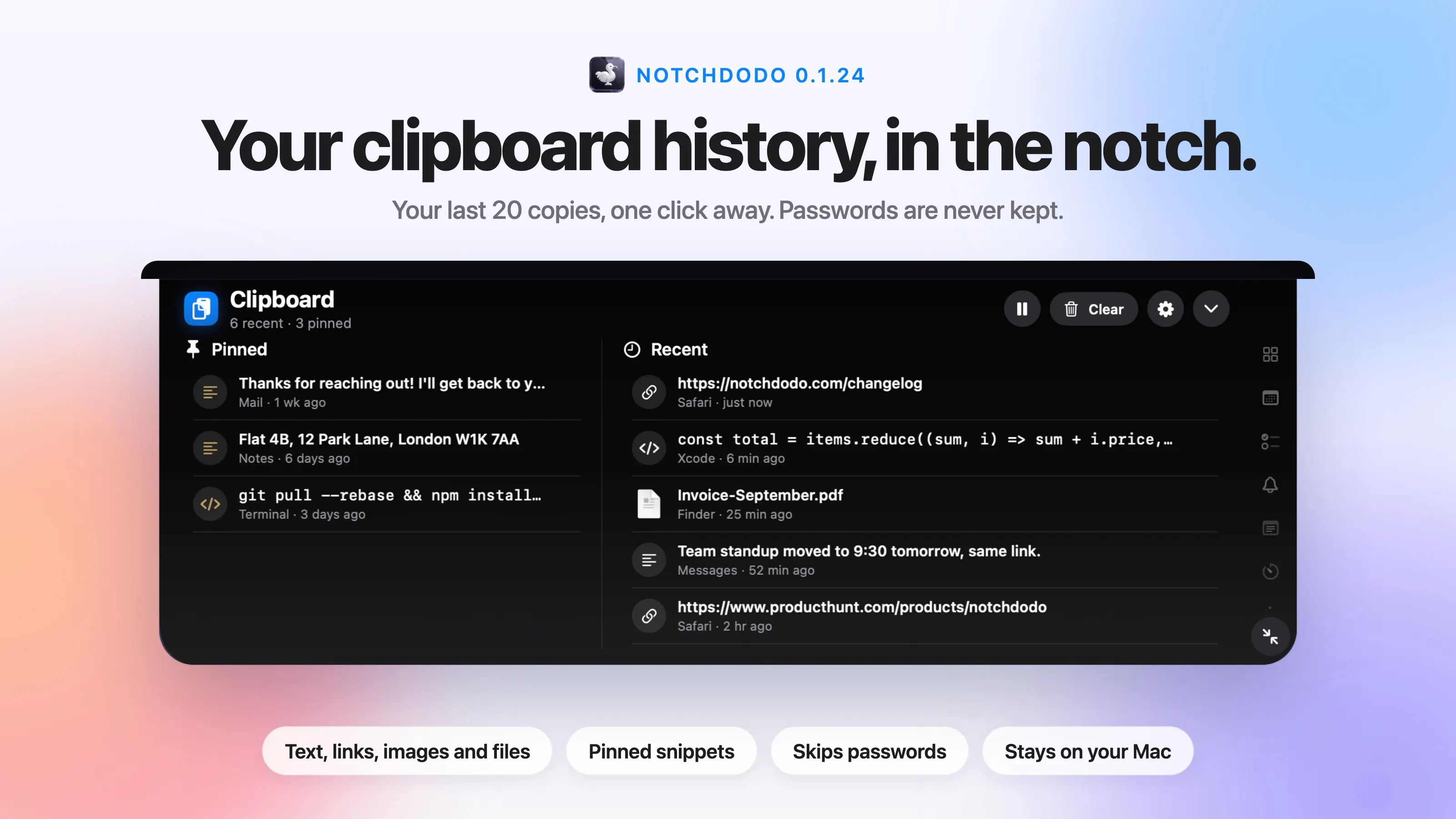
NotchDodo 0.1.24 is out, and the notch now remembers what you copy:
Your last 20 copies: text, links, images and files
One click to copy any of them again
Pinned snippets for the things you paste every day
Passwords from password managers are never kept
Why we did it
You copy something, then copy something else, and the first thing is gone. So you go back to the tab, the email or the terminal, find it again, and copy it again. It's a small thing, but it happens dozens of times a day.
This was one of the most requested features after our Product Hunt launch. The notch is already where you look for your timer, your next meeting and your AI agents, so it felt like the right place for the last thing you copied too.
It stays out of the way.
Clipboard history only works if you can trust it, so we were careful about what it keeps.
Password managers like 1Password and Bitwarden mark their copies as private. NotchDodo respects that and never saves them. Everything else stays in NotchDodo's folder on your Mac. Nothing is uploaded, and there's no account.
You can pause it from the header at any time, clear the recent list (your pinned snippets stay), or switch the tool off, which stops it watching the clipboard completely.
How to use it
Hover the notch and open Clipboard. Click any row and it's on your clipboard, ready to paste, and the notch tucks away so you can paste straight in. Hover a row and click the pin to keep it at the top for good.
A few small touches: copies show which app they came from, code shows in a code font, hex colours like #C7A666 show a swatch, and copying the same thing twice moves it to the top instead of adding a duplicate.
Also new since launch
Focus sounds: rain, café or white noise that start with your Pomodoro and fade out when the break begins
Menu bar icons hidden behind the notch, found and opened from NotchDodo
A keyboard shortcut for every tool
Claude Code alerts when an agent needs your approval
A heads-up five minutes before meetings, with the Join button ready
Dev Servers: everything on localhost, one click to stop it
Help us get it right
If something feels off, or there's a tool you'd want in the notch next, reply here or email info@authoritymartmedia.com.
Most of what's above started as a comment just like that.
The update is free for everyone who owns NotchDodo. Open NotchDodo and it will tell you a new version is out, or download it from notchdodo.com.
Full release notes: notchdodo.com/changelog
Replies